

Latest Version
September 02, 2026
Alarm S25
Tools
Android
1
Free
com.callappp.contact.phonedialer
Report a Problem
More About Phone Call – Simple Dialer & Contact Manager
What is Phone Call?
Phone Call is a free Android application designed to handle the core tasks of making and receiving calls. It provides a clean dialer interface, basic contact management, and a straightforward call log, aiming to keep the calling experience fast and uncomplicated.
Main Features
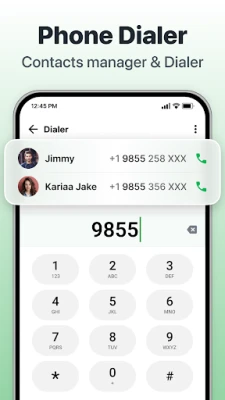
- Dialer with T9 support – Type numbers or names and the app suggests matches from your contacts.
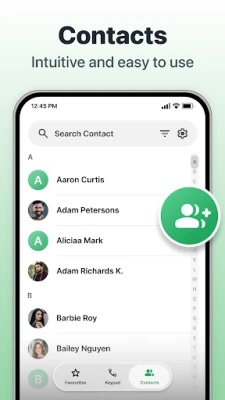
- Contact handling – Add, edit, delete and share contacts directly within the app.
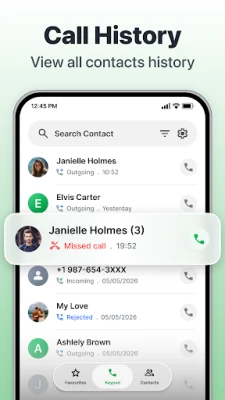
- Call history – View incoming, outgoing and missed calls in a single list.
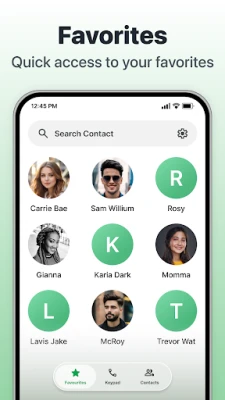
- Favorites – Pin frequently used contacts for one‑tap dialing.
- Spam and unwanted call blocking – Hide numbers you do not wish to be disturbed by.
How It Works
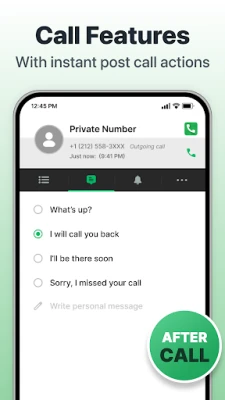
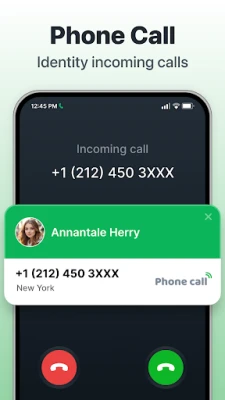
When you open Phone Call, the main screen presents a numeric keypad with T9 search capability. Typing a name or number instantly filters your contacts, allowing you to tap a result to start a call. After a call ends, the app records the entry in the call log and offers quick actions such as adding a note or setting a reminder.
Practical Uses
- Quickly reach contacts without navigating through the system phone app.
- Keep a separate, uncluttered call log for personal or work numbers.
- Block telemarketing or spam numbers that you have identified.
- Share contact details via SMS or other messaging apps directly from the contact screen.
Installation Information
The app can be installed from the Appitika store. Simply tap the install button, grant the standard phone and contacts permissions when prompted, and the app will appear in your app drawer ready for use.
Compatibility
Phone Call is built for Android devices that support the basic telephony framework. It does not require a specific Android version beyond the standard APIs used for dialing and contact access.
Things to Know Before Installing
- The app does not replace the system dialer; you may need to set it as the default caller if you prefer it for all outgoing calls.
- Permissions requested are limited to phone calls and contact access, which are necessary for its core functions.
- It does not include advanced features such as visual voicemail, call recording, or integrated messaging.
Who May Find It Useful?
Anyone who prefers a minimalist calling experience will benefit from Phone Call. It is especially handy for users who want a dedicated app for managing contacts and call logs without the extra features found in larger communication suites.
Frequently Asked Questions
Can I block specific numbers?
Yes. From the call log or contact screen you can select a number and choose the block option.
Does the app support multiple SIM cards?
The app works with the default SIM for outgoing calls; you can switch SIMs through the system settings before dialing.
Is my contact data stored locally?
All contact information is kept on the device and accessed through the standard Android contacts provider.
Rate the App
User Reviews













Popular Apps










 Games
Games Entertainment
 Communication
 E-mail
 Security
 Tools
Tools Media
Media Internet
 Finance
 Design
 Education
 IT Tools
 Travel & Local
 Android
 Windows
 Linux
Linux