


Latest Version
Latest
September 05, 2026
Caller ID Name
Tools
Android
38
Free
com.smartdialer.dialer.phone.call
Report a Problem
More About Phone Call – Simple Dialer for Android
What is Phone Call?
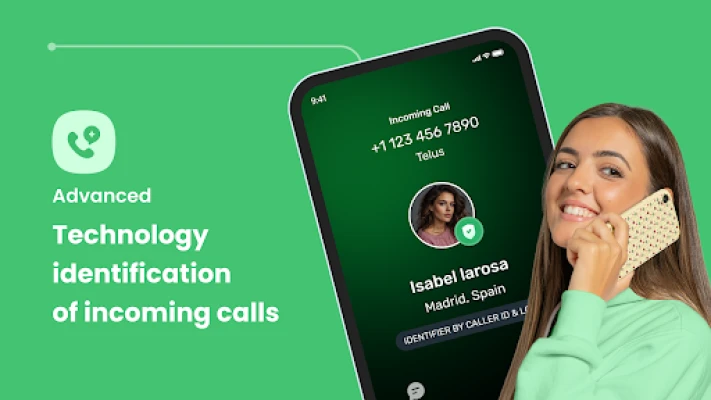
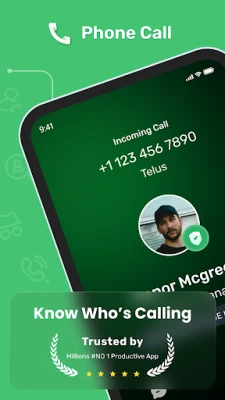
Phone Call is a lightweight dialer application for Android devices, developed by Caller ID Name. It provides the basic functions you expect from a phone app—making calls, accessing your contact list, and reviewing recent call activity—while keeping the interface straightforward and free of unnecessary distractions.
Main features
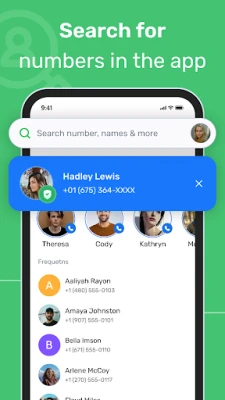
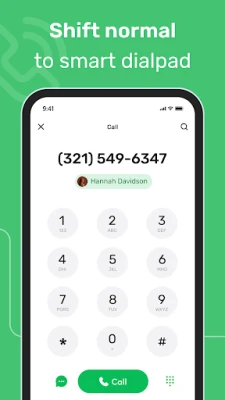
- Simple calling interface: A clear numeric keypad and a searchable contact list let you start a call in seconds.
- Contact management: View, edit, and add contacts directly within the app.
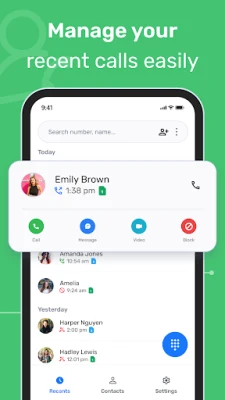
- Call log: See incoming, outgoing, and missed calls with timestamps.
- Free to use: No purchase required and no hidden fees.
How it works
When you open Phone Call, the home screen displays a dial pad at the bottom and a list of your saved contacts at the top. Typing a name or number filters the list instantly, thanks to the built‑in search. Tap a contact or enter a number, then press the call button to start a call using the device’s telephony service. After the call ends, the app automatically records the entry in the call log.
Practical uses
- Quickly place a call when you need a clean, distraction‑free interface.
- Manage personal and work contacts without switching between multiple apps.
- Review recent calls to keep track of missed or outgoing calls.
Installation information
The app can be installed from the standard Android marketplace. Simply search for the package name com.smartdialer.dialer.phone.call or the title "Phone Call" and follow the usual install prompts. Because the app is free, there is no purchase step.
Things to know before installing
- The app requires standard phone permissions to place calls and access your contacts.
- It does not include advanced call‑blocking or caller‑ID enhancement features found in some premium dialers.
- There is no advertised size or Android version requirement, so the installer will indicate any specific requirements on your device.
Who may find it useful?
Anyone who prefers a minimalistic dialer over the pre‑installed phone app will appreciate Phone Call. It is especially suitable for users who want a free solution that focuses on core calling functions without extra ads or bundled utilities.
Frequently asked questions
Is Phone Call safe to use?
The app only requests the permissions necessary for dialing and accessing contacts. It does not request background or location permissions beyond what is required for its core functions.
Can I set Phone Call as my default dialer?
Yes. After installation, Android’s system settings allow you to choose a default calling app. Selecting Phone Call will route all outgoing calls through it.
Will my contacts be synced automatically?
Phone Call reads the contacts stored on your device or linked accounts. It does not perform its own sync; any changes you make are saved to the underlying contact database.
Rate the App
User Reviews















Popular Apps










 Games
Games Entertainment
 Communication
 E-mail
 Security
 Tools
Tools Media
Media Internet
 Finance
 Design
 Education
 Android Firmwares
 Travel & Local
 Android
 Windows
 Linux
Linux