

Latest Version
August 13, 2026
Google LLC
Tools
Android
358
Free
com.google.android.dialer
Report a Problem
More About Phone by Google – Simple Calling & Caller ID
What is Phone by Google?
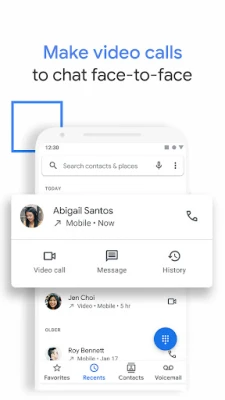
Phone by Google is the official calling application developed by Google LLC for Android devices. It replaces the generic dialer that ships with many phones, providing a streamlined experience for making and receiving calls, identifying callers, and managing simple voicemail functions.
Main features
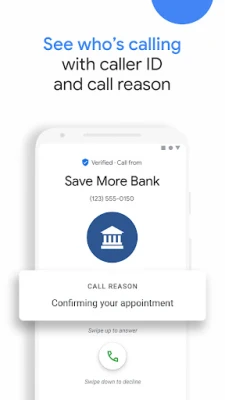
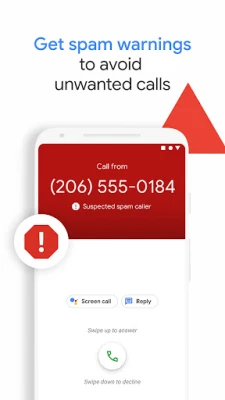
- Caller ID and spam alerts – The app uses Google’s caller‑ID database to display the name of businesses or known contacts when they call. It also flags numbers that are reported as spam, helping you decide whether to answer.
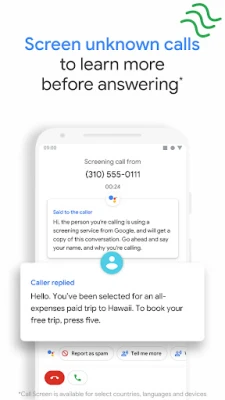
- Call screening – When an unknown number rings, the app can present a brief preview of the caller and let you silence or reject the call without picking up.
- Visual voicemail – Voicemail messages appear as a list inside the app, allowing you to listen, read transcriptions (where available) and delete messages without dialing a separate number.
- Dark mode – A system‑aware dark theme reduces eye strain and can save battery on devices with OLED screens.
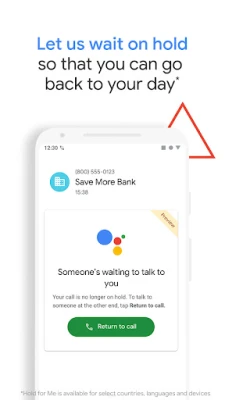
- Integration with Google Assistant – You can ask Assistant to place calls, read voicemail or even hold a call while you attend to other tasks.
How it works
When you install Phone by Google, it becomes the default handler for the tel: protocol. The app accesses your contacts (with your permission) to match incoming numbers to saved entries. For numbers not in your address book, it queries Google’s caller‑ID service, which draws on public and user‑reported data. If a number has been marked as spam by multiple users, the app displays a warning and offers a quick block option.
Call screening is triggered for unknown callers. The app shows a short screen with the caller’s number and any available name, letting you answer, silence, or reject. If you answer, the call proceeds as usual; if you reject, the caller hears a standard busy tone.
Practical uses
- Reduce interruptions from telemarketing calls by seeing spam warnings before you pick up.
- Identify business callers instantly, which is helpful when you receive calls from services you don’t recognize.
- Manage voicemail without dialing a separate number, saving time especially when you have multiple messages.
- Use dark mode on night shifts or in low‑light environments to lessen eye fatigue.
Installation information
The app is distributed through the Google Play Store. Search for “Phone by Google” or use the package name com.google.android.dialer. After tapping Install, follow the on‑screen prompts to grant the necessary permissions, such as access to contacts and phone state, which enable caller ID and call‑screening features.
Compatibility
Phone by Google is designed for Android devices that support the standard telephony stack. It works on most smartphones running recent versions of Android, though the exact minimum version may vary by device manufacturer. The app also has a Wear OS companion for handling calls on smartwatches.
Things to know before installing
- The app replaces the existing dialer only if you set it as the default; you can revert to the original app at any time in Settings → Apps → Default apps.
- Some features, such as call screening in certain languages, may not be available in every region.
- Visual voicemail depends on carrier support; if your carrier does not provide visual voicemail, the feature will be limited.
Who may find it useful?
Anyone who wants a clean, Google‑backed calling experience will benefit. It is especially handy for users who receive frequent unknown calls, need quick access to voicemail, or prefer a dark theme for night‑time use.
Frequently asked questions
Can I block numbers permanently?
Yes. When a spam warning appears, you can tap the block option to prevent future calls from that number.
Does the app record calls?
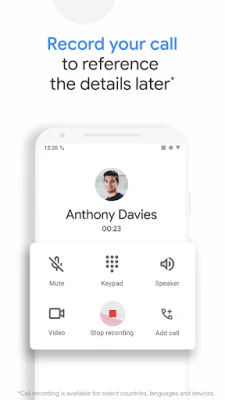
Call recording is not a built‑in feature of Phone by Google. Users who need recording must rely on separate apps that comply with local laws.
Is my data shared with Google?
The app uses Google’s caller‑ID service, which may involve sending the incoming number to Google’s servers for lookup. This is covered by Google’s privacy policy, and the data is used solely for identification and spam detection.
Will the app work on tablets without cellular capability?
On devices without a telephony module, the app will still function as a contacts manager but will not be able to place or receive calls.
Rate the App
User Reviews















Popular Apps










 Games
Games Entertainment
 Communication
 E-mail
 Security
 Tools
Tools Media
Media Internet
 Finance
 Design
 Education
 Android Firmwares
 Travel & Local
 Android
 Windows
 Linux
Linux