



Latest Version
Latest
September 09, 2026
Pawxy Inc.
Tools
Android
8
Free
com.pawxy.browser
Report a Problem
More About Pawxy – Fast VPN & Web Browser
What is Pawxy?
Pawxy is a free Android application that merges a web browser with a built‑in virtual private network (VPN). Developed by Pawxy Inc., the app aims to let users browse the web while keeping their connection encrypted and their location masked, all from a single interface.
Main features
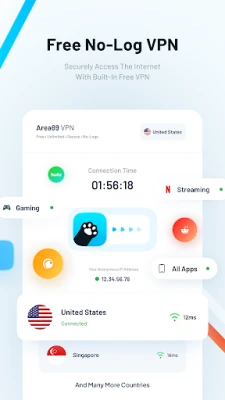
- Integrated VPN – Activate a VPN with one tap to route traffic through an encrypted tunnel, helping protect data on public Wi‑Fi and hide your IP address.
- Standard browsing tools – The browser includes familiar navigation controls, tab management, and a URL bar designed for quick access.
- Ad reduction – Built‑in filtering reduces the number of intrusive ads that appear on pages, which can improve loading speed and lower data usage.
- Theme options – Users can switch between light and dark themes to match personal preferences or ambient lighting.
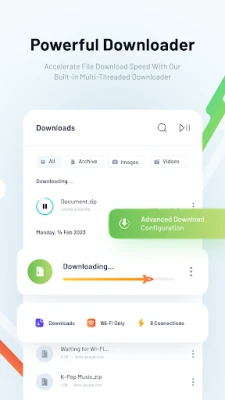
- Download manager – Files downloaded through the browser are handled by an internal manager that shows progress and lets you pause or resume transfers.
How it works
When you open Pawxy, the browser loads as usual. A VPN toggle is typically placed in the top toolbar; turning it on establishes a secure tunnel before any web request is sent. The VPN runs in the background while you continue to browse, and you can disable it at any time without leaving the app.
Practical uses
- Travel – Connect to the VPN when using hotel or airport Wi‑Fi to keep passwords and personal data safe.
- Accessing region‑locked content – By selecting a server location, you may reach websites or services that are otherwise restricted in your current country.
- Reducing distractions – The ad‑filtering component helps keep pages cleaner, which can be useful for reading or studying.
Installation information
Search for "Pawxy - Fast VPN & Web Browser" in the Google Play Store, then tap Install. The app is free to download and use. After installation, launch the app and follow the on‑screen prompts to grant the VPN permission required for establishing a secure connection.
Things to know before installing
- The app requires Android permissions to create a VPN connection; this is standard for any VPN‑enabled application.
- Performance of the VPN depends on the server network and your own internet connection; speeds may vary.
- Because the VPN is integrated, you cannot select a separate third‑party VPN provider within Pawxy.
Who may find Pawxy useful?
Anyone who wants a simple, all‑in‑one solution for browsing and basic privacy protection can benefit from Pawxy. It is especially handy for users who prefer not to manage a separate VPN app and for those who appreciate a built‑in ad‑reduction feature.
Frequently asked questions
Is Pawxy a full‑featured browser?
It provides core browsing capabilities such as tabbed navigation, bookmarks, and a download manager. Advanced features found in some dedicated browsers may be absent.
Does the VPN work globally?
The VPN connects to servers that cover multiple regions, but exact coverage depends on the provider’s network at any given time.
Is there a data limit?
The free version does not impose a strict data cap, though typical usage limits may apply based on the underlying VPN infrastructure.
Can I use Pawxy without the VPN?
Yes. The VPN toggle can be left off, allowing the browser to operate like a standard web viewer.
Rate the App
User Reviews














Popular Apps










 Games
Games Entertainment
 Communication
 E-mail
 Security
 Tools
Tools Media
Media Internet
 Finance
 Design
 Education
 IT Tools
 Travel & Local
 Android
 Windows
 Linux
Linux