

Latest Version
Latest
June 22, 2026
Bridge Softwares
Tools
Android
513
Free
com.gpt.chat.assistant
Report a Problem
More About Omni AI – Multi‑Model ChatGPT Assistant
What is Omni AI: ChatGPT AI Assistant?
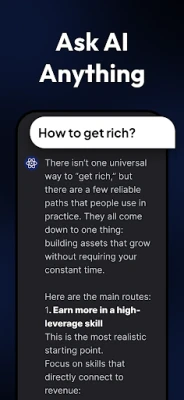
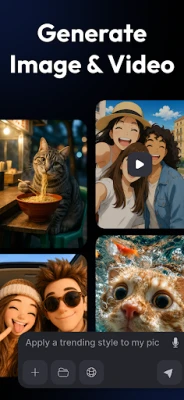
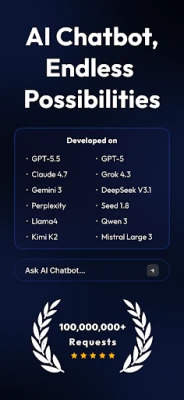
Omni AI is a free Android application that brings together several leading large‑language‑model services—ChatGPT, Google Gemini, Anthropic Claude, Grok and others—into a single chat interface. The app lets you start a conversation, ask questions, or request creative work without switching between different web pages or apps.
Key features
- Unified multi‑model chat – Choose between OpenAI’s GPT‑4/4o, Google Gemini, Claude, Grok or DeepSeek for the response style you prefer.
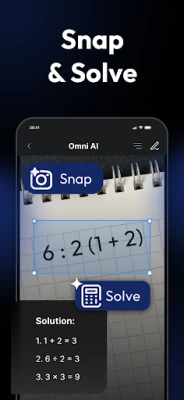
- Instant math help with a photo – Snap a picture of a handwritten or printed problem; the app extracts the text and lets the model walk you through each step.
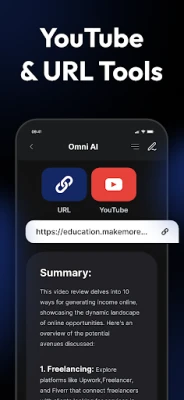
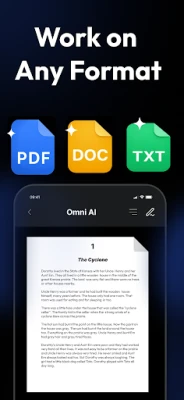
- File upload and analysis – PDFs, Word documents or spreadsheets can be uploaded; the AI summarizes, extracts key points or creates quick outlines.
- Specialised AI personas – Switch to a “writing coach”, “coding buddy”, “business consultant” or “fitness guide” that is pre‑tuned for those tasks.
- Multilingual support – Over 140 languages are recognised, and the models respond in the same language, making the assistant useful worldwide.
- Contextual memory – Conversations retain earlier messages, so the assistant can build on prior instructions without you repeating details.
How the application works
When you launch Omni AI, you are presented with a clean chat window. A toolbar lets you select the underlying model for the current session. Text is sent to the chosen provider via its official API; the response is displayed instantly. For image‑based math, the app first runs an on‑device OCR step, then forwards the extracted expression to a GPT‑4o endpoint that is capable of reasoning about visual input. File analysis follows a similar pattern: the file is read locally, its content is sent to the model, and the returned summary or insight appears in the chat.
Installation information
Download the APK from the Appitika page or install directly from Google Play. The app requires Android 6.0 (Marshmallow) or newer and an active internet connection for all AI calls. After installation, you will be asked to provide an API key for OpenAI or other services; the app also offers a limited free quota for casual use.
Compatibility
Omni AI runs on smartphones and tablets that support the standard Android runtime. It is optimized for both portrait and landscape orientations and works on devices with at least 2 GB of RAM. No root access is needed.
Things to know before installing
- AI responses depend on the quality of the selected model’s API key; using your own key avoids usage limits.
- All data you send is transmitted securely (HTTPS) and is not stored on the device after the session ends, unless you explicitly save a transcript.
- Some advanced models may incur costs after the free tier is exhausted; check the provider’s pricing.
Frequently asked questions
Is Omni AI free?
The core app is free, but access to premium models may require you to supply your own API key or purchase additional credits.
Can I use the app offline?
No. The AI processing happens on remote servers, so an internet connection is mandatory.
How is my privacy protected?
All requests are encrypted, and the app does not retain personal data beyond the active session unless you choose to export it.
Rate the App
User Reviews















Popular Apps










 Games
Games Entertainment
 Communication
 E-mail
 Security
 Tools
Tools Media
Media Internet
 Finance
 Design
 Education
 Android Firmwares
 Travel & Local
 Android
 Windows
 Linux
Linux