



Latest Version
Latest
September 11, 2026
NortonMobile
Tools
Android
8
Free
com.symantec.mobilesecurity
Report a Problem
More About Norton360 Antivirus & Security – Mobile Protection by NortonMobile
What is Norton360 Antivirus & Security?
Norton360 Antivirus & Security is a free Android application developed by NortonMobile. It is designed to help Android users keep their devices safe from common mobile threats such as malware, phishing attempts, and insecure Wi‑Fi connections. The app combines core antivirus scanning with additional privacy tools, giving users a single place to monitor the health of their device.
Main features
- Real‑time virus scanning – The app checks installed apps and downloaded files for known malicious code and alerts you when something suspicious is found.
- Basic VPN option – A built‑in virtual private network lets you encrypt your internet traffic on public Wi‑Fi, adding a layer of privacy when you browse or use apps.
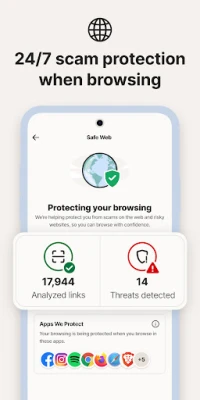
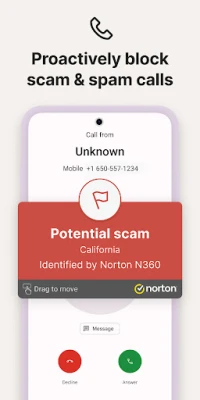
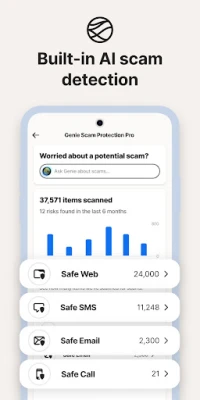
- Scam protection – The app monitors incoming calls, SMS messages and web pages for common phishing or scam patterns and warns you before you interact.
- Wi‑Fi security check – When you connect to a new network, Norton360 can evaluate the connection for known vulnerabilities.
How it works
After installation, Norton360 runs an initial scan of the device to establish a baseline of safe apps and files. From that point onward, the app works in the background, automatically scanning new downloads and updates. When a potential threat is detected, a notification appears, allowing you to quarantine or delete the offending item. The VPN feature can be toggled on demand, routing your traffic through encrypted servers to hide your IP address and protect data on unsecured networks.
Practical uses
- Traveling and using public Wi‑Fi hotspots – activate the VPN to keep banking and personal data private.
- Downloading apps from outside the Play Store – run a quick scan before installing.
- Receiving unknown SMS or calls – let the scam‑protection module warn you about possible phishing attempts.
Installation information
The app is available for free from the Google Play Store. Search for the package name com.symantec.mobilesecurity or the title “Norton360 Antivirus & Security” and tap Install. The download size and Android version requirements are not listed, so the Play Store will indicate compatibility with your device during the install process.
Things to know before installing
- The core security functions are free, but additional premium features may require a subscription.
- Running real‑time scans can consume battery and data; you can adjust scan frequency in the settings.
- Enabling the VPN will route all internet traffic through Norton’s servers, which may affect connection speed.
Who may find it useful?
Anyone who wants a baseline level of protection for their Android phone without paying for a full‑featured security suite. It is especially helpful for users who frequently connect to public networks, receive messages from unknown contacts, or install apps from sources other than the official store.
Frequently asked questions
Is the app safe to use?
Yes. NortonMobile is a well‑known security company, and the app follows standard Android security guidelines. It does not require root access.
Do I need an internet connection for the antivirus to work?
The initial definitions are downloaded when you first open the app. Ongoing scans and updates benefit from an internet connection, but the app can still detect known threats offline.
Can I use the VPN for streaming?
The free VPN is intended for privacy on public networks. Streaming performance may vary, and a premium subscription may be required for higher‑speed servers.
Rate the App
User Reviews














Popular Apps










 Games
Games Entertainment
 Communication
 E-mail
 Security
 Tools
Tools Media
Media Internet
 Finance
 Design
 Education
 IT Tools
 Travel & Local
 Android
 Windows
 Linux
Linux