

Latest Version
Latest
September 07, 2026
Ahmed Awadallah
Tools
Android
5
$9.99
com.indegy.nobluetick.pro
Report a Problem
More About NoBlueTick Pro: Hide Read Receipts & Last Seen
What is NoBlueTick Pro?
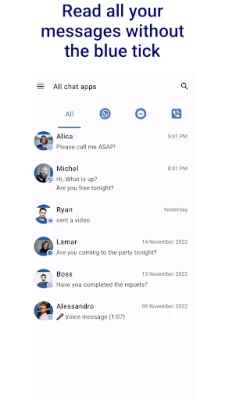
NoBlueTick Pro is a utility that intercepts notification content from popular messaging apps and presents it in a separate interface. By reading messages through this app, you avoid triggering the usual read receipts, blue ticks, or last‑seen indicators that let senders know you have opened their messages.
Main Features
- Invisible reading: Open messages without notifying the sender.
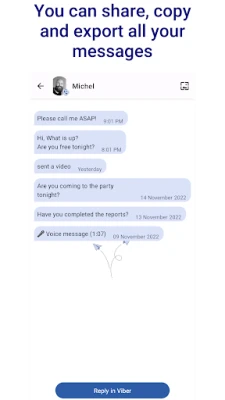
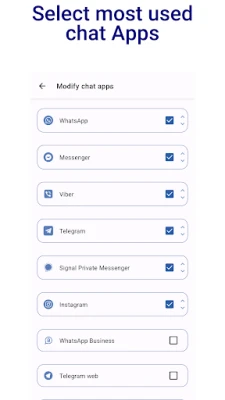
- Unified inbox: Collect notifications from several chat apps in one place.
- Chat‑head bubbles: Quick glance at unread messages via a movable on‑screen bubble.
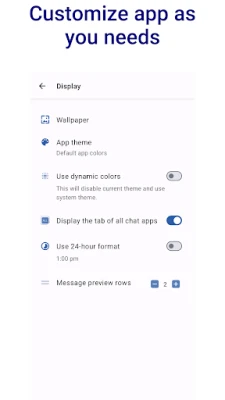
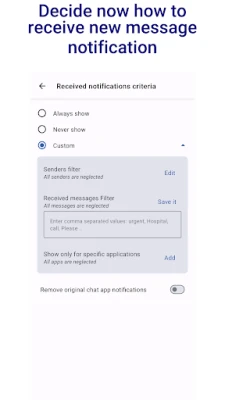
- Selective activation: Enable or disable the feature for each supported app individually.
- Local storage: All captured notification text stays on your device; no cloud sync.
How It Works
The app listens to the notification stream that Android provides for installed messaging applications. When a new message arrives, NoBlueTick Pro copies the visible text from the notification and stores it locally. The original chat app never receives a read acknowledgement because the message is never opened within that app. You can then open the stored notification in NoBlueTick Pro at any time, read it, and delete it when finished.
Practical Uses
- Maintain privacy in professional or personal contexts where you need to see a message without confirming receipt.
- Review messages while driving or during meetings without interrupting the conversation flow.
- Keep a temporary record of important notifications that might disappear from the original app’s notification shade.
Installation Information
Download the APK from a trusted source, then install it by enabling installation from unknown sources in your device settings. After installation, grant the notification‑access permission when prompted. This permission is required for the app to read incoming notifications.
Things to Know Before Installing
- The app works only with notifications that contain readable text; media‑only messages may not be captured.
- Because it does not open the original chat, you cannot reply directly from NoBlueTick Pro.
- Read receipts will still be sent if you later open the message in the original messaging app.
Who May Find It Useful?
Anyone who wants to keep their read status hidden—students, professionals handling sensitive information, or anyone who prefers to manage notifications discreetly—can benefit from NoBlueTick Pro.
Frequently Asked Questions
Does NoBlueTick Pro store messages permanently?
Messages are stored locally until you delete them. The app does not sync data to external servers.
Can I use the app with any messaging platform?
The app works with platforms that generate standard Android notifications, such as WhatsApp, Facebook Messenger, and Viber. Compatibility may vary with less common apps.
Will using NoBlueTick Pro affect battery life?
The app runs in the background only to listen for notifications, which typically has a minimal impact on battery consumption.
Rate the App
User Reviews
Other Apps in This Category














Popular Apps










 Games
Games Entertainment
 Communication
 E-mail
 Security
 Tools
Tools Media
Media Internet
 Finance
 Design
 Education
 IT Tools
 Travel & Local
 Android
 Windows
 Linux
Linux