

Latest Version
Latest
September 12, 2026
Teletalk Bangladesh Ltd
Tools
Android
6
Free
teletalk.teletalkcustomerapp
Report a Problem
More About My Teletalk – Mobile Recharge & Service Payments
What is My Teletalk?
My Teletalk is an official Android application from Teletalk Bangladesh Ltd, the state‑owned mobile network operator in Bangladesh. The app provides a convenient way for Teletalk subscribers to handle everyday mobile tasks without needing to dial USSD codes or visit a physical store.
Main features
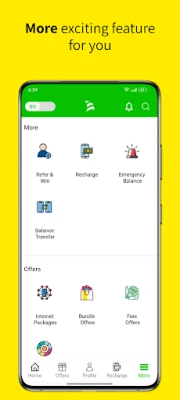
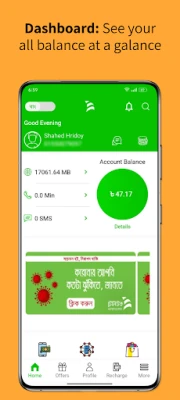
- Balance check – View talk‑time, SMS, MMS and data balance instantly.
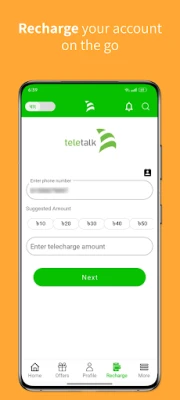
- Recharge – Add credit to your account using a variety of payment methods.
- Bill payments – Pay utility bills, including electricity and water, directly from the app.
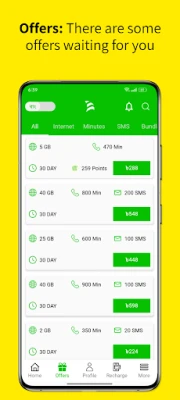
- Offers and packages – Browse current promotions, data bundles and special packages, then purchase with a few taps.
- Value‑added services – Access services such as admission fee payments for public universities and recruitment fee payments for government exams.
How it works
After installing the app, you log in with your Teletalk mobile number. The app securely retrieves your account information from Teletalk’s backend servers, displaying the latest balance and any pending offers. When you choose a service—such as recharging or paying a bill—the app guides you through the required steps, confirming the amount before completing the transaction.
Practical uses
My Teletalk is useful for anyone who wants to stay on top of their mobile usage and related payments without leaving their phone. Students can quickly pay university admission fees, job seekers can settle recruitment fees, and households can settle electricity or water bills. The balance‑transfer feature also lets friends share credit with each other, which can be handy in emergencies.
Installation information
The app is available through the Google Play Store. Search for the package name teletalk.teletalkcustomerapp or the app name “My Teletalk”. Tap “Install” and wait for the download to complete. The installation size is modest, making it suitable for devices with limited storage.
Things to know before installing
- The app requires an active Teletalk SIM to function, as it authenticates using your phone number.
- Internet connectivity (mobile data or Wi‑Fi) is needed for balance updates, recharges and bill payments.
- All transactions are processed through Teletalk’s secure payment gateway; standard network charges may apply.
Who may find it useful?
Current Teletalk subscribers who prefer a digital approach to managing their mobile account will benefit most. The app is also convenient for users who regularly pay utility bills or need to handle government‑related fees through their mobile connection.
Frequently asked questions
Is the app free?
Yes, My Teletalk is offered at no cost.
Can I use the app on any Android device?
The app runs on standard Android smartphones that support the Google Play Store. Specific version requirements are not listed, but most devices running recent Android releases are compatible.
How secure are my payments?
Payments are processed through Teletalk’s official payment infrastructure, which follows standard encryption practices. Users should keep their device and app updated for the best security.
What should I do if I encounter an error?
Try restarting the app or checking your internet connection. If the problem persists, contact Teletalk customer support through the app’s help section or via the operator’s official channels.
Rate the App
User Reviews









Popular Apps










 Games
Games Entertainment
 Communication
 E-mail
 Security
 Tools
Tools Media
Media Internet
 Finance
 Design
 Education
 IT Tools
 Travel & Local
 Android
 Windows
 Linux
Linux