
Latest Version
Latest
September 07, 2026
Apple
Tools
Android
8
Free
com.apple.movetoios
Report a Problem
More About Move to iOS – Transfer Your Android Data to an iPhone
What is Move to iOS?
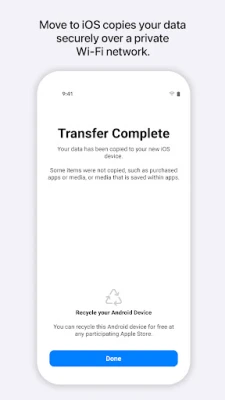
Move to iOS is a free utility developed by Apple that assists users who are switching from an Android device to an iPhone or iPad. The app creates a temporary private Wi‑Fi network that lets the two devices communicate directly, allowing you to move a selection of personal content without needing a computer or cloud service.
Main capabilities
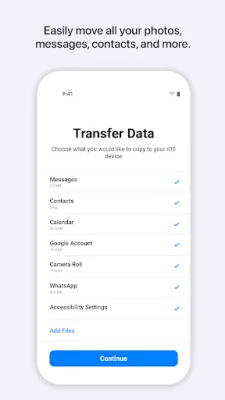
- Contacts – Your address book is copied to the new iOS device.
- Message history – Text messages, including MMS, are transferred so you keep your conversation threads.
- Photos and videos – Media stored in the device’s gallery can be moved to the iPhone’s Photos app.
- Calendars and call logs – Events and recent call information are migrated.
- Mail accounts – Configured email accounts are set up on the iOS side.
How it works
When you start the process, the iPhone or iPad you are setting up creates its own Wi‑Fi hotspot. The Android phone running Move to iOS detects this network, and after you enter a short security code displayed on the iOS device, the transfer begins. The app moves the selected data over the local connection, then places each item in the appropriate location on the new device.
Practical uses
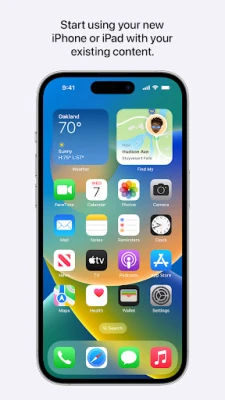
The app is most useful during the initial setup of a new iPhone. Instead of manually exporting contacts or backing up photos to a cloud service, you can complete the migration in a single session. It also helps users who have limited internet bandwidth, because the transfer occurs locally and does not consume mobile data.
Installation information
Move to iOS is available through the Google Play Store. Search for the exact name "Move to iOS" and install the app from the official developer, Apple. The download size is modest, and the app does not require additional configuration beyond granting the permissions needed for the data you wish to move.
Permissions you may be asked to grant
- Location – Used to establish the private Wi‑Fi link between devices.
- SMS – Allows the app to read text messages for transfer.
- Photos & Media – Needed to copy images and videos.
- Contacts – Required to move address‑book entries.
- Calendar – Enables migration of events.
All permissions are optional except for location, which is essential for the connection. You can skip any optional permission, but the corresponding data will not be transferred.
Things to know before installing
- Both devices must be powered and have sufficient battery life.
- The iOS device must be in the initial setup stage; the app cannot be used on an already configured iPhone.
- The transfer works best when the two devices are placed close together.
- Only data types listed in the app’s feature set can be moved; apps themselves, music purchased from other stores, and certain encrypted files are not transferred.
Who may find Move to iOS useful?
Anyone planning to replace an Android phone with an iPhone will benefit from the streamlined migration. It is also handy for families that are consolidating multiple devices, or for users who prefer a hands‑off approach to moving personal data.
Frequently asked questions
Can I use Move to iOS after I have already set up my iPhone?
No. The app works only during the initial setup process. If you have already completed setup, you would need to reset the iPhone or use iCloud/other methods to add data later.
Is any of my data stored on Apple servers during the transfer?
No. The transfer occurs directly between the two devices over the private Wi‑Fi network; no intermediate cloud storage is involved.
What happens if the transfer is interrupted?
If the connection drops, the process stops. You can restart the migration by launching Move to iOS again and following the same steps.
Are there size limits for the data I can move?
The app does not impose a strict limit, but very large photo libraries may take longer and could be affected by the available storage on the iPhone.
Rate the App
User Reviews
Other Apps in This Category















Popular Apps










 Games
Games Entertainment
 Communication
 E-mail
 Security
 Tools
Tools Media
Media Internet
 Finance
 Design
 Education
 IT Tools
 Travel & Local
 Android
 Windows
 Linux
Linux