

Latest Version
August 25, 2026
Microsoft Corporation
Tools
Android
135
Free
com.microsoft.bing
Report a Problem
More About Microsoft Bing Search – Fast Web & Visual Search
What is Microsoft Bing Search?
Microsoft Bing Search is the official Android client for Bing, Microsoft’s web search engine. It provides a streamlined way to look up information, discover images, check the weather, and explore topics without opening a browser.
Main features
- Web search – Type a query and receive a list of relevant web pages, news articles and videos.
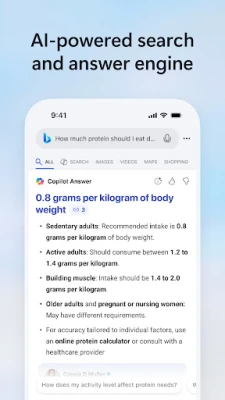
- Quick answers – For many questions Bing displays concise facts, calculations or definitions at the top of the results.
- Image search – Search by keyword or use the camera to find similar pictures.
- Voice search – Tap the microphone icon and speak your query for hands‑free searching.
- Weather preview – Current conditions and a short‑term forecast appear on the home screen.
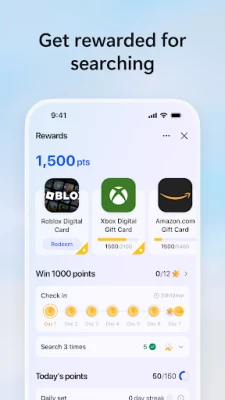
- Microsoft Rewards – Earn points for searches that can be redeemed for gift cards and other offers.
How it works
After installing the app, you open it to see a simple search bar. Enter text or tap the mic to speak. Bing processes the request on Microsoft’s servers and returns results in a clean list. If the query matches a known fact—such as a conversion, a sports score, or a definition—Bing shows a highlighted answer box above the regular results. Tapping any result opens the page in the built‑in browser view.
Practical uses
- Looking up travel information, flight status or hotel options while on the move.
- Finding product reviews and price comparisons before making a purchase.
- Getting instant definitions or translations while reading articles.
- Using voice search while driving or cooking to keep your hands free.
- Collecting points through Microsoft Rewards for everyday searches.
Installation information
The app is available for free from the Google Play Store. Search for “Microsoft Bing Search” or use the package name com.microsoft.bing. Tap Install and follow the standard Android installation prompts.
Compatibility
Microsoft Bing Search runs on Android devices that meet the minimum requirements set by the Play Store. Specific version numbers are not disclosed, but the app typically supports recent Android releases.
Things to know before installing
- The app requires an internet connection for all searches.
- Location services improve local results such as nearby businesses and weather.
- Search history may be stored to personalize results; you can manage this in the app’s settings.
Who may find it useful?
Anyone who wants a reliable, all‑in‑one search tool on Android—students, travelers, shoppers, and users who already participate in Microsoft Rewards will benefit from the integrated experience.
Frequently asked questions
Is the app free?
Yes, Microsoft Bing Search is offered at no cost.
Do I need a Microsoft account?
A Microsoft account is optional. Signing in enables Rewards tracking and syncs personalized settings across devices.
Can I use the app offline?
Search functionality requires an active internet connection; offline use is not supported.
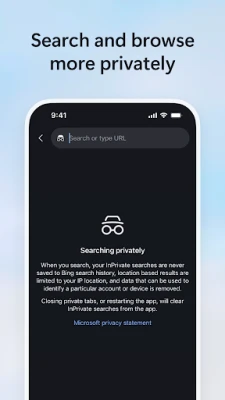
How does the app handle privacy?
Privacy practices follow Microsoft’s standard policies. Review the privacy statement within the app for details on data collection and usage.
Rate the App
User Reviews















Popular Apps










 Games
 Entertainment
 Communication
 E-mail
 Security
 Tools
 Media
 Internet
 Finance
 Design
 Education
 Android Firmwares
 Travel & Local
 Android
 Windows
 Linux