

Latest Version
Latest
September 16, 2026
Zhigu Corporation Limited
Tools
Android
11
Free
com.mi.globalbrowser
Report a Problem
More About Mi Browser – Lightweight Android Web Browser
What is Mi Browser?
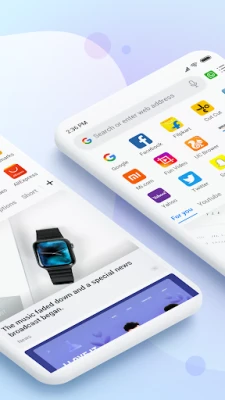
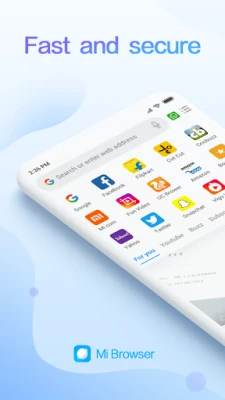
Mi Browser is a free Android web browser developed by Zhigu Corporation Limited. Designed for everyday use, it provides a straightforward interface for accessing websites, searching the web, and viewing online content on smartphones and tablets.
Main Features
- Fast page loading – Optimized rendering engine helps pages appear quickly.
- Simple navigation – Standard tabs, back/forward controls, and a clean address bar keep browsing intuitive.
- Privacy options – Includes an incognito mode that does not store browsing history or cookies.
- Dark mode – A dark color scheme reduces eye strain in low‑light environments.
- Voice search – Users can initiate searches by speaking, when supported by the device.
How It Works
After installation, Mi Browser opens to a home screen with a search bar. Users can type a URL or a query, and the browser retrieves the page using standard internet protocols. Tabs allow multiple sites to be open simultaneously, and gestures such as swiping can be used to switch between them.
Practical Uses
- Quickly look up information while on the go.
- Read articles, watch videos, and shop online without additional apps.
- Use incognito mode for private browsing sessions.
- Switch to dark mode for comfortable night‑time reading.
Installation Information
Mi Browser can be downloaded from the Google Play Store. The app is free to install and does not require a paid license. Ensure your device has sufficient storage space before downloading.
Compatibility
The browser is built for Android devices. Specific minimum Android version requirements are not listed, but the app is intended for devices running recent versions of the operating system.
Things to Know Before Installing
- Permissions requested will be limited to those needed for internet access and optional features such as voice input.
- Data usage depends on browsing habits; consider using Wi‑Fi for heavy streaming.
Who May Find It Useful?
Anyone looking for a lightweight, free browser on Android—whether for everyday web surfing, private browsing, or a simple alternative to pre‑installed browsers—may benefit from Mi Browser.
Frequently Asked Questions
Is Mi Browser safe to use?
Mi Browser follows standard Android security practices. It does not claim special security certifications, so users should keep their device OS updated.
Can I sync bookmarks across devices?
Bookmark syncing is not advertised as a built‑in feature, so users may need to rely on manual export or third‑party services.
Does the app contain ads?
Advertising details are not specified; users should review the app’s listing for any ad‑related information.
Rate the App
User Reviews















Popular Apps










 Games
Games Entertainment
 Communication
 E-mail
 Security
 Tools
Tools Media
Media Internet
 Finance
 Design
 Education
 IT Tools
 Travel & Local
 Android
 Windows
 Linux
Linux