

Latest Version
Latest
August 28, 2026
V-Empower Apps
Tools
Android
86
Free
go.meethour.io
Report a Problem
More About Meet Hour – Simple Video Meetings for Android
What is Meet Hour?
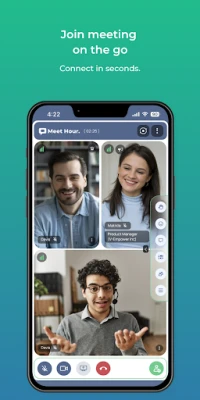
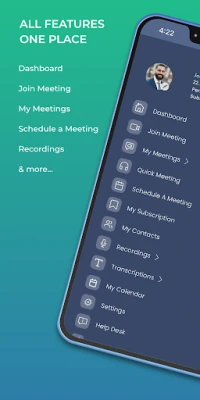
Meet Hour is a free Android application that enables users to host and participate in video conferences directly from their mobile devices. Developed by V‑Empower Apps, the app focuses on providing a straightforward way to connect with colleagues, friends, or family without the need for complex setup.
Main Features
- Instant room creation – Generate a meeting link in seconds and share it with participants.
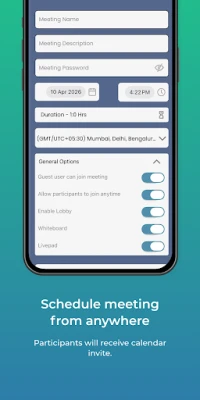
- Password‑protected meetings – Add a simple password to keep the conversation private.
- Screen sharing – Share your phone screen during a call for presentations or troubleshooting.
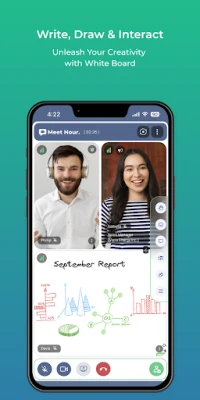
- Live collaboration – A built‑in text area lets participants exchange notes in real time.
- Cross‑platform access – Join meetings from other devices using a web browser.
How It Works
After installing Meet Hour, you open the app and tap the “Create Room” button. The app generates a unique URL that you can copy or send via any messaging app. If you enable a password, participants must enter it before joining. Once inside, you can turn your camera and microphone on or off, share your screen, or type messages in the collaborative area. The interface is designed for quick navigation, so you can focus on the conversation rather than the controls.
Practical Uses
Meet Hour is suitable for a range of scenarios:
- Remote work – Hold quick check‑ins or longer project meetings without needing a desktop client.
- Education – Teachers can create virtual classrooms and share their screens to demonstrate concepts.
- Family gatherings – Connect with relatives across distances using a simple link.
- Small events – Organise webinars or workshops that require only a mobile‑friendly setup.
Installation Information
The app is available through the standard Android package name go.meethour.io. Download it from a trusted source, grant the necessary permissions for camera, microphone, and storage, and you’ll be ready to start meeting.
Things to Know Before Installing
- Make sure your device has a stable internet connection for smooth video quality.
- The app may request access to your camera, microphone, and storage; these are required for video, audio, and screen‑sharing functions.
- Meeting links are generated on the device, so keep the link handy if you need to re‑enter a session.
Who May Find Meet Hour Useful?
Anyone who needs a quick, no‑frills video meeting solution on Android can benefit from Meet Hour. It is especially handy for small teams, educators, freelancers, and users who prefer a mobile‑first approach.
Frequently Asked Questions
Do I need an account to use Meet Hour?
No. The app allows you to start or join meetings without creating a separate user account.
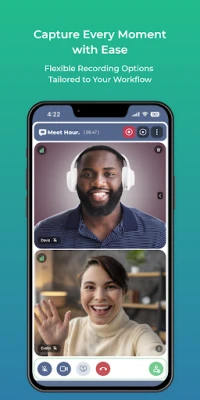
Can I record a meeting?
The current version does not include built‑in recording; you would need to use external tools if recording is required.
Is the meeting data encrypted?
Meet Hour uses standard transport encryption for the video stream, and password protection adds an extra layer of privacy for room access.
Can I join a meeting from a desktop?
Yes. The meeting URL works in a web browser, so participants can join from a computer without installing the app.
Rate the App
User Reviews















Popular Apps










 Games
 Entertainment
 Communication
 E-mail
 Security
 Tools
 Media
 Internet
 Finance
 Design
 Education
 Android Firmwares
 Travel & Local
 Android
 Windows
 Linux