



Latest Version
September 13, 2026
McAfee LLC
Tools
Android
2
Free
com.wsandroid.suite
Report a Problem
More About McAfee Security: Antivirus VPN – Free Android Protection
What is McAfee Security: Antivirus VPN?
McAfee Security: Antivirus VPN is a free Android application from McAfee LLC that bundles core security tools for mobile devices. It aims to protect your phone or tablet from malware, provide a private browsing experience, and alert you to suspicious messages or emails.
Main features
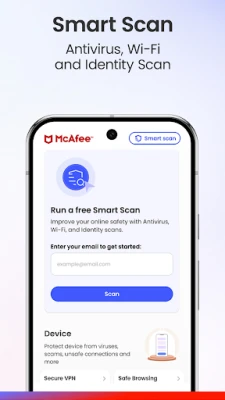
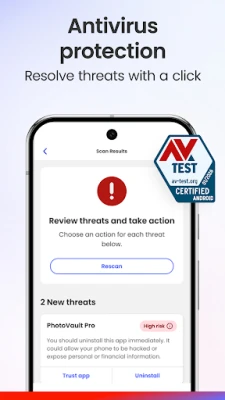
- Antivirus and anti‑malware scanning – Scans installed apps, downloads and files for known threats and removes malicious code.
- Secure VPN – Encrypts your internet traffic and masks your IP address when you connect to public Wi‑Fi or want to browse anonymously.
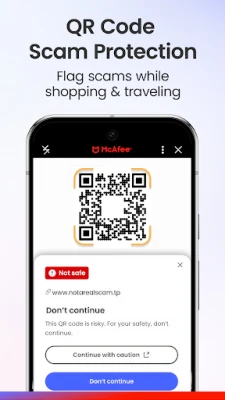
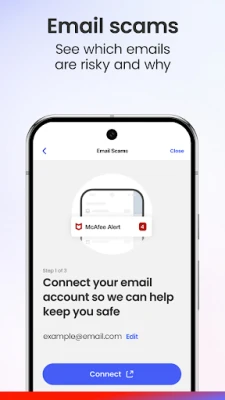
- Scam detection – Monitors incoming texts and emails for phishing patterns and warns you before you interact with risky content.
- Real‑time alerts – Notifies you when a new threat is discovered or when a potential privacy breach is detected.
How it works
The app runs a background service that continuously checks for updates to McAfee’s threat database. When you open a file or install a new app, the antivirus engine compares its signature against known malware definitions. The VPN component creates an encrypted tunnel for all network traffic, preventing eavesdropping on unsecured networks. For scam detection, the app analyses message metadata and content patterns to flag phishing attempts, displaying a warning before the message is opened.
Practical uses
- Traveling and using public Wi‑Fi – Activate the VPN to keep your passwords and personal data private.
- Downloading apps outside the Play Store – Run a quick scan to ensure the file is clean.
- Receiving unknown texts or emails – Let the scam detector warn you of possible phishing links.
Installation information
Search for "McAfee Security: Antivirus VPN" in the Google Play Store, then tap Install. The app requires standard Android permissions for storage access (to scan files) and network access (for VPN functionality). After installation, follow the on‑screen setup to enable the VPN and configure scan schedules.
Things to know before installing
- The free version provides basic protection; advanced features may require a paid upgrade.
- Running a VPN can slightly reduce battery life due to continuous encryption.
- Some Android manufacturers may restrict background services; ensure the app is allowed to run in the background for real‑time scanning.
Who may find it useful?
Anyone who wants an all‑in‑one security solution on Android – especially users who frequently connect to public networks, download files from various sources, or receive a high volume of messages from unknown contacts.
Frequently asked questions
Is the VPN unlimited?
The free tier offers a basic VPN connection, but data limits or speed restrictions may apply. Check the app’s settings for details.
Can I use the app without an internet connection?
Antivirus scanning works offline using the last downloaded threat database. VPN and real‑time scam alerts require an active internet connection.
Does the app collect personal data?
McAfee’s privacy policy states that data collected is used solely for security purposes, such as threat analysis and improving detection accuracy.
Rate the App
User Reviews















Popular Apps










 Games
Games Entertainment
 Communication
 E-mail
 Security
 Tools
Tools Media
Media Internet
 Finance
 Design
 Education
 IT Tools
 Travel & Local
 Android
 Windows
 Linux
Linux