

Latest Version
Latest
September 10, 2026
KoboToolbox
Tools
Android
9
Free
org.koboc.collect.android
Report a Problem
More About KoboCollect – Mobile Data Collection for KoboToolbox
What is KoboCollect?
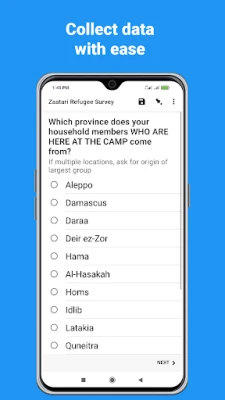
KoboCollect is a free Android application that turns a smartphone or tablet into a field‑ready data‑entry device. It is designed to work with the KoboToolbox platform, a popular suite of tools for creating, managing, and analysing surveys in humanitarian, development, and research projects.
Main capabilities
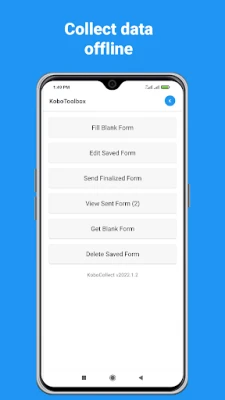
- Offline data capture – Record responses without an internet connection and upload them later.
- Support for multimedia – Attach photos, audio, or video to individual survey items.
- Unlimited forms – Load as many questionnaires as you need; the app does not impose a hard limit on the number of forms or submissions stored locally.
- Secure storage – Data is kept on the device until you choose to sync, giving you control over when it leaves the field.
How it works
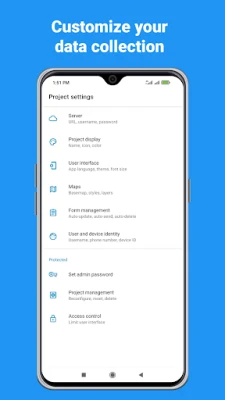
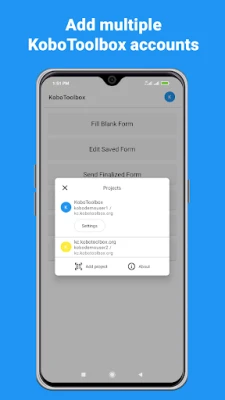
Before you can start collecting, you need a free KoboToolbox account. After logging in on the web, you create a survey (called a “form”) using the KoboToolbox form builder. Once the form is published, you configure KoboCollect with the account credentials and the URL of the form. The app then downloads the form definition to the device.
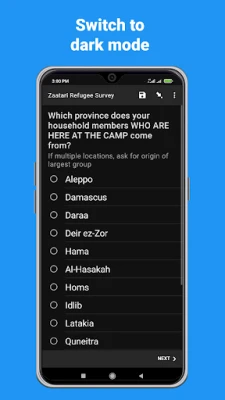
When you are in the field, open KoboCollect, select the desired form, and begin entering responses. The interface follows a simple question‑by‑question flow, supporting multiple‑choice, numeric, text, and GPS location inputs. After completing a submission, you can review it, edit if necessary, and save it locally. When you have network access, a single tap synchronises all pending submissions with your KoboToolbox project.
Practical uses
KoboCollect is especially useful in situations where reliable internet is unavailable or costly. Typical scenarios include:
- Humanitarian emergencies where rapid needs assessments are required.
- Rural development surveys in remote villages.
- Environmental monitoring that involves field observations and photo documentation.
- Academic research that gathers primary data from participants in the field.
Installation notes
The app is distributed through the Google Play Store. Install it like any other Android application, then launch it to begin the initial setup. Because the app stores data locally, ensure the device has sufficient free storage for the expected volume of submissions, especially if you plan to capture images or audio.
Who will benefit?
Anyone who needs to collect structured data outside of an office setting can benefit from KoboCollect. This includes field workers for NGOs, government survey teams, researchers, and even small businesses that conduct on‑site inspections.
Things to keep in mind
- You must have an active KoboToolbox account; the app does not create accounts on its own.
- Data is only uploaded when you manually trigger a sync, so remember to connect to the internet periodically.
- The app inherits its user interface from the open‑source ODK Collect project, so users familiar with ODK will find the navigation intuitive.
Frequently asked questions
Do I need an internet connection to use KoboCollect?
No. The app is built for offline work. You only need connectivity to download new forms or to upload completed submissions.
Can I use my own KoboToolbox server?
Yes. Advanced users can point KoboCollect to a self‑hosted KoboToolbox instance by entering the appropriate server URL during configuration.
Is there a limit to the number of photos I can attach?
The app does not impose a hard limit, but the practical limit is the available storage on your device.
Is KoboCollect free?
Yes. Both the Android app and the core KoboToolbox services are offered at no cost.
Rate the App
User Reviews










Popular Apps










 Games
Games Entertainment
 Communication
 E-mail
 Security
 Tools
Tools Media
Media Internet
 Finance
 Design
 Education
 IT Tools
 Travel & Local
 Android
 Windows
 Linux
Linux