

Latest Version
September 10, 2026
IPVanish VPN
Tools
Android
12
Free
com.ixolit.ipvanish
Report a Problem
More About IPVanish VPN: Fast & Secure
What is IPVanish VPN?
IPVanish VPN is a mobile application that creates a secure, encrypted tunnel between your Android device and the internet. By routing traffic through IPVanish servers, the app hides your real IP address and protects the data you send and receive from eavesdropping.
Main features
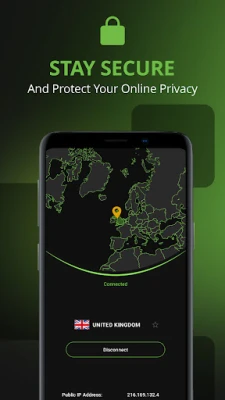
- IP address masking – Choose a server location and appear as if you are browsing from that country.
- Encryption – Traffic is encrypted with industry‑standard protocols, helping to keep personal information private.
- Public‑Wi‑Fi protection – When you connect to coffee‑shop or airport Wi‑Fi, the VPN secures the connection automatically.
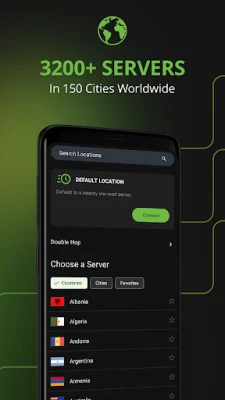
- Server selection – Access a network of servers in multiple regions, allowing you to reach content that may be restricted in your current location.
- Free access – The app can be downloaded and used without an upfront purchase.
How it works
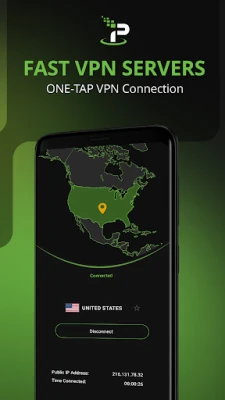
When you launch IPVanish VPN, the app contacts its server list and lets you pick a location. Once you tap “Connect,” the app establishes an encrypted tunnel using a VPN protocol (such as OpenVPN or IKEv2). All internet traffic from your device is then routed through that tunnel, so any website or app sees the IP address of the chosen server instead of your device’s real address.
Practical uses
- Secure online banking or shopping on public Wi‑Fi.
- Access streaming services or websites that are limited to certain regions.
- Prevent advertisers and trackers from linking your activity to your real location.
- Maintain privacy while traveling abroad.
Installation information
Search for “IPVanish VPN: Fast & Secure” in the Google Play Store, tap Install, and follow the on‑screen prompts. After installation, the first launch will request permission to create a VPN connection – this is required for the app to function.
Things to know before installing
- The app requires Android’s built‑in VPN support; most modern devices include this.
- Because the service routes traffic through external servers, connection speed may vary depending on server load and distance.
- Using a VPN may affect the performance of latency‑sensitive applications such as online gaming.
Who may find it useful?
Anyone who wants an extra layer of privacy while browsing, especially users who frequently connect to public Wi‑Fi, travelers seeking to access home‑country services, and people interested in bypassing regional content restrictions.
Frequently asked questions
Do I need a separate account?
The free version can be used without creating an account, though some advanced features may require a subscription.
Will the VPN slow down my internet?
Encryption adds a small amount of overhead, and routing through a distant server can increase latency. Selecting a server close to your physical location usually minimizes impact.
Can I use the VPN with other apps?
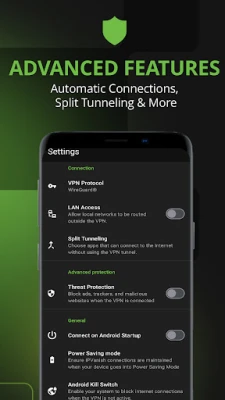
Yes. Once the VPN is active, all apps on the device route their traffic through the encrypted tunnel unless you configure split‑tunneling (if supported).
Is my data logged?
The app’s privacy policy outlines what information is retained. Review the policy within the app for details.
Rate the App
User Reviews














Popular Apps










 Games
Games Entertainment
 Communication
 E-mail
 Security
 Tools
Tools Media
Media Internet
 Finance
 Design
 Education
 IT Tools
 Travel & Local
 Android
 Windows
 Linux
Linux