

Latest Version
Latest
September 02, 2026
HeyTap
Tools
Android
8
Free
com.heytap.browser
Report a Problem
More About Internet Browser – HeyTap’s Free Android Web Viewer
What is Internet Browser?
Internet Browser is a free web‑viewing application developed by HeyTap for Android devices. It provides a straightforward way to access websites, search the web, and handle common browsing tasks without the extra layers found in many feature‑heavy browsers.
Main features
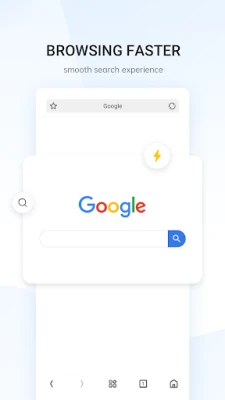
- Fast page loading – Optimized rendering helps pages appear quickly, even on modest connections.
- Built‑in QR scanner – Scan QR codes directly from the browser to open links, copy text or launch actions without leaving the app.
- File cleaning and management – Simple tools let you view and delete downloaded files, keeping storage tidy.
- Search integration – A built‑in search bar lets you query your favorite search engine with a single tap.
How it works
When you launch Internet Browser, the home screen presents a clean address bar and quick‑access icons. Enter a URL or a search term, and the browser renders the page using Android’s WebView component. The QR scanner is accessible from the toolbar; point your camera at a code and the app automatically interprets the data. The file manager can be opened from the menu, where you can browse recent downloads and remove items you no longer need.
Practical uses
- Quickly look up information while on the go.
- Scan QR codes on product packaging, flyers or posters without installing a separate app.
- Keep your download folder organized by deleting unwanted files directly from the browser.
Installation information
The app is available for free on the Appitika store. Tap the install button, grant the standard permissions required for internet access and optional storage access (if you wish to use the file‑cleaning feature), and the app will appear in your app drawer once the download completes.
Compatibility
Internet Browser runs on Android devices that meet the minimum system requirements for standard apps from the Play ecosystem. Specific version numbers are not listed, but the app is designed to work on a broad range of Android releases.
Things to know before installing
- The file‑cleaning tool requests access to your device’s storage. If you prefer not to grant this permission, you can still browse the web and use the QR scanner.
- The browser does not include a built‑in ad blocker; users who need that functionality may want to install a separate extension or use a dedicated ad‑blocking app.
Who may find it useful?
Anyone looking for a lightweight, no‑frills browsing experience will appreciate Internet Browser. It is especially handy for users who need an integrated QR scanner or a quick way to manage downloaded files without opening a separate file manager.
Frequently asked questions
Do I need an internet connection to use the browser?
Yes, an active data or Wi‑Fi connection is required to load web pages. The QR scanner works offline, but opening scanned links will need connectivity.
Can I set Internet Browser as my default web app?
Android allows you to choose a default browser in system settings. After installation, you can select Internet Browser as the default if you prefer.
Is my browsing data private?
The app follows standard Android privacy practices. It does not claim any special encryption or privacy guarantees beyond what the operating system provides.
Rate the App
User Reviews













Popular Apps










 Games
Games Entertainment
 Communication
 E-mail
 Security
 Tools
Tools Media
Media Internet
 Finance
 Design
 Education
 IT Tools
 Travel & Local
 Android
 Windows
 Linux
Linux