


Latest Version
Latest
June 22, 2026
xAI
Tools
Android
480
Free
ai.x.grok
Report a Problem
More About Grok – AI Chat & Video
What is Grok – AI Chat & Video?
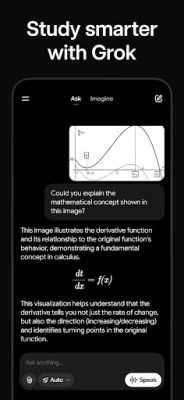
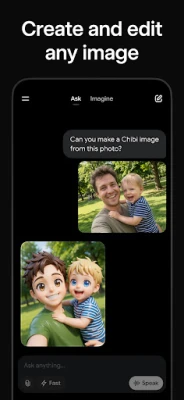
Grok is a conversational AI developed by xAI that combines text chat, voice interaction, image generation, video creation, and photo analysis in a single Android app. It is designed to be truthful, useful, and curious, providing users with a versatile digital companion for both casual queries and creative projects.
Key features
- Natural language chat: Ask any question and receive concise, context‑aware answers.
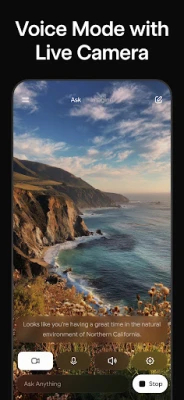
- Voice mode: Speak to Grok and listen to spoken replies for hands‑free interaction.
- Image generation: Describe a scene and let the AI create a striking picture.
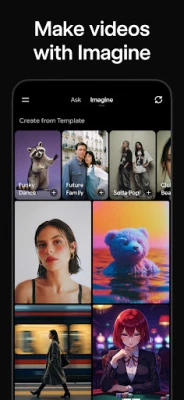
- Video generation: Provide a brief prompt and receive a short, AI‑crafted video clip.
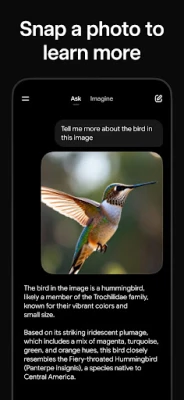
- Photo analysis: Upload a picture and get insights, descriptions, or suggestions based on its content.
- Curiosity engine: Grok follows up with related facts or questions to deepen the conversation.
How the application works
When you launch Grok, the main screen presents a chat window. Type or tap the microphone icon to start a conversation. The app sends your input to xAI's cloud‑based models, which process the request and return a response. For visual content, the same models generate images or short videos that appear directly in the chat flow. Photo analysis works by uploading an image; the AI extracts objects, scenes, and metadata, then replies with a readable summary.
Installation information
Grok is available for free on the Google Play Store. Simply search for "Grok – AI Chat & Video" or use the direct package name ai.x.grok. Tap Install, grant the requested permissions (microphone, storage, and internet), and the app will download and install automatically.
Compatibility
The app requires Android 7.0 (Nougat) or newer and a stable internet connection, as all AI processing occurs on remote servers. Devices with at least 2 GB of RAM are recommended for smooth voice handling and media preview.
Things to know before installing
- Data usage can be moderate when generating images or videos; consider using Wi‑Fi for large requests.
- All content is processed in the cloud, so a reliable connection is essential for real‑time responses.
- The free version includes unlimited text chats, but some premium visual generation features may have daily limits.
- Privacy: Uploaded photos are used only to generate the immediate response and are not stored long‑term.
Frequently asked questions
Is Grok safe for children?
Grok follows strict content filters, but parental supervision is advised for younger users because the AI can discuss a wide range of topics.
Can I export generated images or videos?
Yes. Tap the share icon on any generated media to save it to your device or send it to other apps.
Do I need an account?
No. Grok works without a user account, though creating one can unlock optional sync features across devices.
Rate the App
User Reviews















Popular Apps










 Games
Games Entertainment
 Communication
 E-mail
 Security
 Tools
Tools Media
Media Internet
 Finance
 Design
 Education
 Android Firmwares
 Travel & Local
 Android
 Windows
 Linux
Linux