

Latest Version
Latest
September 10, 2026
Google LLC
Tools
Android
4
Free
com.google.android.apps.playconsole
Report a Problem
More About Google Play Console – Manage Your Android Apps
What is Google Play Console?
Google Play Console is the official web‑based platform that developers use to publish and maintain Android applications on the Google Play Store. It provides a centralized view of key metrics, release management tools, and communication channels with users.
Main Features
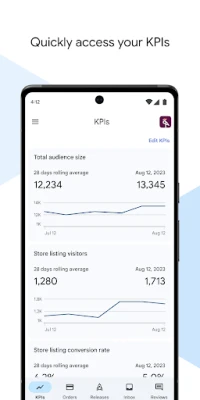
- Performance monitoring – Access real‑time data on installs, user acquisition, retention, and crash reports.
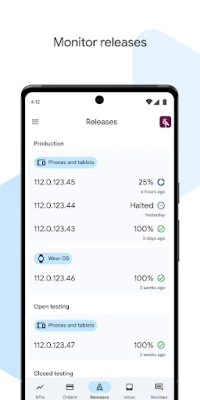
- Release management – Create, test, and roll out new versions across multiple tracks (internal, closed, open, production).
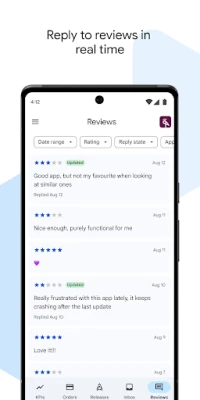
- Review response – Read user reviews and reply directly from the console.
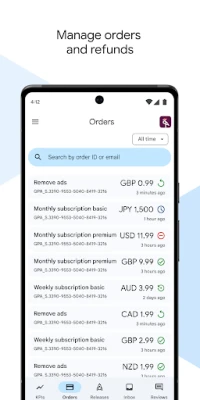
- Order and refund handling – View purchase details, process refunds, and track revenue.
- Device and country availability – See where your app is available and manage distribution settings.
How It Works
After signing in with a Google account linked to your developer profile, you can select any of your published apps. The dashboard presents a summary of recent activity, while deeper sections let you drill into specific reports or settings. When you upload a new APK or App Bundle, the console validates the package, runs automated checks, and guides you through the rollout process.
Practical Uses
- Identify performance trends to guide feature development.
- Test new builds with a limited audience before a full release.
- Address user concerns quickly by replying to reviews.
- Manage in‑app purchases and handle refunds efficiently.
Installation Information
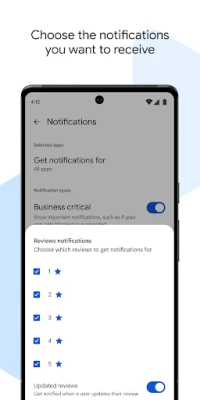
Google Play Console is accessed through a web browser on a desktop or laptop. A companion Android app is also available, allowing you to monitor key metrics and receive notifications while on the go.
Things to Know Before Using
- You need an active Google Play Developer account (a one‑time registration fee applies).
- Access to certain data, such as financial reports, requires appropriate permissions within your organization.
- Some features, like staged rollouts, may have limits on the percentage of users reached per stage.
Who May Find It Useful?
Both independent developers and larger development teams benefit from Google Play Console. It is especially valuable for anyone who wants to track app health, manage releases systematically, and maintain a direct line of communication with their user base.
Frequently Asked Questions
Do I need a separate app to use Google Play Console?
No. The full console is web‑based, but a lightweight Android companion app is available for monitoring.
Can I see crash reports in real time?
Crash data is updated regularly, and you can view trends and individual crash instances within the console.
How do I respond to a user review?
Navigate to the Reviews section, select a review, and use the reply field to post your response.
Is there a limit to how many tracks I can create?
The console supports the standard set of tracks (internal, closed, open, production). Each track can have multiple releases.
Rate the App
User Reviews










Popular Apps










 Games
Games Entertainment
 Communication
 E-mail
 Security
 Tools
Tools Media
Media Internet
 Finance
 Design
 Education
 IT Tools
 Travel & Local
 Android
 Windows
 Linux
Linux