
Latest Version
August 13, 2026
Google LLC
Tools
Android
349
Free
com.google.android.apps.searchlite
Report a Problem
More About Google Go – Light‑weight Search for Android
What is Google Go?
Google Go is a streamlined version of Google’s search app, designed for Android phones that have limited storage space or operate on slower networks. It delivers core search functionality while keeping the app size small and data usage low.
Main features
- Compact size – The app occupies only a few megabytes, leaving more room for your photos, music, and other apps.
- Data‑efficient results – Search results are optimized to reduce data consumption, which can be helpful on metered connections.
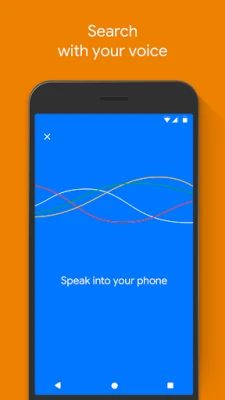
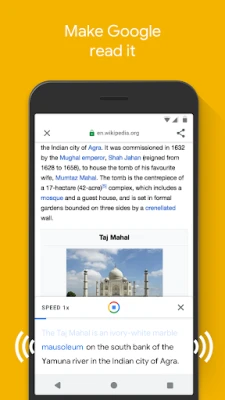
- Voice search – Speak your query instead of typing, useful when you’re on the go.
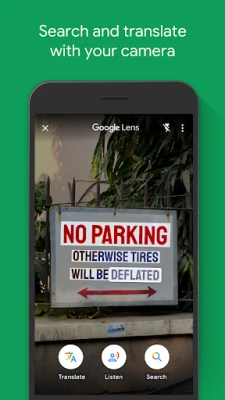
- Camera integration – Use the camera to capture text or translate signs without opening a separate app.
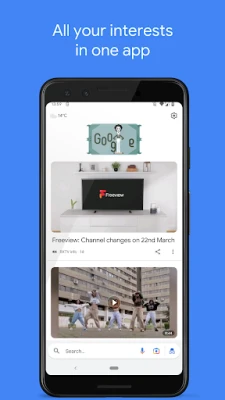
- Trending topics – Quickly browse popular searches and news headlines.
How it works
When you open Google Go, the interface presents a simple search bar and a few shortcut tiles for common actions such as voice input, image search, and trending topics. After you enter a query, the app contacts Google’s servers and returns a concise list of results that prioritize speed and low data usage. If you tap the camera icon, the app can recognize text in the viewfinder and either read it aloud or translate it, leveraging Google Lens technology in a lightweight form.
Practical uses
- Searching on a limited‑data plan without worrying about excessive consumption.
- Finding quick answers on older or low‑end Android devices where larger apps may run slowly.
- Translating signs, menus, or product labels while traveling, using the built‑in camera feature.
- Getting voice‑driven answers when typing is inconvenient, such as while driving or cooking.
Installation information
Google Go can be installed from the Google Play Store. Because the package is small, the download completes quickly even on slower connections. After installation, the app appears alongside your other applications and does not require additional setup beyond granting standard permissions for internet access and, if you use the camera features, access to the device’s camera.
Compatibility
The app is built for Android devices running recent versions of the operating system. While exact version requirements are not published here, the lightweight nature of Google Go means it typically runs on a wide range of smartphones, including those with modest hardware specifications.
Things to know before installing
- The interface is intentionally minimal; advanced search tools found in the full Google app may be absent.
- Data savings are achieved by delivering simplified result pages, which may omit some rich media that appear in the standard Google search.
- Because the app focuses on speed and size, occasional updates may be smaller than those for the full Google app.
Who may find it useful?
Anyone who wants a quick way to search the web without using a large amount of storage or data will benefit from Google Go. It is especially handy for users with older phones, limited data plans, or those who frequently switch between Wi‑Fi and cellular networks.
Frequently asked questions
Does Google Go replace the full Google app?
No. It offers a subset of features focused on speed and data efficiency. Users who need the full suite of Google services may still prefer the standard app.
Can I use Google Go offline?
The app requires an internet connection to retrieve search results. However, cached pages may be viewable briefly after a search.
Is my search data private?
Google Go follows Google’s standard privacy policies. Searches are transmitted to Google’s servers, and the usual data handling practices apply.
Rate the App
User Reviews















Popular Apps










 Games
Games Entertainment
 Communication
 E-mail
 Security
 Tools
Tools Media
Media Internet
 Finance
 Design
 Education
 Android Firmwares
 Travel & Local
 Android
 Windows
 Linux
Linux