
Latest Version
August 13, 2026
Google LLC
Tools
Android
290
Free
com.google.android.googlequicksearchbox
Report a Problem
More About Google – Search, Lens & AI Assistant
What is the Google app?
The Google app is a free utility from Google LLC that provides a streamlined way to search the internet, explore visual content with Lens, and interact with AI‑driven features. It serves as a central hub for everyday information needs, from quick facts to detailed research.
Main features
- Universal search – Type or speak your query to receive web results, news, maps, and more.
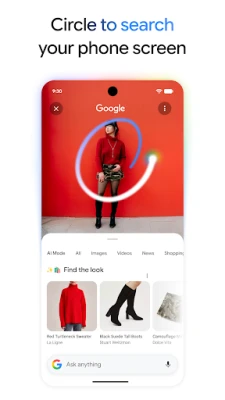
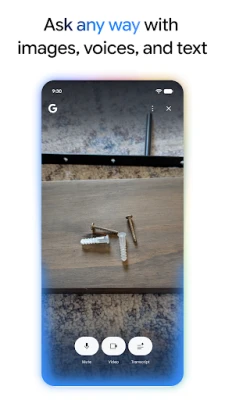
- Google Lens integration – Use your camera to identify objects, translate text, shop for items, or get contextual information about what you see.
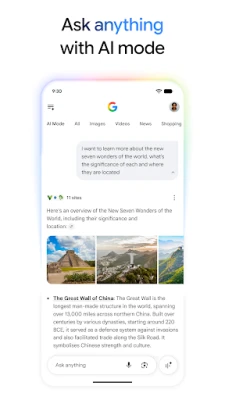
- AI‑enhanced responses – Ask complex questions and receive concise, AI‑generated overviews that include follow‑up suggestions.
- Voice interaction – Speak your query or even hum a tune to let the app find matching songs.
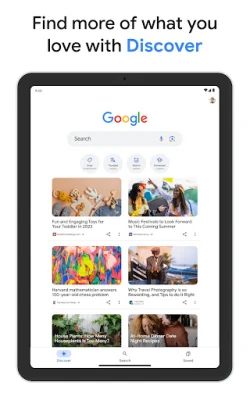
- Personalized feed – Get a curated list of news, articles, and videos based on topics you follow.
How it works
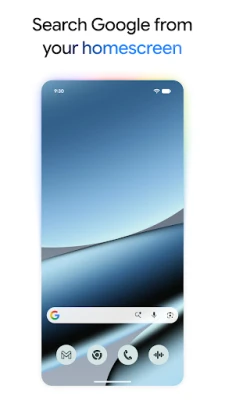
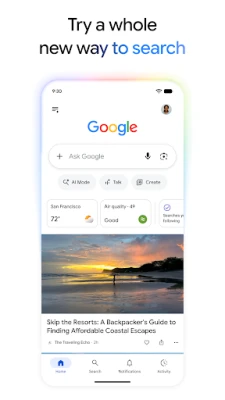
After installing, the app appears as a search bar on your home screen or lock screen. Tapping the bar opens a full‑screen search interface where you can type, speak, or launch Lens. The app connects to Google’s servers to retrieve results and, where applicable, AI‑generated summaries. Results are presented with links that let you dive deeper into the web.
Practical uses
- Finding quick answers while on the go.
- Identifying plants, landmarks, or products with a photo.
- Translating signs or menus in real time.
- Discovering news stories that match your interests.
- Getting step‑by‑step guidance for everyday tasks.
Installation information
The app can be installed from the Google Play Store. Search for "Google" by Google LLC, then tap Install. The download size varies with device and OS version.
Compatibility
The app is designed for Android devices running recent versions of the operating system. Specific minimum Android version requirements are listed on the Play Store page.
Things to know before installing
- The app may request access to your microphone, camera, and location to enable voice search, Lens, and location‑based results.
- Data usage can increase when using visual search or streaming media.
- Personalized results depend on your Google account settings and activity history.
Who may find it useful?
Anyone who wants a fast, integrated way to search the web, explore visual information, or leverage AI‑driven answers on an Android phone or tablet will benefit from the Google app.
Rate the App
User Reviews















Popular Apps










 Games
Games Entertainment
 Communication
 E-mail
 Security
 Tools
Tools Media
Media Internet
 Finance
 Design
 Education
 Android Firmwares
 Travel & Local
 Android
 Windows
 Linux
Linux