

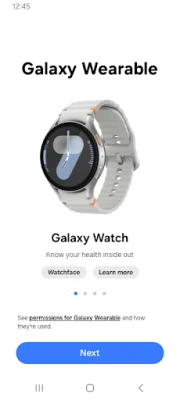
Latest Version
September 15, 2026
Samsung Electronics Co., Ltd.
Tools
Android
7
Free
com.samsung.android.app.watchmanager
Report a Problem
More About Galaxy Wearable – Manage Your Samsung Watch and Buds
What is Galaxy Wearable?
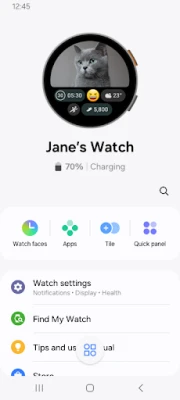
Galaxy Wearable is Samsung’s companion app for its line of wearable devices, including smartwatches and earbuds. The app acts as a bridge between your Android phone and the wearable, letting you configure features, install updates, and personalize the experience without needing to navigate complex device menus.
Main features
- Device pairing and connection management – Quickly pair a new watch or earbuds via Bluetooth and see the connection status at a glance.
- Software updates – Receive notifications when firmware updates are available and install them directly from the app.
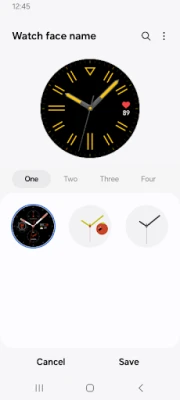
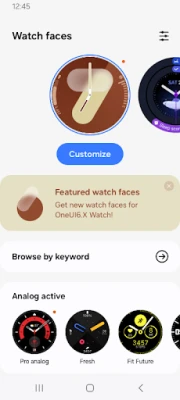
- Watch face and clock customization – Choose from pre‑installed watch faces, adjust the time format, and set up complications such as weather or calendar events.
- App installation for wearables – Browse compatible apps and install them onto your watch without leaving your phone.
- Find My Device – Trigger a sound or locate a misplaced watch when it is within Bluetooth range.
- Notification control – Decide which notifications appear on the wearable and how they are presented.
How it works
After installing Galaxy Wearable, the app scans for nearby Samsung wearables that support Bluetooth pairing. Once you select a device, the app guides you through the pairing steps, handling any required permissions automatically. After the initial setup, the app stays in the background, syncing settings and checking for updates whenever the wearable is connected.
Practical uses
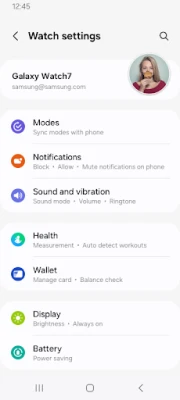
- Adjusting the watch’s brightness or vibration intensity without removing the device.
- Changing the active watch face to match a workout, a meeting, or a casual day.
- Updating earbuds firmware to improve battery life and audio performance.
- Turning off notifications while you sleep, then re‑enabling them in the morning with a single tap.
Installation information
Galaxy Wearable is available for free on the Google Play Store. Search for "Galaxy Wearable" or use the package name com.samsung.android.app.watchmanager. The app requires standard Android permissions for Bluetooth and location services, which are necessary to discover and connect to nearby devices.
Compatibility
The app works with Samsung smartwatches that run the Tizen or Wear OS platforms, as well as Galaxy Buds earbuds. Compatibility may vary by region, carrier, and device model. Tablets running Android can also use the app for certain earbuds, but full smartwatch functionality typically requires a phone.
Things to know before installing
- Some features, such as Find My Device, only function while the wearable is within Bluetooth range of the phone.
- Permissions for location are required on Android 11 and lower; on Android 12 and higher the app uses the "Nearby devices" permission instead.
- The app does not support Gear VR or Gear 360 accessories.
Who may find it useful?
Anyone who owns a Samsung smartwatch or Galaxy Buds will benefit from a single place to manage settings, updates, and apps. The app is especially handy for users who like to customize watch faces, control notification flow, or keep their devices up to date without manual steps.
Frequently asked questions
Do I need an internet connection for the app to work?
Internet is required for checking and downloading firmware updates and for browsing compatible apps. Basic pairing and local settings adjustments work over Bluetooth alone.
Can I use the app with non‑Samsung wearables?
No. Galaxy Wearable is designed specifically for Samsung devices and will not recognize other brands.
What should I do if the app cannot find my watch?
Make sure Bluetooth is enabled on both devices, grant the required location or nearby‑devices permission, and ensure the wearable is in pairing mode. Restarting both the phone and the wearable often resolves discovery issues.
Rate the App
User Reviews











Popular Apps










 Games
Games Entertainment
 Communication
 E-mail
 Security
 Tools
Tools Media
Media Internet
 Finance
 Design
 Education
 IT Tools
 Travel & Local
 Android
 Windows
 Linux
Linux