

Latest Version
Latest
September 02, 2026
Fossify
Tools
Android
2
Free
org.fossify.filemanager
Report a Problem
More About Fossify File Manager – Open‑Source Android File Explorer
What is Fossify File Manager?
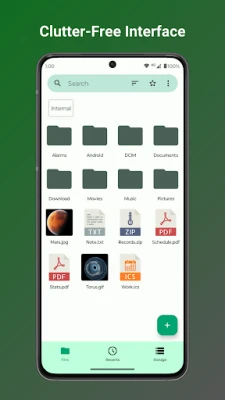
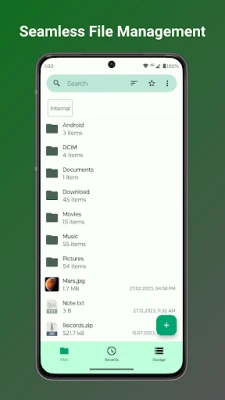
Fossify File Manager is an open‑source Android application designed to help you navigate the files stored on your device. Built by the Fossify community, it emphasizes speed, simplicity, and privacy. The app provides a clean interface for browsing internal storage, external SD cards, and connected USB devices, allowing you to manage documents, media, and app data directly on your phone or tablet.
Main Features
- Fast navigation – Browse folders and files with minimal lag, even on older devices.
- File operations – Copy, move, rename, delete, and create new folders with intuitive gestures.
- Search and sort – Quickly locate items using a built‑in search bar and sort results by name, size, date, or type.
- Basic compression – Create ZIP archives to reduce file size or combine multiple items for easier sharing.
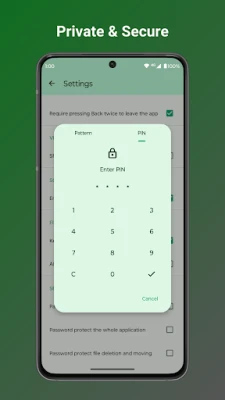
- Privacy controls – Hide selected files or folders behind a password, pattern, or fingerprint lock, keeping sensitive data out of casual view.
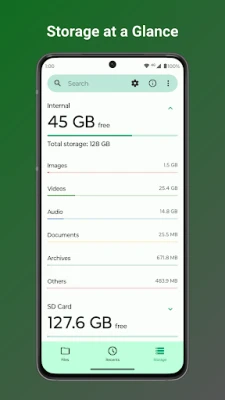
- Storage analysis – Identify large or duplicate files to help free up space.
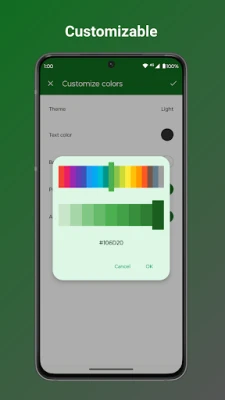
- Customization – Choose light or dark themes and adjust accent colors to match your preferences.
- Ad‑free experience – The app contains no advertisements, providing an uninterrupted workflow.
How It Works
When you launch Fossify File Manager, the main screen presents a list of primary storage locations. Tapping a location opens its directory tree, where you can explore subfolders, preview common file types, and perform actions via a long‑press context menu. The search field at the top filters results in real time, while the sort button lets you reorder items according to your needs.
For files you wish to keep private, the app offers a simple lock mechanism. After setting a lock method, you can mark individual files or entire folders as hidden; they will then require authentication before being displayed.
Practical Uses
- Organizing downloaded documents, photos, and videos into logical folders.
- Cleaning up storage by locating large files or duplicates.
- Creating ZIP archives for easier email attachment or cloud upload.
- Protecting personal documents, such as tax records or private photos, with a lock.
- Accessing files on an external SD card without needing a separate file explorer.
Installation Information
The application can be installed from the Google Play Store or other reputable Android app repositories. Because it is open source, the APK is also available for manual download from the project's GitHub page. Ensure that you enable installation from unknown sources only if you trust the source of the APK.
Compatibility
Fossify File Manager runs on Android devices that meet the minimum system requirements defined by the developer. While specific version numbers are not listed here, the app is built to work on a wide range of Android releases, including older versions commonly found on budget devices.
Things to Know Before Installing
- Because the app is free and open source, it does not include in‑app purchases or subscription models.
- No internet connection is required for core file‑management functions; any network activity is limited to optional features such as checking for updates.
- The app does not request unnecessary permissions beyond those needed to read and write storage.
Who May Find It Useful?
Anyone who wants a straightforward, privacy‑respecting way to handle files on Android will benefit from Fossify File Manager. It is especially suitable for users who prefer open‑source software, developers who need quick access to app data, and anyone looking to replace a pre‑installed file explorer that feels bloated or intrusive.
Frequently Asked Questions
Is Fossify File Manager safe to use?
Yes. The app is open source, meaning its code is publicly available for review. It does not collect personal data or display ads.
Can I lock individual files?
Yes. After setting a lock method, you can mark specific files or folders as hidden, requiring authentication to view them.
Does the app support cloud storage services?
The core version focuses on local storage. Integration with cloud services is not included by default.
How do I update the app?
Updates are delivered through the Play Store when installed from there, or you can manually download the latest APK from the project's GitHub releases page.
Rate the App
User Reviews














Popular Apps










 Games
Games Entertainment
 Communication
 E-mail
 Security
 Tools
Tools Media
Media Internet
 Finance
 Design
 Education
 IT Tools
 Travel & Local
 Android
 Windows
 Linux
Linux