
Latest Version
Latest
August 31, 2026
ZOOM Corporation
Tools
Android
9
Free
jp.co.zoom.f8control
Report a Problem
More About F8 Control – Remote Mixer for ZOOM F8 Series
What is F8 Control?
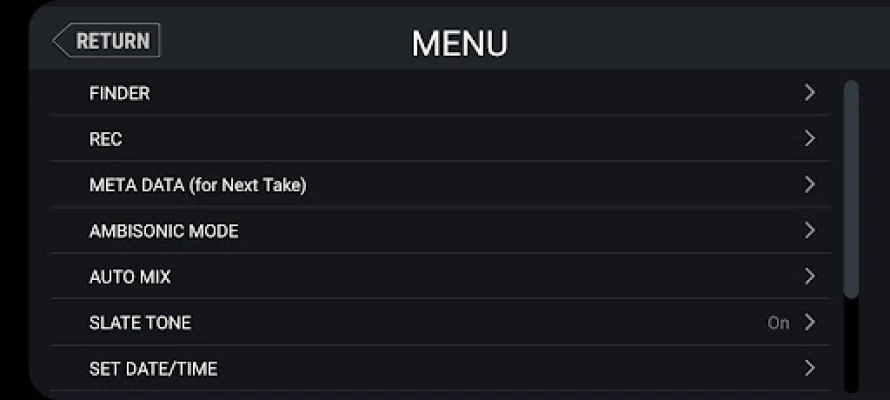
F8 Control is a free Android utility developed by ZOOM Corporation that turns a smartphone or tablet into a wireless remote for ZOOM’s F8 family of field recorders (F8, F8n, and F8n Pro). The app lets you manage recording functions, monitor input levels, and edit file information without having to reach for the recorder itself.
Main features
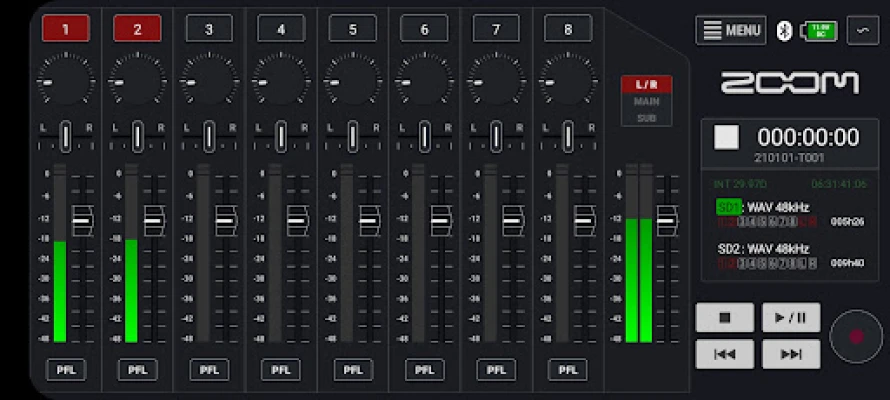
- Transport commands – Start, stop, pause and resume recordings, as well as playback control.
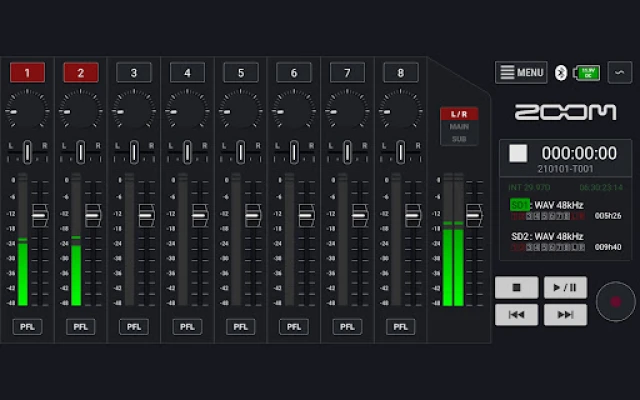
- Level monitoring – View real‑time input meters and battery status on the device screen.
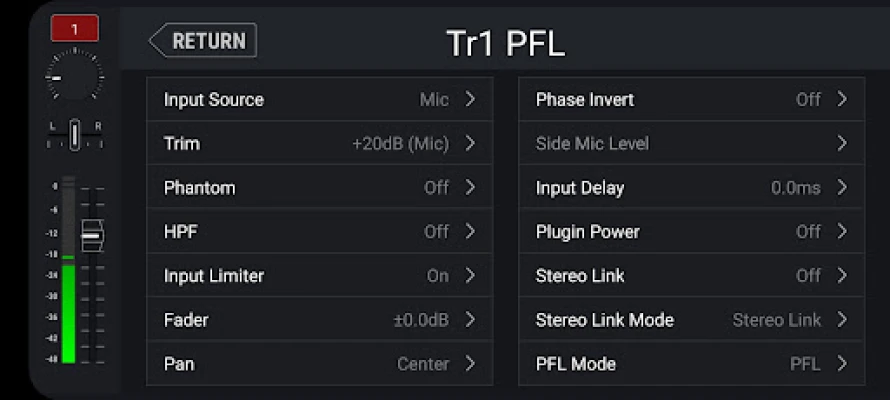
- Mixing interface – A touch‑enabled mixer screen lets you adjust trim, pan and fader positions for each channel, mimicking a traditional mixing console.
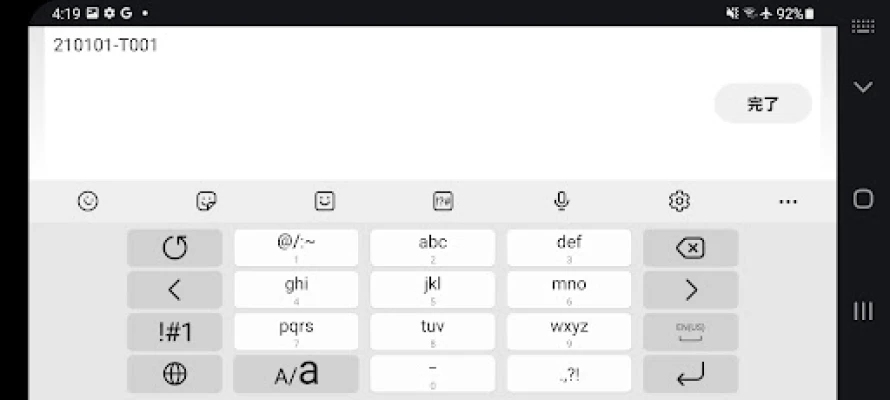
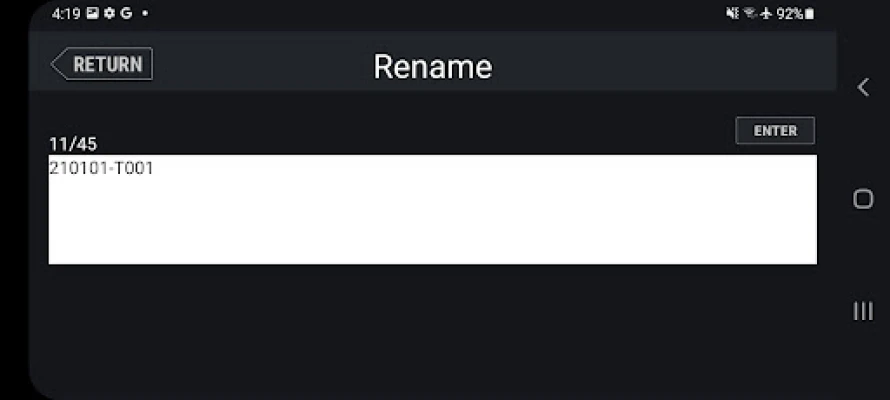
- Metadata entry – Use the Android keyboard to type file names, notes or other metadata directly into the recorder.
- Clock synchronization – Align the recorder’s date and time with the Android device for accurate timestamps.
How it works
When both the Android device and the ZOOM recorder are on the same Wi‑Fi network (or connected via the recorder’s built‑in Wi‑Fi hotspot), F8 Control discovers the recorder automatically. After pairing, the app presents a series of screens that correspond to common workflow steps: transport, mixer, level meters, and metadata. All adjustments are sent over the network in real time, giving you immediate feedback on the recorder’s status.
Practical uses
Field recordists often mount the F8 series inside protective cases, making direct access to knobs cumbersome. With F8 Control you can:
- Check levels and make quick mix changes while the recorder remains sealed.
- Start or stop a take without removing the unit from a rig.
- Enter detailed session notes or file identifiers on the spot, reducing post‑production paperwork.
- Ensure that the recorder’s clock matches the shoot schedule, which is especially useful for multi‑camera or multi‑recorder setups.
Installation information
Search for F8 Control in the Google Play Store, then tap Install. The app requires Android and network permissions to communicate with the recorder; these are requested at first launch. No additional configuration is needed beyond connecting the Android device to the recorder’s Wi‑Fi.
Things to know before installing
- The app works only with ZOOM F8, F8n and F8n Pro models that support Wi‑Fi remote control.
- Performance depends on the strength and stability of the Wi‑Fi link; a direct hotspot from the recorder usually provides the most reliable connection.
- Because the app is free, there are no in‑app purchases or subscription fees.
Who may find it useful?
Anyone who uses a ZOOM F8 series recorder in the field—documentary filmmakers, sound designers, podcasters, and live‑event engineers—can benefit from the hands‑free control that F8 Control provides. It is also handy for educators teaching audio‑recording techniques, as the visual interface makes it easy to demonstrate level adjustments and metadata entry.
Frequently asked questions
Do I need an internet connection?
No. The app communicates over a local Wi‑Fi network created by the recorder or a separate router; an external internet connection is not required.
Can I control multiple recorders at once?
The app is designed to pair with one recorder at a time. To switch devices, disconnect from the current Wi‑Fi network and connect to the other recorder’s network.
Is the app compatible with older Android versions?
Compatibility depends on the Android version required by the Play Store listing. The app will indicate the minimum version during installation.
Will using the app drain my phone’s battery quickly?
Because the app maintains an active Wi‑Fi connection, it will use more power than a typical idle app, but the impact is modest. Turning off the screen or using a power‑saving mode can extend battery life during long sessions.
Rate the App
User Reviews









Popular Apps










 Games
Games Entertainment
 Communication
 E-mail
 Security
 Tools
Tools Media
Media Internet
 Finance
 Design
 Education
 IT Tools
 Travel & Local
 Android
 Windows
 Linux
Linux