Latest Version
September 11, 2026
Android Tools (ru)
Tools
Android
11
Free
ru.androidtools.epubreader
Report a Problem
More About EPUB Reader: eBook Reader – Free Android App
What is EPUB Reader?
EPUB Reader is a free Android application that lets you open and read e‑books in the EPUB format. It focuses on providing a clean reading experience without unnecessary clutter.
Main Features
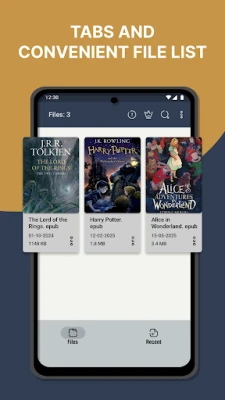
- Automatic file detection – The app scans your device for EPUB files and lists them for quick access.
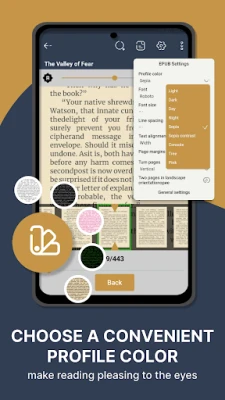
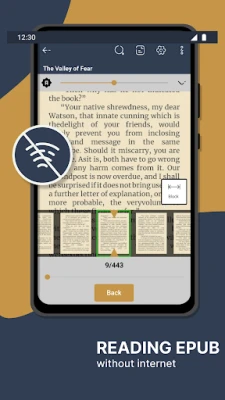
- Customizable text – Adjust font type, size, line spacing, and margins to suit your reading comfort.
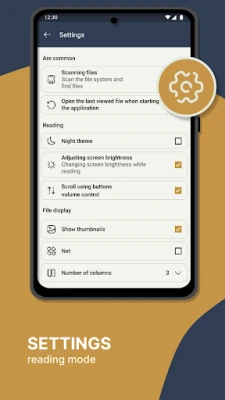
- Day and night modes – Switch between bright and dark themes to reduce eye strain in different lighting conditions.
- Full‑text search – Find words or phrases inside the current book.
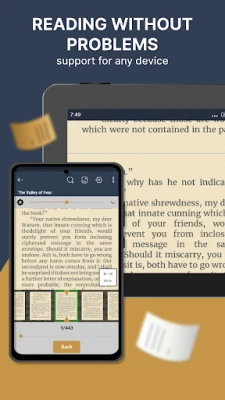
- Adaptive layout – The reading view adapts to various screen sizes and orientations.
- Screen brightness control – Adjust brightness directly from the reading screen.
- Immersive mode – Hide system bars for a distraction‑free experience.
- Volume‑button paging – Turn pages using the hardware volume keys.
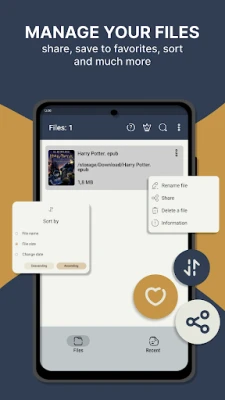
- File management – Rename, copy, share, or delete EPUB files from within the app.
- Bookmarks – Mark pages to return to later.
How It Works
When you launch the app, it performs a quick scan of internal storage and any external SD cards for files with the .epub extension. Detected books appear in a grid or list view, which you can sort by name, size, or date. Tapping a title opens the book in a reading pane where you can adjust visual settings, navigate via a table of contents (if present), and use the built‑in search.
Practical Uses
- Reading novels, textbooks, or reference material purchased from online stores.
- Accessing free public‑domain books from libraries that provide EPUB files.
- Studying documents that preserve original formatting, such as academic papers.
Installation Information
The app is distributed as a free download from the Google Play Store. Installation follows the standard Android process: tap “Install,” grant any required permissions for storage access, and the app will appear in your app drawer.
Things to Know Before Installing
- The app requires permission to read external storage so it can locate EPUB files on your device.
- It does not include a built‑in store; you need to obtain EPUB files separately.
- All core reading functions are available without additional purchases.
Who May Find It Useful?
Anyone who prefers a straightforward, ad‑light reader for EPUB books—students, casual readers, and professionals who use e‑books for reference—will benefit from this app.
Frequently Asked Questions
Can I read DRM‑protected EPUB files?
The app handles standard, unprotected EPUB files. DRM‑protected books require a compatible reader that supports the specific protection scheme.
Does the app support other e‑book formats?
Its primary focus is EPUB. For other formats such as PDF or MOBI, you would need a different reader.
Is there a way to sync reading progress across devices?
Syncing is not built into the free version. Progress is saved locally on each device.
Rate the App
User Reviews










Popular Apps










 Games
Games Entertainment
 Communication
 E-mail
 Security
 Tools
Tools Media
Media Internet
 Finance
 Design
 Education
 IT Tools
 Travel & Local
 Android
 Windows
 Linux
Linux