
Latest Version
September 08, 2026
FastTec BV
Tools
Android
9
Free
com.BK.EdgeVPN
Report a Problem
More About EdgeVPN: WireGuard V2Ray VPN
What is EdgeVPN?
EdgeVPN is a free Android application that lets you create a virtual private network (VPN) connection using three different protocols: WireGuard, OpenVPN and V2Ray. By routing your traffic through encrypted tunnels, the app helps protect your data from eavesdropping and can bypass network restrictions.
Main features
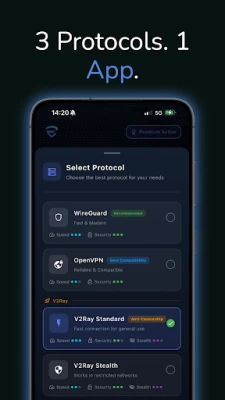
- Triple‑protocol support – Choose between WireGuard for speed, OpenVPN for broad compatibility, or V2Ray for advanced obfuscation.
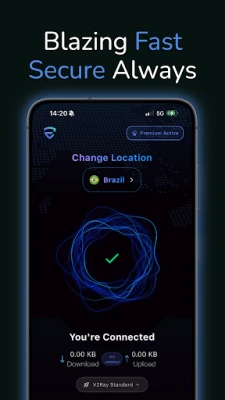
- One‑tap connection – Start or stop the VPN with a single tap, and see real‑time status indicators.
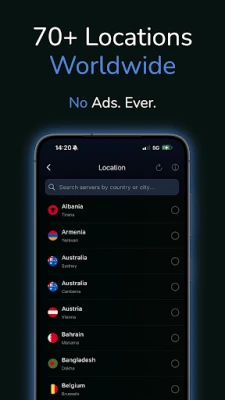
- Ad‑free experience – The free version contains no advertisements.
- Kill switch – Automatically blocks internet traffic if the VPN connection drops.
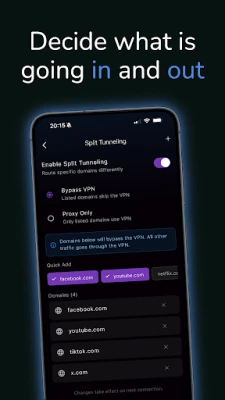
- Split tunneling – Select which apps use the VPN and which connect directly.
How it works
When you launch EdgeVPN, you can select the protocol that best matches your current needs. WireGuard provides low‑latency connections ideal for gaming or streaming, OpenVPN offers a mature, widely supported option for corporate or high‑security environments, and V2Ray adds traffic‑shaping techniques that help evade deep‑packet inspection on restrictive networks. After choosing a server location, the app establishes an encrypted tunnel and routes your device’s internet traffic through it.
Practical uses
- Accessing content that is blocked on public Wi‑Fi or in regions with censorship.
- Protecting personal data when using unsecured networks, such as coffee‑shop Wi‑Fi.
- Improving connection stability for online gaming or video streaming by selecting the low‑latency WireGuard protocol.
Installation information
EdgeVPN can be installed directly from the Google Play Store. After downloading, grant the required VPN permission when prompted. No additional configuration is needed to start using the app, though you may want to explore the settings to customize protocol preferences, split‑tunneling rules, or kill‑switch behavior.
Things to know before installing
- The app requires Android’s built‑in VPN API; it does not need root access.
- Because the free tier does not include a subscription, some server locations may be limited compared with premium VPN services.
- Performance depends on the selected server and your network conditions; switching protocols can help if you encounter slow speeds.
Who may find EdgeVPN useful?
Travelers, remote workers, students, and anyone who frequently connects to public Wi‑Fi will benefit from the additional privacy and flexibility EdgeVPN provides. Users who need to switch quickly between speed‑focused and security‑focused connections will also appreciate the multi‑protocol approach.
Frequently asked questions
Do I need a separate account?
No. EdgeVPN operates without requiring a user account; the app stores settings locally on your device.
Is my data logged?
The app does not retain browsing history or connection logs on the device. However, any logging policies of the VPN servers themselves are outside the app’s control.
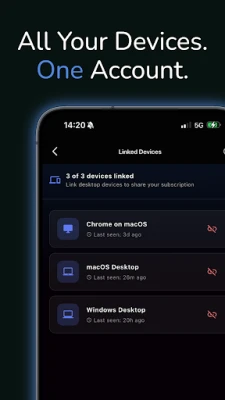
Can I use EdgeVPN on multiple devices?
The free version is limited to a single Android device. For multi‑device use, you would need to explore any paid options the developer may offer.
Rate the App
User Reviews













Popular Apps










 Games
Games Entertainment
 Communication
 E-mail
 Security
 Tools
Tools Media
Media Internet
 Finance
 Design
 Education
 IT Tools
 Travel & Local
 Android
 Windows
 Linux
Linux