

Latest Version
Latest
June 27, 2026
Aykut Çevik
Tools
Android
580
Free
com.aykutcevik.dnschanger
Report a Problem
More About DNS Changer – Lilly
What is DNS Changer – Lilly?
DNS Changer – Lilly is a lightweight Android utility that lets you select a different DNS resolver for all of your device’s network connections. By routing DNS queries through the resolver you choose, the app can help improve name‑resolution speed, bypass ISP‑level filtering, or simply give you more control over your internet privacy.
Main features
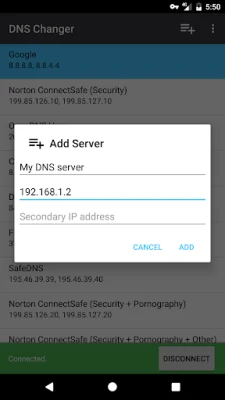
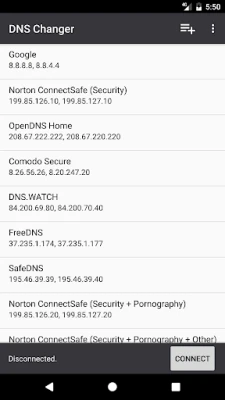
- Custom DNS selection – Enter any IPv4 or IPv6 DNS address or pick from a short list of popular public resolvers.
- Works on all connection types – The app applies the chosen DNS to mobile data, Wi‑Fi and Ethernet connections without requiring separate configuration.
- No root required – DNS Changer – Lilly uses Android’s built‑in VPN service to intercept DNS traffic, so it works on standard, non‑rooted devices.
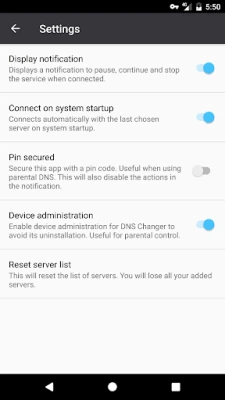
- Connect on boot – Optionally start the DNS service automatically when the device powers on.
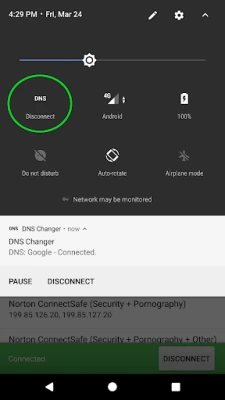
- Pause and resume – Temporarily suspend the DNS override without leaving the app.
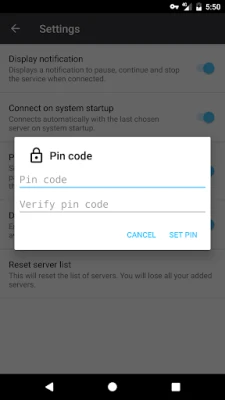
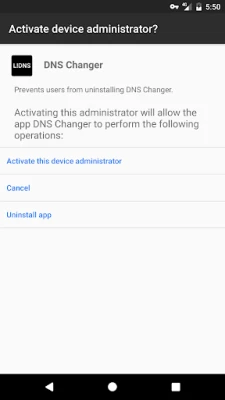
- Device‑admin protection – Enable the device‑administrator role to prevent accidental uninstallation, useful for parental‑control scenarios.
How it works
The application creates a local VPN interface that captures DNS requests from any app on the device. Instead of sending those requests to the network‑provided DNS server, it forwards them to the resolver you have configured. Because only DNS packets are redirected, your regular internet traffic continues to use the normal routing path, preserving speed and data usage.
Practical uses
- Bypass regional content restrictions that rely on DNS filtering.
- Improve website loading times by using a fast public DNS service.
- Enhance privacy by avoiding ISP‑provided DNS servers that may log queries.
- Set up parental controls by choosing a DNS that blocks adult or unsafe domains.
Installation information
Download the APK from a trusted source, then open the file to start the standard Android installation process. After installation, launch the app and grant the VPN permission when prompted. If you enable the device‑admin feature, you will need to activate it in the device’s security settings.
Compatibility
The app runs on Android devices that support the VPN service API, which includes the majority of devices running Android 5.0 (Lollipop) and later. Specific version requirements are not listed, but the app does not depend on any special hardware.
Things to know before installing
- The app does not route general internet traffic through its own servers; only DNS queries are affected.
- Some networks may block VPN‑based DNS changes; in such cases the app may not be able to apply the new resolver.
- Enabling the device‑admin role adds a layer of protection against accidental removal, but it also means you must deactivate the role before uninstalling.
Who may find it useful?
Anyone who wants more control over how domain names are resolved on their Android device – from casual users looking for faster browsing to parents seeking simple content filtering, and tech‑savvy individuals who prefer privacy‑focused DNS services.
Frequently asked questions
Do I need a rooted phone?
No. DNS Changer – Lilly works entirely with Android’s VPN feature, so rooting is not required.
Will using this app affect my data plan?
Only DNS queries are redirected, which are typically a very small portion of overall data usage. Your regular data consumption remains unchanged.
Can I use both IPv4 and IPv6 DNS servers?
Yes. The app accepts both address types, allowing you to match the resolver to your network’s capabilities.
Is there any cost associated with the app?
The application is offered free of charge. It may display occasional, non‑intrusive ads to support ongoing development.
Rate the App
User Reviews















Popular Apps










 Games
Games Entertainment
 Communication
 E-mail
 Security
 Tools
Tools Media
Media Internet
 Finance
 Design
 Education
 Android Firmwares
 Travel & Local
 Android
 Windows
 Linux
Linux