Latest Version
Latest
August 13, 2026
Shenzhen Wondershare Software Co., Ltd.
Tools
Android
288
Free
com.wondershare.mobiletrans
Report a Problem
More About Data Transfer – MobileTrans
What is Data Transfer – MobileTrans?
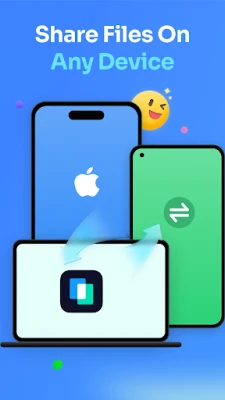
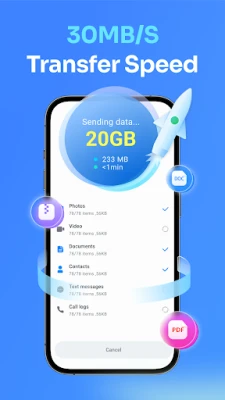
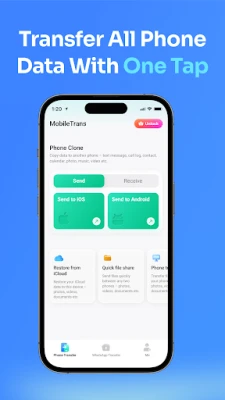
Data Transfer – MobileTrans, developed by Shenzhen Wondershare Software Co., Ltd., is a free Android utility that helps you move personal data from one device to another. Whether you are upgrading to a newer phone, switching between Android models, or even changing to a different operating system, the app provides a straightforward way to copy the information you care about without needing a computer.
Main capabilities
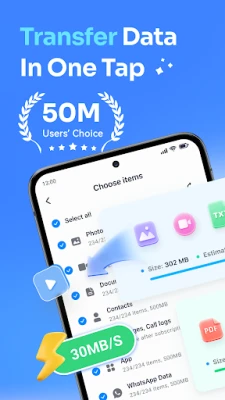
- Contact migration – Transfer address‑book entries, including names, numbers and email addresses, with a single tap.
- Photo and video copy – Move your camera roll, albums and media files so your new device looks familiar from day one.
- Message and call‑log backup – Preserve SMS, MMS and call‑log history and restore it on the target phone.
- App data transfer – Carry over installed applications and their basic data when the destination device supports them.
- WhatsApp and WhatsApp Business support – Export chat history, media and attachments so conversations continue on the new phone.
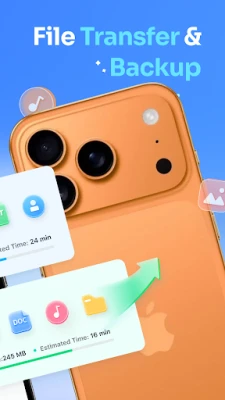
- General file transfer – Copy documents, PDFs, spreadsheets and other file types without leaving the app.
How it works
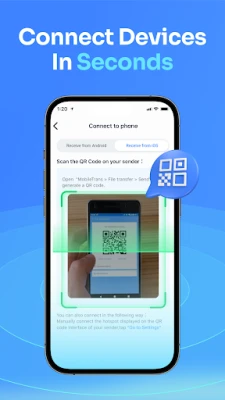
The app uses a local connection between the two phones, typically via a USB‑OTG cable or a direct Wi‑Fi link. After launching the app on both devices, you select the source and destination phones, choose the data categories you want to move, and start the transfer. The process runs on the device itself, so no internet traffic is consumed and your personal data stays within your hands.
Practical scenarios
- Upgrading to a new Android phone – Instead of manually re‑entering contacts or re‑downloading photos, you can clone the essential data in minutes.
- Switching from Android to iOS (or vice‑versa) – The app supports cross‑platform migration, handling common data types that native tools often miss.
- Recovering after a factory reset – If you have a backup created with MobileTrans, you can restore contacts, messages and media quickly.
Installation notes
Data Transfer – MobileTrans is available as a free download from the Google Play Store. The app requires Android 5.0 (Lollipop) or newer, and a device with enough free storage to hold the temporary copy of the data being moved. For WhatsApp migration, an OTG cable is needed to connect the two phones directly.
Things to consider before installing
- Make sure both phones have sufficient battery life or are plugged in during the transfer.
- Large media libraries may take longer to copy; patience is advisable.
- The app does not replace the need for a full device backup; it focuses on selective data migration.
Who will benefit?
Anyone who plans to change phones, whether within the same brand or across platforms, will find MobileTrans useful. It is especially handy for users who want to keep their messaging history, media collections and contact lists intact without relying on cloud services.
Frequently asked questions
Is any internet connection required?
No. The transfer occurs locally between the two devices, so no mobile data or Wi‑Fi internet access is needed.
Can I transfer apps that are not available in the Play Store?
The app can move the installation packages of supported apps, but it cannot bypass licensing restrictions or install apps that are unavailable for the target device.
What happens to the original data on the source phone?
Data remains on the source device unless you choose to delete it manually after confirming a successful transfer.
Is the app safe to use?
MobileTrans is published by a recognized software company and follows standard Android permission models. It accesses only the data categories you select for transfer.
Rate the App
User Reviews















Popular Apps










 Games
Games Entertainment
 Communication
 E-mail
 Security
 Tools
Tools Media
Media Internet
 Finance
 Design
 Education
 Android Firmwares
 Travel & Local
 Android
 Windows
 Linux
Linux