Latest Version
Latest
September 16, 2026
Simple Design Ltd.
Tools
Android
68
Free
copymydata.transfer.movetoios.clone
Report a Problem
More About Data Transfer – Copy My Data
What is Data Transfer – Copy My Data?
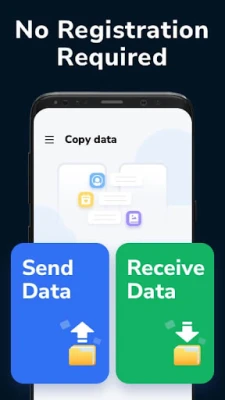
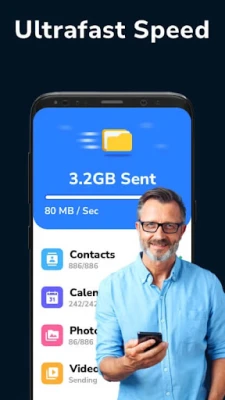
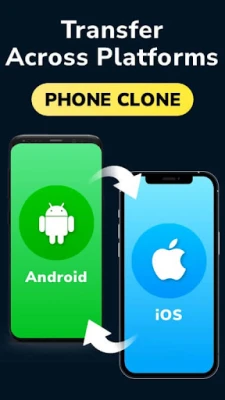
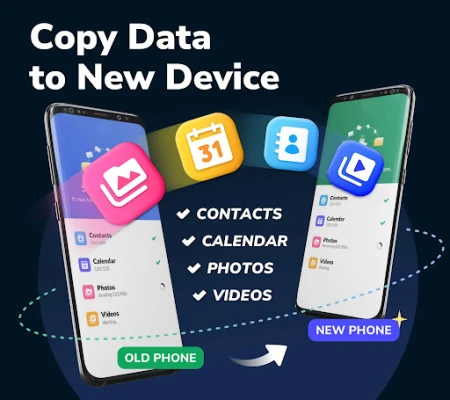
Data Transfer – Copy My Data is a free utility from Simple Design Ltd. that lets you move personal content from one smartphone to another over a shared Wi‑Fi network. The app focuses on core data types such as contacts, calendar entries, photos and videos, and works across Android‑to‑Android as well as Android‑to‑iOS scenarios.
Main features
- Direct device‑to‑device transfer: No PC, cable or cloud service is required.
- Cross‑platform support: Move data from an Android phone to an iPhone (or the reverse) as long as both devices are on the same Wi‑Fi network.
- Preserves original quality: Media files are copied without compression, so photos and videos retain their original resolution.
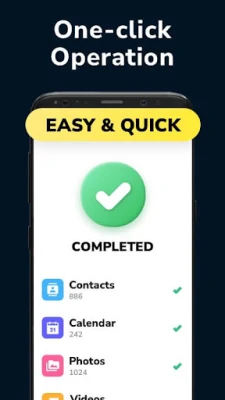
- One‑tap operation: After the initial setup, the transfer starts with a single button press.
- Secure local connection: All data stays within your local network; nothing is uploaded to external servers.
How it works
When you launch the app, it creates a temporary local hotspot or uses the existing Wi‑Fi network to establish a direct link between the two devices. The sending phone scans its storage for supported items, presents a checklist, and then streams the selected files to the receiving device. Because the transfer occurs over Wi‑Fi rather than the internet, the process is typically faster than cloud‑based alternatives.
Practical uses
- Setting up a new phone and wanting to keep all contacts and calendar events intact.
- Switching from Android to iOS (or vice‑versa) without losing personal photos and videos.
- Backing up important media to a second device before a factory reset.
- Sharing a collection of photos with a family member who uses a different platform.
Installation information
The app can be installed from the Google Play Store. It requires standard Android permissions for accessing contacts, calendar, media files and Wi‑Fi state. After installation, the first launch will guide you through granting the necessary permissions.
Things to know before installing
- Both devices must be on the same Wi‑Fi network or within range of the temporary hotspot created by the app.
- The receiving device needs to have the companion version of the app installed (iOS users can download the iOS counterpart from the App Store).
- Large video libraries may take longer to transfer; ensure the devices remain powered during the process.
Who may find it useful?
Anyone who is changing phones, especially when moving between Android and iOS, will benefit from a quick, local transfer method. The tool is also handy for users who prefer not to rely on cloud backups for personal media.
Frequently asked questions
Do I need an internet connection?
No. The transfer works entirely over a local Wi‑Fi connection; internet access is not required.
Can I select specific items to copy?
Yes. After scanning, the app presents a list of contacts, calendar events, photos and videos, allowing you to choose exactly what you want to move.
Is any data stored on external servers?
All data stays between the two devices during the transfer. The app does not upload your personal files to any remote server.
What happens if the transfer is interrupted?
You can restart the process at any time. The app will resume from the point where the connection was lost.
Rate the App
User Reviews















Popular Apps










 Games
 Entertainment
 Communication
 E-mail
 Security
 Tools
 Media
 Internet
 Finance
 Design
 Education
 Android Firmwares
 Travel & Local
 Android
 Windows
 Linux