


Latest Version
September 16, 2026
CyberGhost SRL
Tools
Android
14
Free
de.mobileconcepts.cyberghost
Report a Problem
More About CyberGhost VPN: Secure VPN for Android
What is CyberGhost VPN?
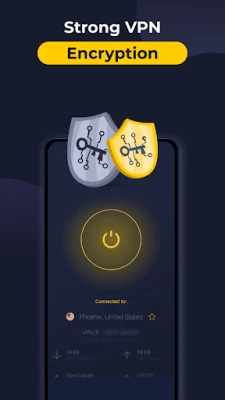
CyberGhost VPN is a mobile application developed by CyberGhost SRL that provides a virtual private network (VPN) service for Android devices. By creating an encrypted tunnel between your device and the internet, the app helps protect your online activity from eavesdropping and masks your real IP address.
Main features
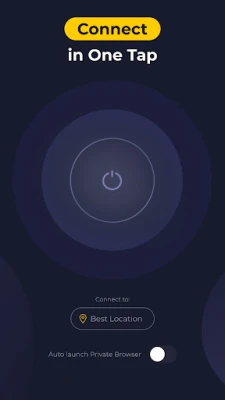
- One‑tap connection: A simple interface lets you turn the VPN on or off with a single tap.
- IP masking: Your public IP address is replaced with one from a server operated by CyberGhost, making it harder for websites and services to track your location.
- Encryption: Traffic is encrypted using industry‑standard protocols, which adds a layer of security when you use public Wi‑Fi or other untrusted networks.
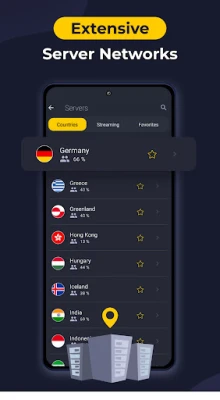
- Server selection: The app lets you choose from multiple server locations around the world, allowing you to appear as if you are browsing from another country.
- Multi‑device support: A single subscription can protect several devices, though the exact number of supported devices is defined by the service plan you choose.
How it works
When you enable CyberGhost VPN, the app negotiates a secure connection with a chosen server. All data leaving your phone is routed through this server, where it is encrypted before being sent to its final destination. Because the traffic appears to originate from the server’s IP address, the destination sees only that address, not yours.
Practical uses
CyberGhost VPN can be useful in a variety of everyday scenarios:
- Public Wi‑Fi security: When you connect to coffee‑shop or airport Wi‑Fi, the VPN encrypts your traffic, reducing the risk of data interception.
- Accessing geo‑restricted content: Selecting a server in a different country can let you view content that is otherwise limited to that region.
- Enhanced privacy: By hiding your IP address and encrypting your data, the app helps keep your browsing habits private from advertisers and trackers.
Installation information
To install CyberGhost VPN, open the Google Play Store on your Android device, search for "CyberGhost VPN: Secure VPN" and tap the Install button. The app is offered free of charge, though additional features may be available through in‑app purchases or subscription plans.
Compatibility
The application is designed for Android devices. Specific version requirements are not listed, so it is advisable to check the Play Store listing for the minimum Android version supported before installing.
Things to know before installing
- The free version may have limitations compared to paid plans, such as fewer server locations or data caps.
- Using a VPN can slightly reduce connection speed because of the extra encryption step.
- Some services, such as banking apps or streaming platforms, may block traffic from known VPN servers.
Who may find it useful?
Anyone who wants an extra layer of privacy while browsing on Android can benefit from CyberGhost VPN. It is especially helpful for frequent travelers, remote workers who rely on public networks, and users who wish to access content that is restricted to certain regions.
Frequently asked questions
Is the app safe to use?
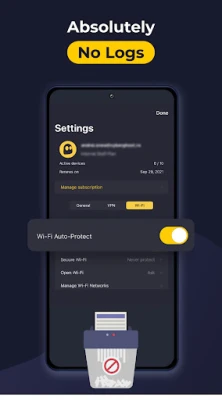
CyberGhost VPN uses encryption and does not store detailed logs of your browsing activity, which aligns with common privacy practices for reputable VPN services.
Can I use the VPN on multiple devices?
Yes, the service supports multiple devices under a single subscription, though the exact number depends on the plan you choose.
Do I need technical knowledge to operate the app?
No. The interface is built for simplicity, allowing users to connect with a single tap and choose a server location from a list.
Rate the App
User Reviews














Popular Apps










 Games
Games Entertainment
 Communication
 E-mail
 Security
 Tools
Tools Media
Media Internet
 Finance
 Design
 Education
 IT Tools
 Travel & Local
 Android
 Windows
 Linux
Linux