Latest Version
Latest
August 17, 2026
Red Sky Labs
Tools
Android
148
Free
com.mediamushroom.copymydata
Report a Problem
More About Copy My Data: Transfer Content – Simple Phone‑to‑Phone Migration
What is Copy My Data?
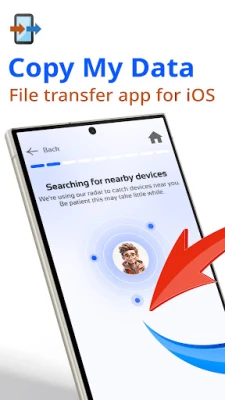
Copy My Data is a free Android utility designed to help you move personal content from one device to another. It works over a local Wi‑Fi network, so you don’t need a PC, cloud service, or any physical cables. The app focuses on the most common data types that people want to keep when they switch phones.
Main capabilities
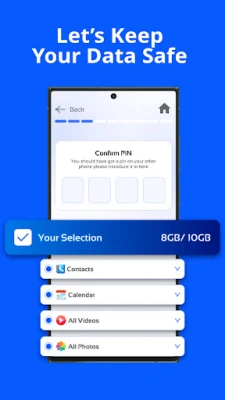
- Contacts & phone numbers – Transfer address‑book entries in their original format.
- Photos & videos – Move media files while preserving resolution and metadata.
- Music & audio files – Copy songs, podcasts or other audio content.
- Calendar events – Keep appointments and reminders intact.
- Documents & other files – Transfer PDFs, office files, and any other documents stored on the device.
How it works
- Install the app on both the source and the target Android phones.
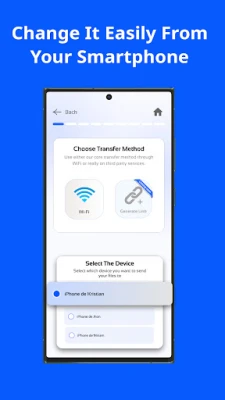
- Connect the two devices to the same Wi‑Fi network (the same router or hotspot).
- Open the app on the old phone and select Send data. On the new phone choose Receive data.
- A QR code appears on the receiving device; scan it with the sending phone to establish a direct link.
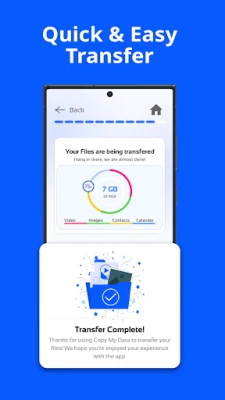
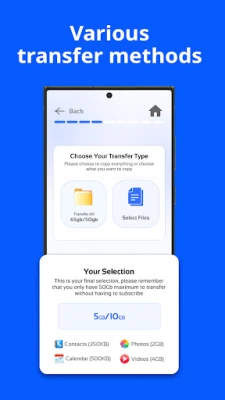
- Pick the categories you want to copy and start the transfer. The app shows progress for each item.
Practical uses
Whether you are upgrading to a newer model, switching to a different brand, or setting up a secondary device, Copy My Data can simplify the transition. It is especially handy when you want to avoid re‑entering contacts, re‑downloading media, or manually exporting calendar entries.
Installation notes
The app is available from the Google Play Store. After downloading, grant the permissions it requests – typically access to contacts, storage, and the local network – so it can read and write the files you choose to move.
Things to consider before installing
- The two phones must be on the same Wi‑Fi network; a weak signal can slow the transfer.
- Large video libraries may take longer to copy, depending on network speed.
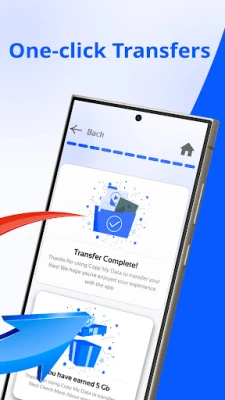
- The source device retains its files until the transfer finishes, giving you a chance to verify that everything arrived correctly.
Who will benefit most?
Anyone who needs a quick, cable‑free way to migrate personal data between Android phones will find this tool useful – from casual users moving to a new handset to tech‑savvy individuals who prefer a local transfer over cloud backups.
Frequently asked questions
Do I need an internet connection?
No. The transfer occurs over your local Wi‑Fi network; an active internet connection is not required.
Is my data encrypted during transfer?
The connection is established directly between the two devices, and the data does not pass through external servers.
Can I transfer apps?
Copy My Data focuses on personal content such as contacts, media, and documents. Application packages are not transferred.
What if the transfer stops midway?
You can restart the process; the app will resume copying the remaining items.
Rate the App
User Reviews















Popular Apps










 Games
Games Entertainment
 Communication
 E-mail
 Security
 Tools
Tools Media
Media Internet
 Finance
 Design
 Education
 Android Firmwares
 Travel & Local
 Android
 Windows
 Linux
Linux