

Latest Version
Latest
September 06, 2026
Soft Labs India
Tools
Android
9
Free
com.internetspeedtest.sli.app
Report a Problem
More About Contacts: Manager & Backup – Simple Contact Organizer
What is Contacts: Manager & Backup?
Contacts: Manager & Backup, developed by Soft Labs India, is a free Android utility that focuses on giving users clear control over the contacts stored on their device. The app presents a straightforward way to view, sort, protect and move contact information without relying on cloud services.
Main features
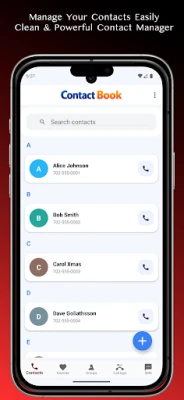
- Clean contact list – A modern, uncluttered screen shows each entry with name, photo and primary number, making browsing quick.
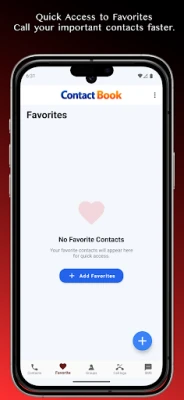
- Favorites – Mark the people you call most often as favorites for instant access.
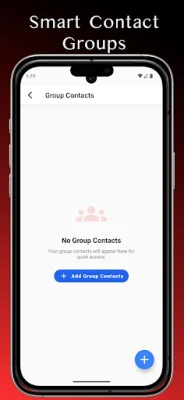
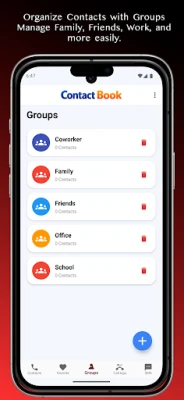
- Custom groups – Create your own groups (family, work, hobby clubs, etc.) and assign contacts to keep the list organized.
- Backup and restore (VCF) – Export contacts to a standard VCF file and import them later, ensuring you have a local copy.
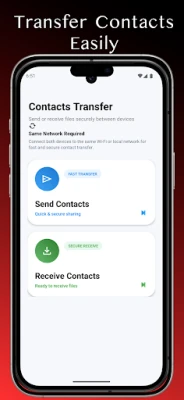
- Wi‑Fi transfer – When two devices are on the same local network, you can send contacts directly without using mobile data.
- QR code sharing – Generate a QR code for a contact or scan one to add new information instantly.
- Contact lock – Protect selected contacts with a PIN or pattern, adding a layer of privacy.
- Classic view option – Switch to a traditional contact layout if you prefer the familiar Android style.
How it works
After installing the app, it reads the phone’s existing contacts and displays them in the main list. From there you can tap any entry to edit details, assign it to a group, or mark it as a favorite. The backup function creates a VCF file in the device’s storage, which can be copied to a computer or external drive. Restoring simply involves selecting the VCF file and confirming the import.
For sharing, choose a contact and select the Wi‑Fi or QR option. The Wi‑Fi method requires both devices to be on the same network; the app handles the transfer automatically. QR sharing generates a scannable image that another device can read with its camera.
Practical uses
- Keep work and personal contacts separate by assigning them to different groups.
- Back up your address book before changing phones or performing a factory reset.
- Quickly share a new business card by scanning a QR code instead of typing details.
- Hide sensitive numbers (e.g., personal emergency contacts) behind a lock.
Installation information
The app is available as a free download from the Appitika store. It requires Android, but the exact minimum version is not listed; the app runs on most modern devices that support standard contact APIs.
Things to know before installing
- The app works offline; no internet connection is needed for basic management, backup or local sharing.
- All data stays on the device unless you choose to export a VCF file.
- Because the app can lock contacts, remember the PIN or pattern you set; forgetting it may require reinstalling the app.
Who may find it useful?
Anyone who wants more control over their phonebook than the default Android contacts app provides. This includes professionals who manage large client lists, families that share contact groups, and users who value an extra privacy layer for certain entries.
Frequently asked questions
Do I need an internet connection to back up contacts?
No. Backup creates a VCF file stored locally on your device.
Can I import contacts from another phone?
Yes. Export the contacts from the other device as a VCF file and use the import function in this app.
Is the QR sharing feature secure?
QR codes contain only the contact information you choose to share. They do not transmit any additional data.
Will the app delete contacts?
The app only modifies contacts you explicitly edit or delete. It does not perform automatic clean‑up.
Rate the App
User Reviews
Other Apps in This Category















Popular Apps










 Games
Games Entertainment
 Communication
 E-mail
 Security
 Tools
Tools Media
Media Internet
 Finance
 Design
 Education
 IT Tools
 Travel & Local
 Android
 Windows
 Linux
Linux