
Latest Version
Latest
August 30, 2026
Cloudflare, Inc.
Tools
Android
112
Free
com.cloudflare.cloudflareoneagent
Report a Problem
More About Cloudflare One Agent – Secure Zero‑Trust Connectivity
What is Cloudflare One Agent?
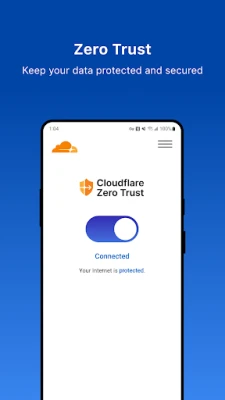
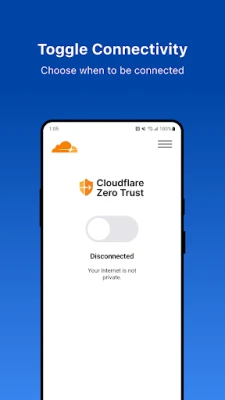
Cloudflare One Agent is an Android client that lets a device join a Cloudflare Zero‑Trust network. By establishing an encrypted tunnel, the app enables your organization’s security policies—such as traffic filtering, data loss prevention, and access controls—to be applied consistently, whether you are working from an office, a coffee shop, or a remote location.
Main capabilities
- Encrypted tunnel: Uses Android’s VpnService API to create a secure pathway to Cloudflare’s global edge network.
- Policy enforcement: Once connected, traffic is subject to the rules defined in your organization’s Cloudflare Zero‑Trust configuration, including web filtering, malware detection, and device posture checks.
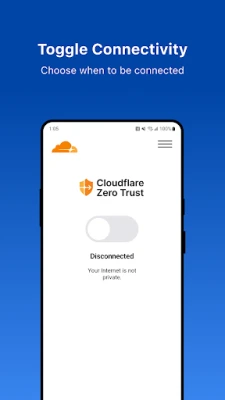
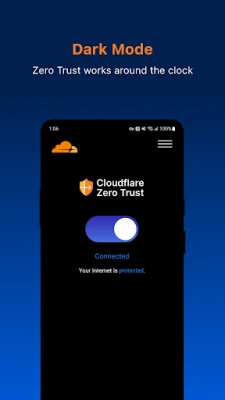
- Seamless experience: The tunnel operates in the background, allowing apps to work normally while traffic is routed through Cloudflare’s infrastructure.
How it works
When you launch the app, it initiates a VPN‑style connection that does not require a traditional VPN server. Instead, the traffic is forwarded to Cloudflare’s edge, where the Zero‑Trust platform evaluates each request against the policies set by your IT or security team. Because the processing happens at the edge, latency is minimized and the user experience remains smooth.
Practical uses
- Remote employees can access internal web applications without exposing them to the public internet.
- Companies can enforce web‑filtering rules on mobile devices, protecting users from malicious sites.
- Data loss prevention policies can be applied to outbound traffic, helping to keep sensitive information in‑house.
Installation and setup
Download the app from the official Android marketplace. After installation, the app will prompt you to grant VPN permissions. Configuration details—such as the organization’s enrollment URL or QR code—are typically provided by your IT department. Follow those instructions to complete the enrollment.
Compatibility
The app requires Android devices that support the VpnService API, which is available on most modern Android versions. Specific minimum Android version requirements are defined by the developer and can be confirmed during installation.
Things to consider before installing
- Using the app will route all network traffic through your organization’s Cloudflare Zero‑Trust network, which may affect data usage.
- Device administrators may enforce the app as a mandatory security component; check with your IT team if you are unsure.
- The app does not replace a traditional VPN for personal use; it is intended for corporate‑managed environments.
Who benefits from Cloudflare One Agent?
Any organization that has adopted Cloudflare Zero‑Trust for its security posture will find the Android agent useful. This includes enterprises with remote workforces, educational institutions protecting student devices, and any team that needs consistent policy enforcement across mobile endpoints.
Frequently asked questions
Do I need a separate VPN subscription?
No. The agent uses Cloudflare’s Zero‑Trust platform, which is managed by your organization’s existing subscription.
Will the app affect my device’s battery life?
Because the connection runs as a background service, there is a modest impact on battery, comparable to other VPN‑type applications. The exact effect varies with usage patterns.
Can I use the app on a personal device?
The app is designed for devices enrolled in a corporate Zero‑Trust setup. If you are not part of such a program, the app will not have a configuration to connect to.
Rate the App
User Reviews















Popular Apps










 Games
 Entertainment
 Communication
 E-mail
 Security
 Tools
 Media
 Internet
 Finance
 Design
 Education
 Android Firmwares
 Travel & Local
 Android
 Windows
 Linux