

Latest Version
Latest
September 16, 2026
IMTAQIN.ID
Tools
Android
14
Free
id.imtaqin.cfmobile
Report a Problem
More About CloudFlare Mobile – Manage Your Cloudflare Account on Android
What is CloudFlare Mobile?
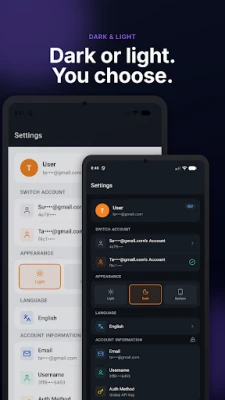
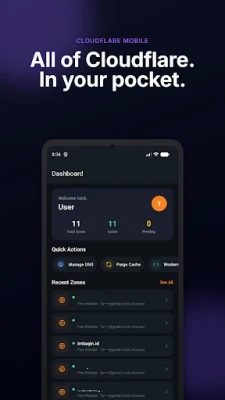
CloudFlare Mobile is an Android client that lets you interact with your Cloudflare account without needing a desktop browser. Designed for administrators and developers who need quick access to site settings, the app provides a streamlined interface for common Cloudflare tasks while keeping your credentials stored only on your device.
Main capabilities
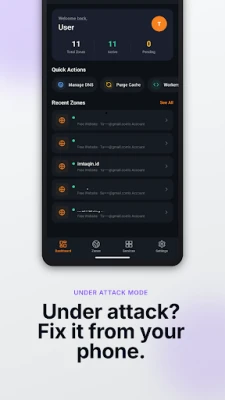
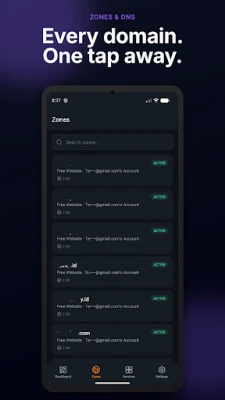
- Zone overview – See a list of all zones linked to your account and switch between them instantly.
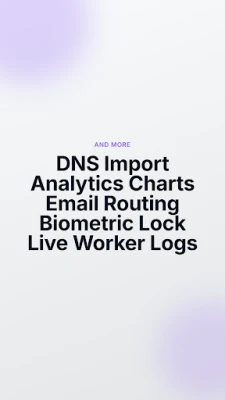
- DNS management – Add, edit or delete records such as A, AAAA, CNAME, MX, TXT and others. Bulk import and export of BIND‑style zone files is also supported.
- Analytics snapshots – View simple charts that illustrate request volume, bandwidth usage, threat activity and visitor trends over selectable periods.
- Security controls – Activate “Under Attack” mode with a single tap, adjust firewall rules, set rate‑limiting policies and manage IP access lists.
- SSL/TLS settings – Choose encryption modes, toggle HTTPS options and review certificate status.
- Cache handling – Purge cached content, enable development mode and monitor cache performance.
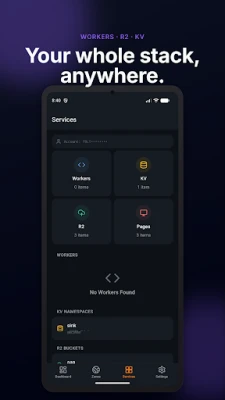
- Workers and logs – Deploy or edit Cloudflare Workers scripts and watch real‑time logs directly in the app.
- R2 and KV storage – Browse R2 buckets, upload or delete objects, and explore key‑value namespaces.
- Email routing – Configure forwarding rules, catch‑all addresses and destination mailboxes.
- Audit logs – Review recent account activity for transparency and troubleshooting.
- Biometric lock – Protect the app with fingerprint or face authentication before it opens.
- Multi‑account support – Switch between several Cloudflare accounts without signing out.
How it works
The app stores your API token in the Android Keystore, which encrypts the credential and keeps it on the device only. When you perform an action, the token is sent securely to Cloudflare’s official API endpoints. Because the code is open source, you can review the implementation on GitHub to verify its behavior.
Practical uses
- Quickly adjust DNS records when a new subdomain is needed.
- Enable “Under Attack” mode during a DDoS event without logging into a web console.
- Monitor traffic spikes while on the move, helping you decide whether to scale resources.
- Deploy or test Workers scripts during development cycles directly from your phone.
Installation notes
The app is distributed as a free download. It requires Android devices that support the Android Keystore system, which is standard on most modern phones. No additional permissions beyond network access and optional biometric authentication are required.
Who might benefit?
System administrators, DevOps engineers, web developers and small‑business owners who manage Cloudflare‑protected sites will find the app useful for routine maintenance and emergency response.
Things to keep in mind
- The application is not an official Cloudflare product; it is developed by IMTAQIN.ID and operates independently of Cloudflare, Inc.
- All actions are performed through Cloudflare’s public API, so any limits or rate‑caps imposed by Cloudflare still apply.
- Because the app is open source, you can compile your own version if you prefer a self‑hosted build.
Rate the App
User Reviews













Popular Apps










 Games
Games Entertainment
 Communication
 E-mail
 Security
 Tools
Tools Media
Media Internet
 Finance
 Design
 Education
 IT Tools
 Travel & Local
 Android
 Windows
 Linux
Linux