
Latest Version
September 18, 2026
Google LLC
Tools
Android
4
Free
com.google.android.deskclock
Report a Problem
More About Clock – Simple Alarm, Timer, Stopwatch & World Clock
What is Clock?
Clock is Google’s native time‑keeping application for Android devices. It brings together the most common time‑related tools—alarms, timers, a stopwatch and a world‑clock—into a single, straightforward interface. Because it is part of the core Android experience, it integrates smoothly with system settings and other Google services.
Main features
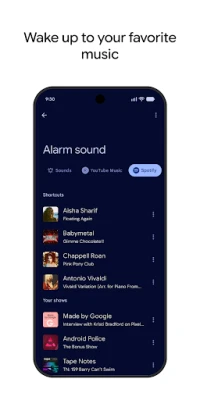
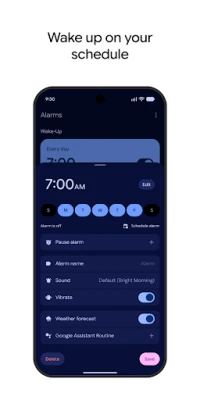
- Alarms: Set multiple alarms with custom labels, choose from a variety of ringtones, and enable snooze options.
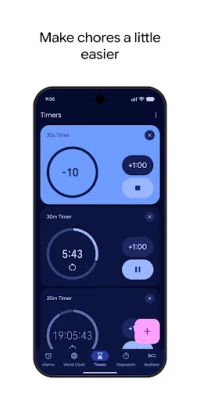
- Timers: Create countdown timers for cooking, workouts, or any timed activity. Each timer can be named for quick identification.
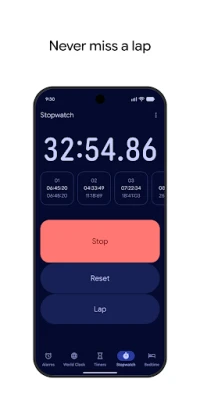
- Stopwatch: Measure elapsed time with lap functionality, useful for sports, work sessions, or experiments.
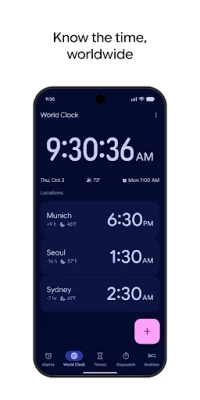
- World Clock: Add cities from around the globe to keep track of different time zones, helpful for travel or coordinating with international contacts.
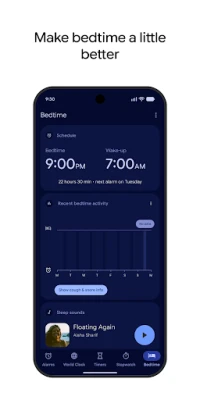
- Bedtime schedule: Define a regular sleep window, receive gentle reminders, and optionally play soothing sounds to aid relaxation.
How it works
The app uses the device’s system clock, so any changes you make to time zones or daylight‑saving settings are reflected instantly. Alarms are stored locally and can be activated even when the device is in Do‑Not‑Disturb mode, provided the appropriate permission is granted. Timers run in the background, and the stopwatch continues counting while the screen is off.
Practical uses
- Morning routines – set a reliable alarm to start the day.
- Cooking – use timers to track multiple dishes simultaneously.
- Fitness – the stopwatch with lap tracking helps monitor interval training.
- Travel – add destination cities to the world clock for quick reference.
- Sleep hygiene – establish a consistent bedtime with the built‑in schedule feature.
Installation information
Clock comes pre‑installed on most Android devices that run Google’s version of the operating system. If it is missing, it can be downloaded from the Google Play Store by searching for the package name com.google.android.deskclock. The app is free to install and does not require a separate purchase.
Compatibility
Because Clock is a system app, it is designed to work across a wide range of Android versions and device types, from smartphones to tablets. Specific hardware requirements are minimal; the app runs on devices that support the standard Android runtime.
Things to know before installing
- The app does not collect personal data beyond what is necessary for its core functions (e.g., alarm settings).
- It does not include advertisements.
- All sounds and ringtones are sourced from the device’s existing media library or system tones.
Who may find it useful?
Anyone who needs a reliable, no‑frills solution for managing daily time‑related tasks will benefit from Clock. It is especially handy for users who prefer a single app rather than juggling multiple third‑party tools.
Frequently asked questions
Can I use Clock without an internet connection?
Yes. All core functions—alarms, timers, stopwatch and world‑clock entries—operate offline. Internet is only required to sync time zone data for newly added cities.
Does the app support custom alarm tones?
Yes. You can select any audio file stored on your device as an alarm tone.
Is the bedtime schedule mandatory?
No. The bedtime feature is optional and can be enabled or disabled in the app’s settings.
Rate the App
User Reviews










Popular Apps










 Games
Games Entertainment
 Communication
 E-mail
 Security
 Tools
Tools Media
Media Internet
 Finance
 Design
 Education
 IT Tools
 Travel & Local
 Android
 Windows
 Linux
Linux