

Latest Version
Latest
September 15, 2026
Newage Productions
Tools
Android
80
Free
com.newageproductions.alarmclock
Report a Problem
More About Clock – Simple Alarm, Timer & Stopwatch by Newage Productions
What is Clock?
Clock is a free utility from Newage Productions that brings together the three core time‑keeping tools most Android users need: an alarm clock, a countdown timer and a stopwatch. The app is designed to be lightweight and easy to use, offering enough flexibility for everyday routines without overwhelming the user with unnecessary options.
Main features
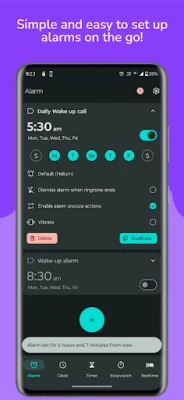
- Alarm clock – Set one‑time or recurring alarms to wake up, remind you of appointments, or signal the start of a task.
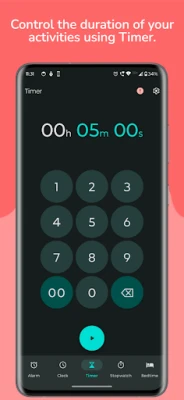
- Timer – Create countdowns for cooking, workouts, study sessions, or any activity that benefits from a precise end point.
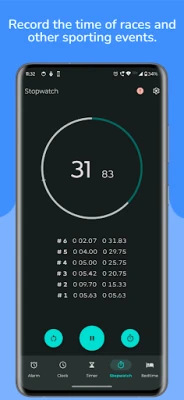
- Stopwatch – Measure elapsed time with split/lap functionality, useful for sports, experiments, or tracking work intervals.
- Basic customization – Choose a title for each alarm, select a ringtone from the device’s library, and switch between light, dark or system‑wide themes.
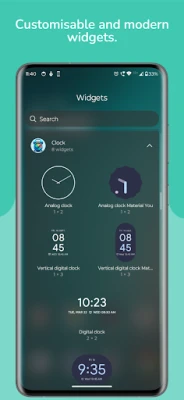
- Widget support – Add a compact widget to the home screen for quick access to the current time, next alarm, or stopwatch.
How it works
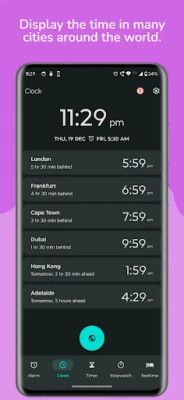
After installing Clock, the main interface presents a digital clock display with quick links to the three modules. Setting an alarm involves selecting a time, optionally repeating on chosen days, and confirming the settings. The timer and stopwatch are launched with a single tap, and both provide start, pause, and reset controls. All settings are stored locally, and the app respects the device’s overall theme preferences.
Practical uses
- Morning routines – reliable alarms help you start the day on schedule.
- Cooking – timers ensure dishes are cooked for the right amount of time.
- Fitness – stopwatches track interval training or lap times.
- Study sessions – use the timer for Pomodoro‑style focus periods.
Installation information
The app is available for free on the Google Play Store. Installation follows the standard process: tap “Install,” wait for the download, and open the app once the installation completes. No additional permissions beyond those required for alarm and notification functions are requested.
Things to know before installing
- The app does not require root access.
- All data, including alarms and timer presets, are saved on the device; backing up settings must be done manually if needed.
- Because the app is free, it may display non‑intrusive ads, but these do not interfere with core functionality.
Who may find Clock useful?
Anyone who needs a straightforward way to manage alarms, timers, or stopwatches on Android will benefit from Clock. It is especially suitable for users who prefer a single app rather than multiple separate utilities.
Frequently asked questions
Can I set multiple alarms?
Yes, the app allows you to create several alarms, each with its own label and repeat pattern.
Does the timer continue when the screen is off?
The countdown runs in the background, and you receive a notification when it finishes.
Is there a way to change the alarm sound?
You can select any ringtone stored on your device when configuring an alarm.
Will the app work on tablets?
Clock is built for Android devices and adapts to different screen sizes, including tablets.
Rate the App
User Reviews















Popular Apps










 Games
 Entertainment
 Communication
 E-mail
 Security
 Tools
 Media
 Internet
 Finance
 Design
 Education
 Android Firmwares
 Travel & Local
 Android
 Windows
 Linux