


Latest Version
Latest
September 02, 2026
Cisco Systems, Inc.
Tools
Android
1
Free
com.cisco.business
Report a Problem
More About Cisco Business Wireless – Manage Your Small‑Business Wi‑Fi
What is Cisco Business Wireless?
Cisco Business Wireless is a mobile tool designed for owners and administrators of Cisco small‑business Wi‑Fi solutions. The app connects to Cisco Business Wireless access points and mesh extenders, allowing you to configure and monitor your network directly from an Android device.
Main features
- Device onboarding – Use the built‑in QR scanner to add new access points or extenders quickly.
- Network configuration – View current SSID settings, security options and channel selections, and make adjustments as needed.
- Guest access – Generate temporary credentials for visitors and share them instantly.
- Traffic prioritisation – Assign higher priority to specific devices or applications to ensure reliable performance.
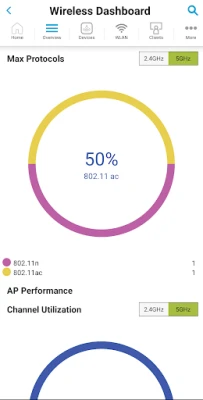
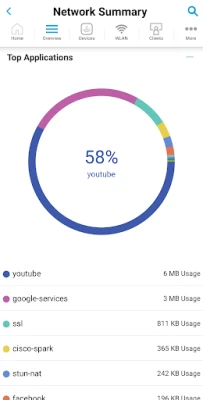
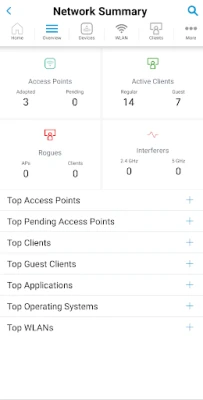
- Real‑time monitoring – See live statistics on client count, bandwidth usage and signal strength.
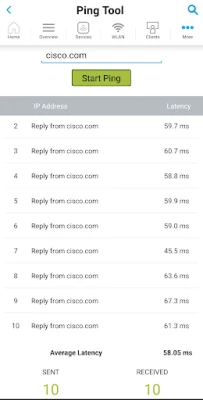
- Speed testing – Run an integrated test to check throughput from the mobile device.
- Support links – Access Cisco’s small‑business support resources and community forums from within the app.
How it works
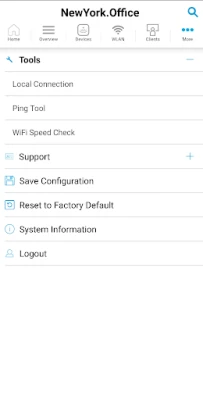
After installing the app, you sign in with your Cisco Business account. The app discovers compatible Cisco devices on the same network and presents them in a list. Selecting a device opens a dashboard where you can adjust settings, view status indicators and launch tools such as the speed test. Changes are pushed to the hardware over the local network, so you see results immediately.
Practical uses
- Set up a new office Wi‑Fi network without needing a laptop.
- Provide a secure guest network for customers while keeping the main network private.
- Identify a congested channel and switch to a clearer frequency from your phone.
- Prioritise point‑of‑sale devices during peak sales periods.
- Check network health while on the go, receiving alerts if a device goes offline.
Installation information
The app is available for free on the Google Play Store. Search for “Cisco Business Wireless” or use the package name com.cisco.business. After downloading, grant the permissions required for network discovery and camera access (for QR scanning). No additional software is needed on the Android device.
Things to know before installing
- The app works with Cisco Business Wireless hardware that supports mobile management; older models may not appear.
- An active Cisco Business account is required to sign in and manage devices.
- Network discovery relies on the device being on the same Wi‑Fi subnet as the access points.
Who may find it useful?
Small‑business owners, IT managers, retail managers and anyone responsible for a Cisco‑based Wi‑Fi environment will benefit from the ability to configure and troubleshoot the network without a desktop computer.
Frequently asked questions
Do I need an internet connection to use the app?
No. The app communicates with the access points over the local Wi‑Fi network. An internet connection is only needed for sign‑in and to access Cisco support resources.
Can I manage multiple locations?
Yes. After signing in, you can switch between sites that are associated with your Cisco Business account.
What permissions does the app request?
Camera access for QR code scanning, location permission for network discovery, and network state permissions to monitor device status.
Rate the App
User Reviews















Popular Apps










 Games
Games Entertainment
 Communication
 E-mail
 Security
 Tools
Tools Media
Media Internet
 Finance
 Design
 Education
 IT Tools
 Travel & Local
 Android
 Windows
 Linux
Linux