

Latest Version
Latest
August 22, 2026
Canary
Tools
Android
105
Free
is.yranac.canary
Report a Problem
More About Canary – Smart Home Security
What is Canary?
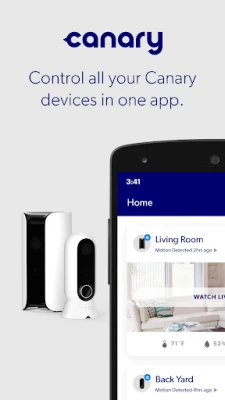
Canary is a mobile application that works with Canary’s line of smart home security devices. It lets you monitor your home from anywhere, receive alerts when something unusual happens, and control basic security settings directly from your Android phone.
Main Features
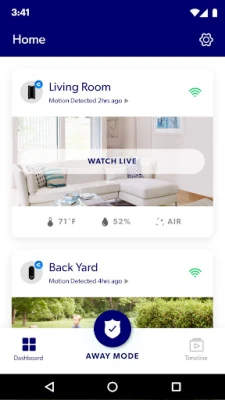
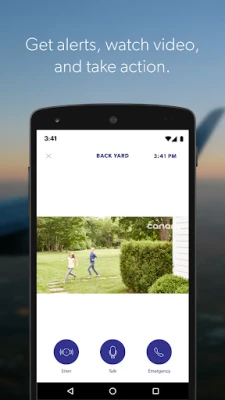
- Live and recorded video – View real‑time HD streams from your cameras or watch saved clips from the past.
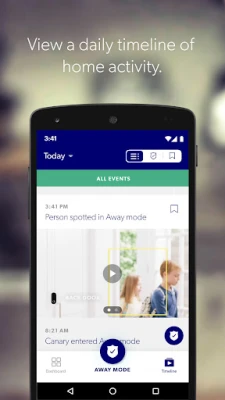
- Event‑based notifications – Get a push notification that includes a short video clip whenever motion or sound is detected.
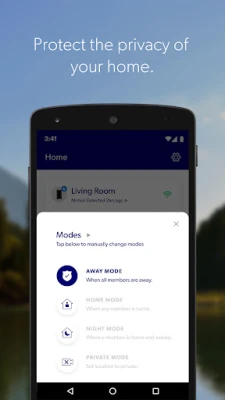
- Automatic mode switching – The app can change the system’s mode (Home, Away, Night) based on the presence of household members.
- Emergency response – Trigger a loud siren or send a signal to local emergency services with a single tap.
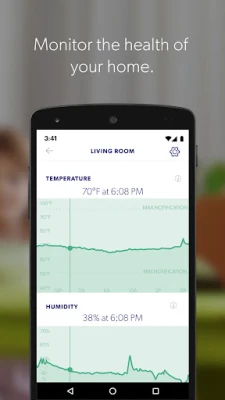
- Home health monitoring – Track indoor temperature, humidity and air‑quality metrics if your device supports them.
How It Works
After installing the app, you link it to your Canary hardware using the account credentials you set up during device registration. Once connected, the app communicates with the devices over your home Wi‑Fi network and relays video and sensor data to your phone via encrypted cloud channels. When the system detects motion, sound or a change in environmental conditions, it creates a short video clip and pushes a notification to your device. You can then watch the clip, view the live feed, or take immediate action such as sounding the alarm.
Practical Uses
- Check on pets or children while you’re away.
- Receive a heads‑up if a delivery person arrives.
- Monitor the perimeter of your property during vacations.
- Adjust heating or ventilation based on temperature and humidity readings.
Installation Information
Download the app from the Google Play Store, open it, and follow the on‑screen prompts to sign in or create a new Canary account. The setup wizard will guide you through adding each device, assigning it to a room, and configuring notification preferences. No additional software is required beyond the app itself.
Things to Know Before Installing
- The app requires an active internet connection for live streaming and notifications.
- Camera and microphone access are needed for video features; you can disable them in the app’s privacy settings.
- Battery‑powered devices may need periodic charging or replacement.
Who May Find It Useful?
Homeowners who want a straightforward way to keep an eye on their property, renters looking for a simple security solution, and anyone interested in basic home‑environment monitoring can benefit from Canary’s integrated approach.
Frequently Asked Questions
Do I need a Canary subscription to use the app?
The core app is free to download and can control devices that are already set up. Some advanced storage or premium features may require a subscription, which is optional.
Can I view video when I’m offline?
Live streaming requires an internet connection, but previously recorded clips are stored in the cloud and can be accessed once you reconnect.
Is my data secure?
Canary uses encrypted communication between the app, the cloud service, and the devices. Review the privacy settings within the app to control what data is shared.
Rate the App
User Reviews















Popular Apps










 Games
 Entertainment
 Communication
 E-mail
 Security
 Tools
 Media
 Internet
 Finance
 Design
 Education
 Android Firmwares
 Travel & Local
 Android
 Windows
 Linux