



Latest Version
September 15, 2026
BOOST_Proxy
Tools
Android
4
Free
com.proxy.fastnode
Report a Problem
More About BOOST VPN – Fast & Secure
What is BOOST VPN?
BOOST VPN is a free Android application that creates a virtual private network (VPN) between your device and the internet. By routing traffic through an encrypted tunnel, it helps keep your online activity private while aiming to provide a smoother connection for everyday tasks.
Main features
- Encryption – Traffic is encrypted to make it harder for third parties to monitor your activity.
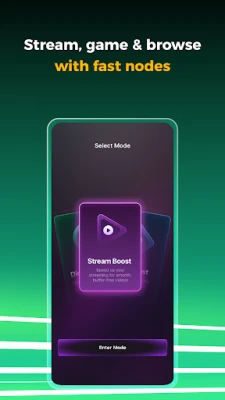
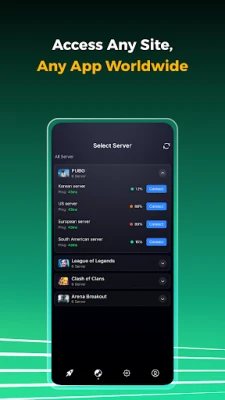
- Server selection – The app lets you choose from a list of available VPN nodes, allowing you to connect to locations that may improve latency for gaming or streaming.
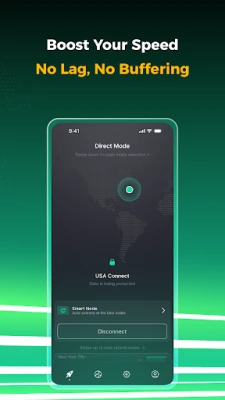
- One‑tap connection – A simple interface lets you turn the VPN on or off with a single tap.
- Free to use – No purchase is required to download and start using the basic VPN service.
How it works
When you enable BOOST VPN, the app establishes a secure tunnel to a remote server. All data that leaves your phone passes through this tunnel, where it is encrypted before reaching the wider internet. The remote server then forwards the traffic to its destination, masking your original IP address.
Practical uses
- Protecting personal information when using public Wi‑Fi.
- Reducing buffering while streaming video content.
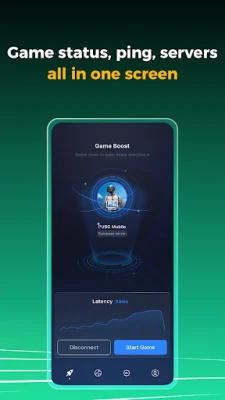
- Lowering ping for online games that benefit from a more direct route.
- Accessing region‑restricted websites or services.
Installation information
Download BOOST VPN from the Google Play Store, then follow the on‑screen prompts to grant the required VPN permission. After installation, open the app, select a server, and tap the connect button.
Things to know before installing
- The app requires permission to create a VPN connection, which is standard for this type of service.
- Performance can vary depending on your network, the selected server, and overall internet congestion.
- As a free service, the app may display ads or offer optional in‑app purchases for premium features.
Who may find it useful?
Anyone who wants a quick way to add a layer of privacy to their Android device, especially users who frequently connect to public Wi‑Fi, stream video, or play online games, may benefit from BOOST VPN.
Frequently asked questions
Is BOOST VPN safe?
The app uses standard VPN encryption, which helps protect data from casual eavesdropping. However, users should review the developer’s privacy policy for details on data handling.
Will it slow down my internet?
Routing traffic through a VPN can add a small amount of latency. In many cases, the app’s server selection aims to minimize impact, but results depend on your connection and chosen server.
Do I need a separate account?
No additional account is required; the app can be used directly after installation.
Rate the App
User Reviews














Popular Apps










 Games
Games Entertainment
 Communication
 E-mail
 Security
 Tools
Tools Media
Media Internet
 Finance
 Design
 Education
 IT Tools
 Travel & Local
 Android
 Windows
 Linux
Linux