

Latest Version
Latest
June 20, 2026
SNOW Corporation
Tools
Android
698
Free
com.linecorp.b612.android
Report a Problem
More About B612 AI Photo & Video Editor
What is B612 AI Photo&Video Editor?
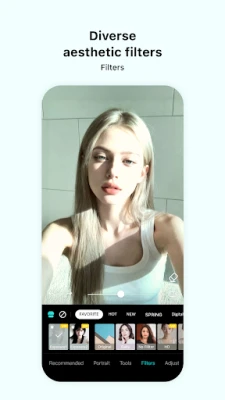
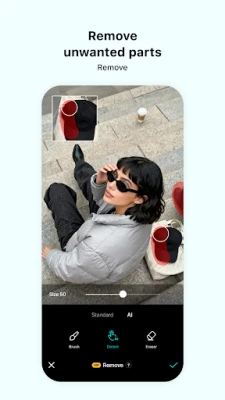
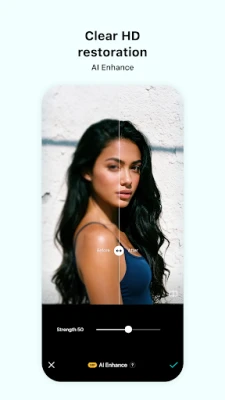
B612 AI Photo&Video Editor is a free Android application that combines a smart camera with a full‑featured editor. It uses artificial intelligence to apply real‑time filters, beauty adjustments, and augmented‑reality (AR) effects while you shoot, then offers a suite of editing tools for both photos and videos.
Key features
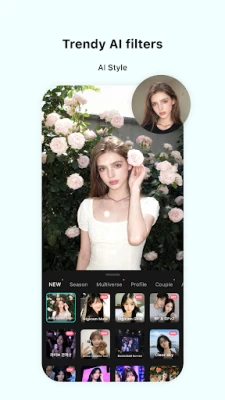
- Real‑time AI filters: Apply trendy or classic looks instantly, with automatic face‑shape detection for optimal results.
- AR makeup & effects: Choose from seasonal stickers, 3D masks, and makeup overlays that adapt to your movements.
- High‑resolution & night mode: Capture clear images in bright daylight or low‑light environments.
- Gif Bounce: Turn short clips into looping GIFs for quick sharing.
- Video editing: Trim, add music (over 500 tracks), insert text, and apply filters to create polished mini‑movies.
- Advanced color tools: Curves, HSL, split‑tone, and selective color adjustments give you professional‑grade control.
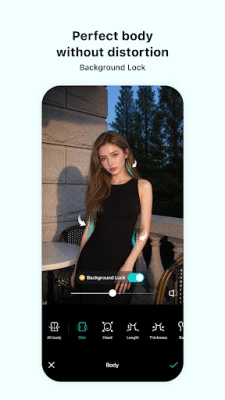
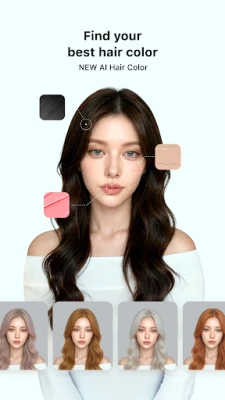
- Portrait enhancements: Beauty smoothing, body reshaping, and hair‑color changes are available with a single tap.
- Custom stickers & text: Design your own stickers or add stylized captions to personalize each post.
How the application works
When you open the camera, B612 detects faces and suggests the most flattering filter based on your facial geometry. You can switch filters manually, adjust intensity, or enable AR makeup. After capturing, tap the edit button to enter the studio where you can crop, rotate, add borders, or dive into deeper adjustments like curves and HSL. Video clips follow the same workflow: trim the clip, choose a soundtrack, overlay effects, and export as MP4 or GIF.
Installation information
Download B612 AI Photo&Video Editor from the Google Play Store. The app requires Android 6.0 (Marshmallow) or newer. Installation is straightforward: tap “Install,” grant camera and storage permissions, and you’re ready to start shooting.
Compatibility
The app runs on most modern smartphones and tablets. Performance is optimized for devices with at least 2 GB RAM; higher‑end phones will experience smoother real‑time rendering, especially when using AR effects.
Things to know before installing
- The core features are free, but occasional in‑app purchases unlock premium sticker packs or additional music tracks.
- Because the app processes images on‑device, it does not upload personal photos to external servers, preserving privacy.
- Exported videos may be large; ensure you have sufficient storage or enable the “Save to SD card” option in settings.
Frequently asked questions
Do I need an internet connection to use the editor?
Basic capture and editing work offline. However, downloading new AR filters, music tracks, or sticker packs requires an internet connection.
Can I share directly to social platforms?
Yes. After editing, use the built‑in share button to post to Instagram, TikTok, WhatsApp, and other popular apps.
Is there a limit to how many videos I can edit?
No. The free version imposes no hard limit; only storage space on your device may become a constraint.
Rate the App
User Reviews















Popular Apps










 Games
Games Entertainment
 Communication
 E-mail
 Security
 Tools
Tools Media
Media Internet
 Finance
 Design
 Education
 Android Firmwares
 Travel & Local
 Android
 Windows
 Linux
Linux