
Latest Version
Latest
August 27, 2026
AVG Mobile
Tools
Android
82
Free
com.avg.android.vpn
Report a Problem
More About AVG Secure VPN Proxy & Privacy – Android VPN App
What is AVG Secure VPN Proxy & Privacy?
AVG Secure VPN Proxy & Privacy is a free Android application developed by AVG Mobile that creates a virtual private network (VPN) on your device. By routing your internet traffic through encrypted tunnels, the app helps keep your data private and makes your online activity harder to track.
Main features
- Encryption tunnel – All data sent and received while the VPN is active is encrypted, which adds a layer of protection on public Wi‑Fi networks.
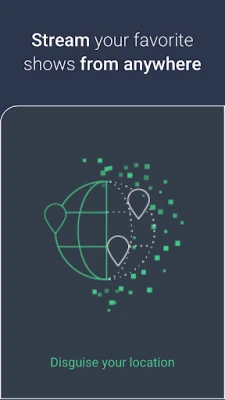
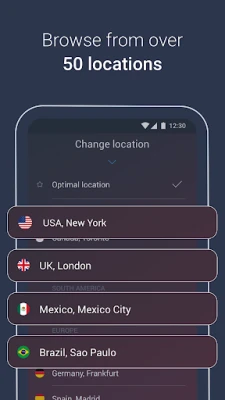
- Location selection – Choose a server location to change the apparent IP address of your device, which can help you reach content that is restricted to certain regions.
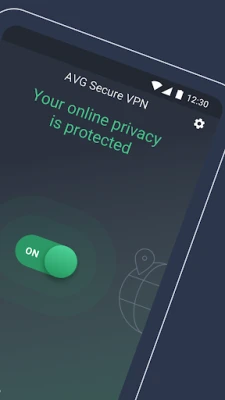
- One‑tap control – A simple on/off switch lets you enable or disable the VPN quickly, and a widget is available for fast access from the home screen.
- Automatic server choice – When you let the app select a server, it connects you to a location that balances speed and reliability.
How it works
When you turn on AVG Secure VPN, the app establishes a secure tunnel between your phone and one of AVG’s VPN servers. Inside this tunnel, your traffic is encrypted using standard VPN protocols. The encrypted packets travel to the server, are decrypted, and then continue to the destination website or service. Because the destination sees the server’s IP address instead of yours, your real location and identity are masked.
Practical uses
- Safeguarding personal information when using coffee‑shop or airport Wi‑Fi.
- Accessing apps, videos, or websites that are blocked or limited in your country.
- Keeping banking, email, and messaging sessions private from potential eavesdroppers.
- Reducing targeted advertising by hiding your IP address from trackers.
Installation information
Search for "AVG Secure VPN Proxy & Privacy" in the Google Play Store, then tap Install. The app requires standard Android permissions for network access. After installation, open the app, follow the brief setup wizard, and you’ll be ready to enable the VPN.
Compatibility
The app is designed for Android devices that support VPN functionality. Specific version requirements are not listed, but the Play Store will prevent installation on devices that do not meet the minimum OS level.
Things to know before installing
- The free version may include usage limits or optional in‑app purchases for extended features.
- VPN performance can vary depending on the chosen server and your current network speed.
- Some services, such as streaming platforms, may detect VPN usage and restrict access.
Who may find it useful?
Travelers who rely on public Wi‑Fi, users who want to hide their browsing habits from advertisers, and anyone concerned about data privacy on mobile devices can benefit from AVG Secure VPN.
Frequently asked questions
Does AVG Secure VPN log my activity?
The app’s privacy policy outlines what data is collected. Review the policy within the app for details on logging practices.
Can I use the VPN while on a mobile data connection?
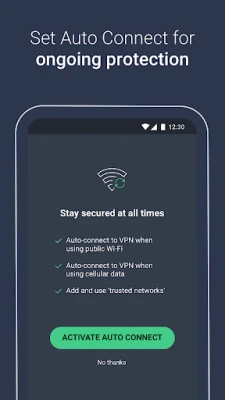
Yes, the VPN works on both Wi‑Fi and cellular connections.
Will the VPN drain my battery quickly?
Running a VPN does use additional resources, but AVG’s implementation aims to balance security with reasonable battery consumption.
Rate the App
User Reviews















Popular Apps










 Games
Games Entertainment
 Communication
 E-mail
 Security
 Tools
Tools Media
Media Internet
 Finance
 Design
 Education
 Android Firmwares
 Travel & Local
 Android
 Windows
 Linux
Linux