
Latest Version
Latest
June 20, 2026
Avast Software
Android
1,158
Free
com.avast.android.mobilesecurity
Report a Problem
More About Avast One – Free Antivirus & Security for Android
What is Avast One: Antivirus, Security?
Avast One is a free security suite designed for Android smartphones and tablets. It combines classic antivirus scanning with modern privacy tools, such as a VPN, Wi‑Fi inspector, and junk‑file cleaner, all managed from a single interface.
Key features
- Real‑time antivirus – Scans apps, downloads and web content for known malware, trojans, adware and ransomware.
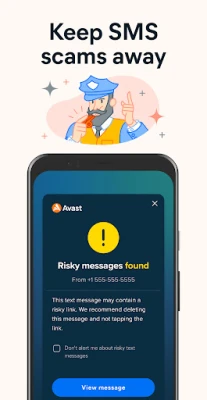
- Web & phishing guard – Detects malicious links in browsers, emails and messaging apps, warning you before you click.
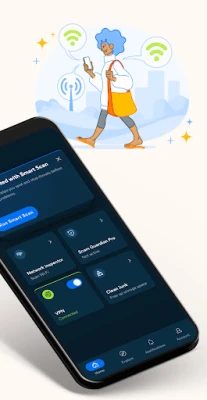
- Wi‑Fi security (Network Inspector) – Checks public networks for vulnerabilities and blocks suspicious traffic.
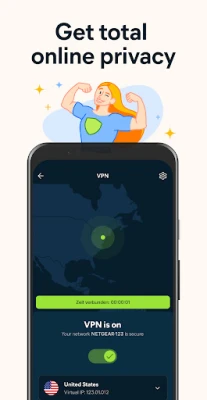
- Avast SecureLine VPN – Encrypts your internet connection, hides your IP address and lets you choose from more than 100 server locations.
- Cleanup utilities – Removes cache, duplicate photos, old contacts and browser history to free storage and improve performance.
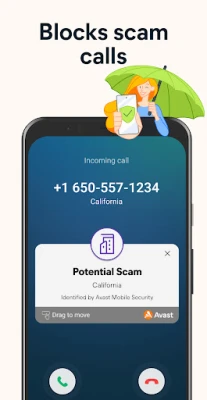
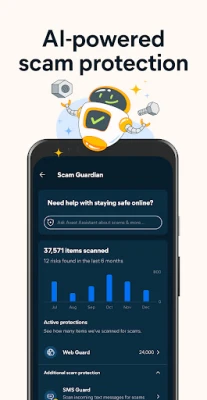
- Scam Guardian – AI‑driven protection that flags scam calls, spam SMS and suspicious emails.
How the application works
When you install Avast One, the app requests permission to run in the background so it can monitor app installations, file downloads and network activity. Its lightweight engine uses cloud‑based signatures and on‑device heuristics to spot threats instantly. The VPN module creates a secure tunnel for all outbound traffic, while the Network Inspector continuously evaluates Wi‑Fi hotspots for known vulnerabilities. Cleanup tools run on demand or on a schedule you define, ensuring that temporary files do not accumulate over time.
Installation information
Download the APK from the Google Play Store or a trusted app marketplace. After installation, open the app and follow the short onboarding wizard: enable real‑time protection, grant the required permissions (access to storage, location for Wi‑Fi scanning, and accessibility for phishing protection), and optionally activate the free VPN. The initial scan may take a few minutes, after which you’ll see a dashboard summarising security status, storage health and VPN connection.
Compatibility
Avast One supports Android 6.0 (Marshmallow) and newer. It runs on most smartphones and tablets with at least 1 GB of RAM and 150 MB of free storage. The VPN works on both mobile data and Wi‑Fi connections, and the app adapts to dark mode if your device uses it.
Things to know before installing
- The free version includes core antivirus, web guard and basic VPN usage (limited data per month). Premium upgrades unlock unlimited VPN bandwidth and advanced cleanup options.
- Some battery‑optimisation settings may stop background scanning; add Avast One to the device’s whitelist for uninterrupted protection.
- While the VPN encrypts traffic, it does not replace a full‑featured privacy suite for high‑risk activities such as torrenting.
Frequently asked questions
Is the antivirus really free?
Yes, the core scanning engine and real‑time protection are free for all users. Optional premium features are available via subscription.
Will the VPN slow down my internet?
The free tier provides moderate speeds suitable for browsing and messaging. Upgrading removes bandwidth caps and can improve performance on streaming services.
Can Avast One replace other cleanup apps?
Its built‑in cleaner handles common junk files and duplicate media, but power users may still prefer specialised tools for deep system optimisation.
Rate the App
User Reviews















Popular Apps










 Games
Games Entertainment
 Communication
 E-mail
 Security
 Tools
Tools Media
Media Internet
 Finance
 Design
 Education
 Android Firmwares
 Travel & Local
 Android
 Windows
 Linux
Linux