

Latest Version
Latest
August 29, 2026
CodeAndPlayVn
Tools
Android
132
Free
autoposter.social.free
Report a Problem
More About Auto Group Poster – Free Facebook Group Posting Tool
What is Auto Group Poster?
Auto Group Poster is a free Android application developed by CodeAndPlayVn. It is designed to simplify the process of publishing the same content to several Facebook groups. Rather than opening each group individually, the app lets you compose a post once and distribute it across the groups you select.
Main capabilities
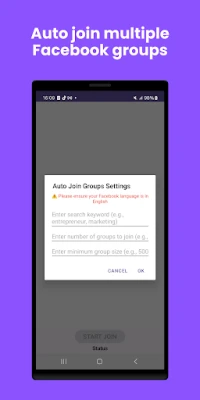
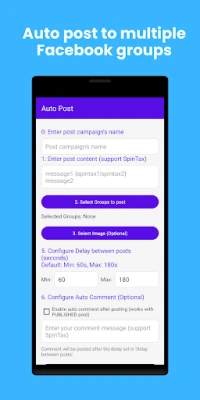
- Bulk posting – Choose multiple groups and send a single message to all of them in one step.
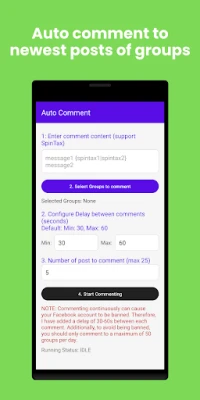
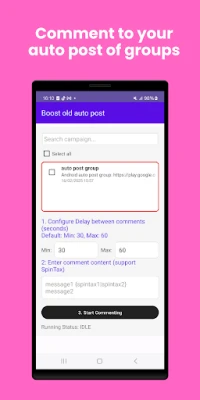
- Scheduled delays – Set a short pause between each post to reduce the chance of triggering Facebook’s automated limits.
- Message variation – The app can rotate through a list of pre‑written texts, helping you avoid repetitive wording.
- Image support – Attach a picture to your post or let the app add a simple background.
How it works
After installing the app, you log in with your Facebook account. The interface shows a list of groups you belong to; you can select any number of them. Next, you write the content you want to share, optionally add an image, and configure a delay interval (for example, 30 seconds between posts). When you start the process, Auto Group Poster posts to each selected group automatically, respecting the delay you set.
Practical uses
This tool is useful for anyone who needs to reach several community audiences at once. Social media managers can announce a new product, event organizers can promote a meetup, and small business owners can share special offers without repeating the same steps for each group.
Installation and setup
The app is available through the standard Android marketplace. Download and install it like any other app. When you open it for the first time, you will be asked to grant permission to access your Facebook account and to read the list of groups you manage. After granting access, you can start adding groups to your posting list.
Things to keep in mind
- Facebook’s own policies still apply. Posting too frequently may result in temporary restrictions on your account.
- The app does not provide official support from Facebook; any account‑related issues must be handled through Facebook’s own help channels.
- Because the app works with your personal Facebook login, keep your credentials secure and avoid sharing the app with untrusted users.
Who may benefit?
Anyone who regularly shares the same announcement across several groups can save time with Auto Group Poster. Typical users include:
- Social media managers handling multiple community pages.
- Digital marketers promoting campaigns.
- Non‑profit organizers spreading event details.
- Small business owners advertising sales or new arrivals.
Frequently asked questions
Is the app free to use?
Yes, Auto Group Poster is offered at no cost.
Do I need a separate Facebook account for the app?
No. The app uses the Facebook account you already have.
Can I edit a post after it has been sent?
Once a post is published to a group, you would need to edit it directly on Facebook.
Will the app work on all Android devices?
The app runs on standard Android versions that support Facebook’s login integration. Specific version requirements are not listed, so it is advisable to try the latest version of Android available on your device.
Rate the App
User Reviews















Popular Apps










 Games
 Entertainment
 Communication
 E-mail
 Security
 Tools
 Media
 Internet
 Finance
 Design
 Education
 Android Firmwares
 Travel & Local
 Android
 Windows
 Linux