


Latest Version
Latest
August 18, 2026
Vidus6
Tools
Android
236
Free
com.vidus6.authenticator
Report a Problem
More About Authenticator App: 2FA & OTP – Secure One‑Time Passwords
What is Authenticator App: 2FA & OTP?
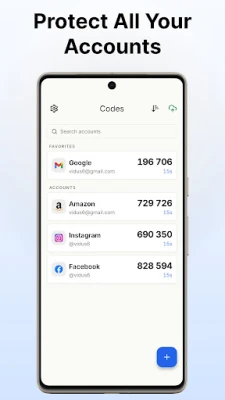
Authenticator App: 2FA & OTP is a free Android utility that creates time‑based one‑time passwords (TOTP) for two‑factor authentication (2FA). By storing the secret keys locally on your phone, the app lets you produce verification codes without relying on SMS or email, adding an extra layer of protection to any service that supports standard 2FA.
Main features
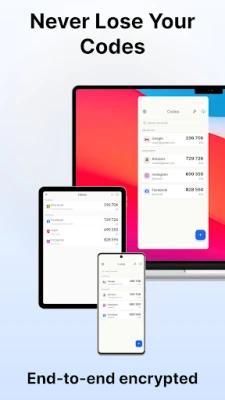
- Instant TOTP generation – Each account shows a live countdown timer and the next code preview, so you always know when a code will expire.
- Offline operation – The app works without an internet connection, making it useful while traveling or in low‑signal areas.
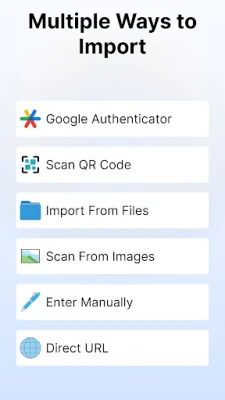
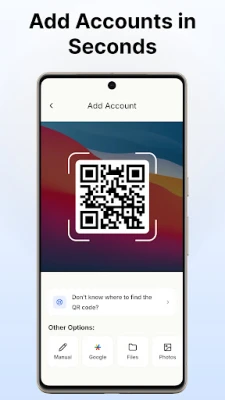
- QR code scanning – Add new accounts quickly by scanning the QR code provided by the service you are securing.
- Manual entry – If a QR code is not available, you can enter the secret key manually using the built‑in step‑by‑step guide.
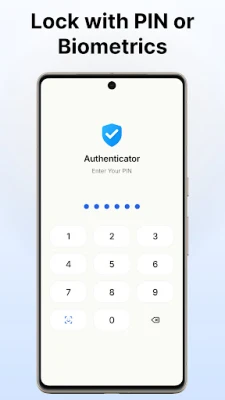
- Biometric and PIN protection – Secure the app itself with fingerprint, face unlock, or a PIN, and hide codes behind a tap‑to‑reveal mask.
- Search and organization – Quickly locate an account with the search bar, and arrange entries with custom labels.
How it works
When you enable 2FA on a website or service, it typically provides a QR code or a secret key. You open Authenticator App: 2FA & OTP, tap the add button, and either scan the QR code or type the key. The app stores the secret locally and uses the current time to calculate a six‑digit code that changes every 30 seconds. Because the calculation happens on the device, no network traffic is required and the codes never leave your phone.
Practical uses
Any online account that offers TOTP‑based 2FA can benefit from this app, including email providers, banking apps, social networks, cloud storage services, and cryptocurrency wallets. By keeping all your verification codes in one place, you reduce the need to switch between multiple authenticator apps or rely on less secure methods such as SMS.
Installation information
The app is available through the standard Android package name com.vidus6.authenticator. Install it from the Google Play Store, then follow the on‑screen prompts to set up a lock method (PIN, fingerprint, or face) if you wish to protect the stored codes.
Things to know before installing
- Make sure you have a backup method for your 2FA accounts before switching from an existing authenticator.
- The app does not include cloud backup or multi‑device sync; all data remains on the device where it is created.
- Because the app works offline, you do not need mobile data or Wi‑Fi to generate codes after the initial setup.
Who may find it useful?
Users who prefer a lightweight, offline‑first authenticator without cloud syncing will appreciate the straightforward interface. It is also suitable for people who want a single place to store TOTP codes for personal, work, or educational accounts.
Frequently asked questions
Can I use this app without an internet connection?
Yes. After you have added an account, the app generates codes locally using the device’s clock.
Is there a way to back up my codes?
The current version does not provide built‑in cloud backup. You can manually export the secret keys if you need to migrate to another device.
What happens if I lose my phone?
Because the secrets are stored only on the device, you will need to use recovery codes provided by each service or re‑enroll the accounts on a new authenticator.
Rate the App
User Reviews















Popular Apps










 Games
Games Entertainment
 Communication
 E-mail
 Security
 Tools
Tools Media
Media Internet
 Finance
 Design
 Education
 Android Firmwares
 Travel & Local
 Android
 Windows
 Linux
Linux