


Latest Version
Latest
August 29, 2026
Authenticator 2FA Lab
Tools
Android
89
Free
otp.authenticator.app.authentication.password
Report a Problem
More About Authenticator App: 2FA | MFA
What is Authenticator App: 2FA | MFA?
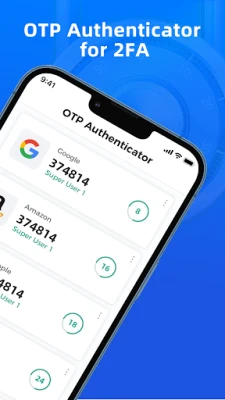
Authenticator App: 2FA | MFA is a free Android utility that creates time‑based one‑time passwords (TOTP) for two‑factor authentication (2FA). By pairing the app with supported online services, you add a second verification step beyond your regular password, helping protect personal and professional accounts from unauthorized access.
Main features
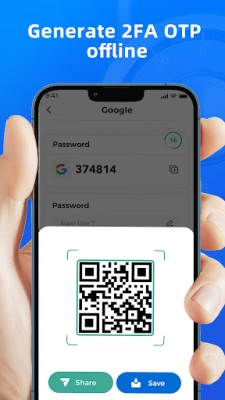
- Offline code generation – The app produces 6‑digit codes locally, so you can retrieve them without an internet connection.
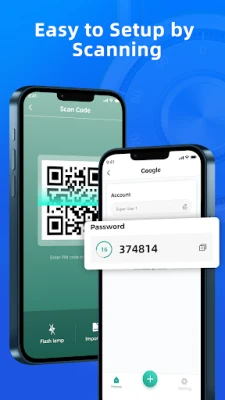
- QR‑code setup – Quickly add new accounts by scanning the QR code provided by the service you are securing.
- Manual entry – If a QR code is unavailable, you can enter the secret key manually.
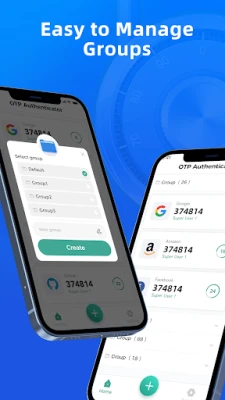
- Account organization – Group or label entries to keep work, personal, and other accounts distinct.
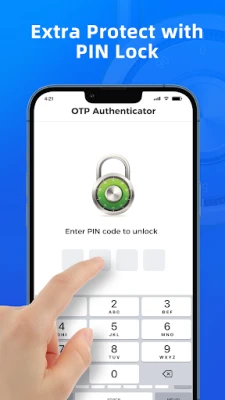
- App lock option – Protect the list of codes with a master password or device lock, adding an extra layer of privacy.
How it works
When you enable 2FA on a website or app, the service typically offers a QR code or a secret key. You open Authenticator App: 2FA | MFA, scan the QR code (or type the key), and the app begins generating a new 6‑digit code every 30 seconds. During login, after entering your regular password, you are prompted for the current code from the authenticator. Because the code changes frequently and is stored only on your device, it is difficult for attackers to reuse stolen credentials.
Practical uses
- Secure email, cloud storage, and social media accounts.
- Protect access to financial platforms, developer tools, and corporate VPNs.
- Use as a backup method when hardware tokens are unavailable.
Installation information
The app is distributed through the standard Android package system. Search for the package name otp.authenticator.app.authentication.password in the Google Play Store or a trusted Android marketplace, then tap Install. The download size and Android version requirements are not specified, so ensure your device runs a recent version of Android and has sufficient storage.
Things to know before installing
- Make sure you have a reliable method to back up the secret keys (e.g., write them down or export them securely) because losing the device can also mean losing access to your 2FA codes.
- The app does not sync codes across devices automatically; each device must be set up individually.
- Enable the built‑in app lock if you share your device with others or store sensitive accounts.
Who may find it useful?
Anyone who wants to add a second layer of security to online accounts without purchasing a hardware token will benefit from this app. It is especially handy for users who travel frequently, need offline access, or prefer a single, free solution for multiple services.
Frequently asked questions
Do I need an internet connection to generate codes?
No. The TOTP algorithm runs entirely on the device, so codes are available even when you are offline.
Can I back up my accounts?
The app includes an export feature that lets you save the secret keys to a file or cloud storage of your choice. Use this feature before changing or resetting your phone.
Is the app compatible with all 2FA‑enabled services?
It supports the standard TOTP protocol, which is used by most major services. If a service uses a proprietary method, it may not be compatible.
Rate the App
User Reviews















Popular Apps










 Games
 Entertainment
 Communication
 E-mail
 Security
 Tools
 Media
 Internet
 Finance
 Design
 Education
 Android Firmwares
 Travel & Local
 Android
 Windows
 Linux