



Latest Version
Latest
August 17, 2026
Universe Digital Hizmetler
Tools
Android
63
Free
com.mobiauth
Report a Problem
More About Authenticator App – 2FA Auth
What is Authenticator App – 2FA Auth?
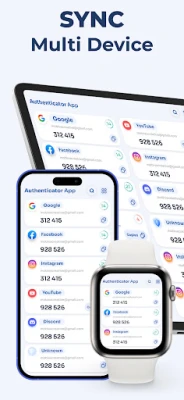
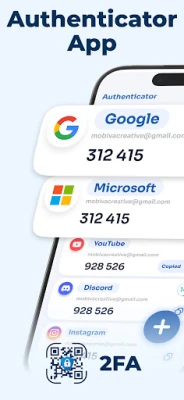
Authenticator App – 2FA Auth, developed by Universe Digital Hizmetler, is a lightweight Android tool that creates one‑time passwords (OTPs) for two‑factor authentication (2FA). By pairing a short‑lived code with your regular password, the app adds an extra layer of protection to any service that supports standard TOTP or HOTP protocols.
Main features
- Standard OTP generation – Supports the widely used TOTP (time‑based) and HOTP (counter‑based) algorithms.
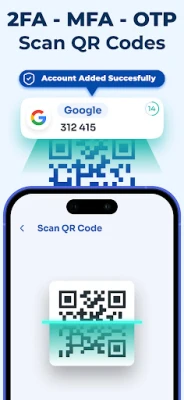
- QR code scanning – Quickly add new accounts by scanning the QR code displayed by the service you are securing.
- Manual entry – Allows manual input of secret keys for services that provide a text string instead of a QR code.
- Offline operation – Generates codes without an internet connection, making it usable in airplane mode or on devices without data.
- Simple organization – Lets you label each entry so you can find the right code quickly.
How it works
When you enable 2FA on a website or app, the service provides a secret key. Authenticator App – 2FA Auth stores this key securely on your device. Every 30 seconds (or according to the service’s interval) the app calculates a new numeric code using the stored secret and the current time. You then type this code alongside your regular password to complete the login.
Practical uses
- Protecting email, social media, and cloud accounts.
- Securing banking or payment applications that support standard 2FA.
- Adding an extra barrier for work‑related services, VPNs, or developer platforms.
Installation information
The app is available for free on the Android platform. Search for the package name com.mobiauth or the title "Authenticator App – 2FA Auth" in your device’s app store, then tap Install. No additional configuration is required beyond granting camera access for QR scanning.
Things to know before installing
- Make sure your device’s clock is accurate; OTP codes rely on correct time synchronization.
- Keep a backup of your secret keys in a secure location (e.g., a password manager) in case you lose the device.
- The app does not require an internet connection to generate codes, but an initial setup may need network access to download QR images.
Who may find it useful?
Anyone who wants to strengthen the security of their online accounts without relying on proprietary solutions. It is especially handy for users who prefer an open, ad‑free authenticator that works offline and respects privacy.
Frequently asked questions
Do I need an internet connection to use the app?
No. Once the secret keys are stored, the app generates codes locally.
Can I import accounts from another authenticator?
Yes, you can manually enter the secret key from another app or scan its QR code.
Is the app free?
Yes, Authenticator App – 2FA Auth is offered at no cost.
Rate the App
User Reviews















Popular Apps










 Games
Games Entertainment
 Communication
 E-mail
 Security
 Tools
Tools Media
Media Internet
 Finance
 Design
 Education
 Android Firmwares
 Travel & Local
 Android
 Windows
 Linux
Linux