

Latest Version
Latest
September 10, 2026
FirstOrder.Apps
Tools
Android
9
Free
ai.firstorder.auth
Report a Problem
More About Authenticator App · 2FA – Secure One‑Time Passwords
What is Authenticator App · 2FA?
Authenticator App · 2FA, developed by FirstOrder.Apps, is a lightweight tool that creates time‑based one‑time passwords (TOTP) for accounts that support two‑factor authentication. By pairing a generated code with your regular password, you add an extra layer of protection to online services.
Main features
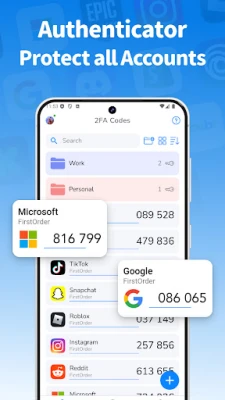
- Automatic code generation – Codes refresh every 30 seconds, following the standard TOTP algorithm.
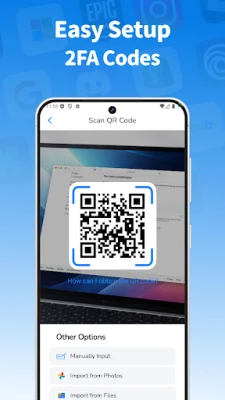
- Simple account setup – Add a new entry by scanning a QR code or entering the secret key manually.
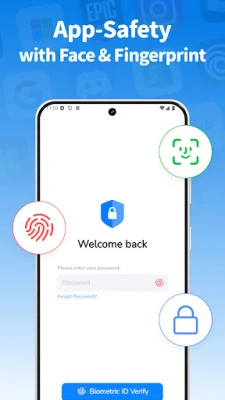
- Biometric lock – Protect the list of codes with your device’s fingerprint or face recognition.
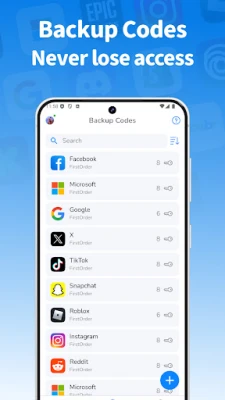
- Local backup – Export and import account data as a file, allowing you to move the information between devices.
- Home‑screen widget – View the current code for a selected account directly from the widget without opening the app.
- Folder organization – Group accounts into custom folders for quick navigation.
How it works
When you enable 2FA on a service, it provides a secret key, usually displayed as a QR code. The authenticator reads that key and stores it securely. Every 30 seconds the app calculates a new six‑digit code using the secret and the current time. You enter the displayed code during login, and the service verifies it against its own calculation.
Practical uses
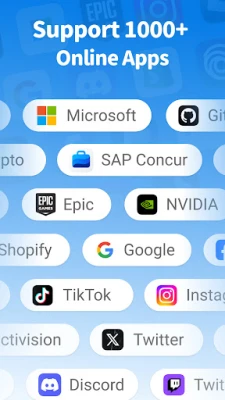
Any online account that offers TOTP can benefit from this app – email providers, social networks, cloud storage, banking apps, and developer platforms. Using a dedicated authenticator keeps your second factor separate from your primary device’s SMS or email, reducing the risk of interception.
Installation information
The app is available as a free download from the Google Play Store. Installation follows the standard Android process: tap “Install,” grant the requested permissions (typically storage access for backup files), and launch the app.
Things to know before installing
- Make sure your device’s date and time are set to automatic; TOTP codes rely on accurate time synchronization.
- Back up your secret keys before resetting or uninstalling the app, otherwise you will need to re‑register each account.
- The app does not store any data on external servers; all codes remain on the device unless you choose to export them.
Who may find it useful?
Users who already employ two‑factor authentication and prefer a self‑hosted solution will appreciate the straightforward interface and local backup options. It is also suitable for people who want a single place to manage codes for multiple services without relying on cloud‑based synchronisation.
Frequently asked questions
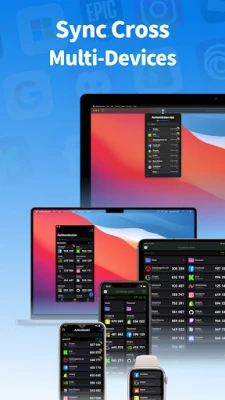
- Can I sync codes across devices? The app offers local export/import, but it does not provide automatic cloud sync.
- Is biometric protection optional? Yes, you can enable or disable fingerprint/face lock in the settings.
- What happens if I lose my phone? Use the exported backup file to restore codes on a new device, or re‑register each account using the original secret keys.
Rate the App
User Reviews













Popular Apps










 Games
Games Entertainment
 Communication
 E-mail
 Security
 Tools
Tools Media
Media Internet
 Finance
 Design
 Education
 IT Tools
 Travel & Local
 Android
 Windows
 Linux
Linux