

Latest Version
September 05, 2026
Data Nation Inc
Tools
Android
3
Free
com.secureproxybrowserlite
Report a Problem
More About ARO Lite – Private Browser for Android
What is ARO Lite?
ARO Lite is a free Android browser developed by Data Nation Inc. It is built for users who want a straightforward browsing experience that respects privacy while keeping resource usage low. The app provides the essential tools for private web surfing without the extra features that can slow down older or low‑end devices.
Main Features
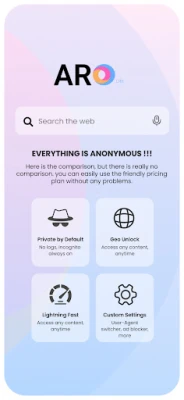
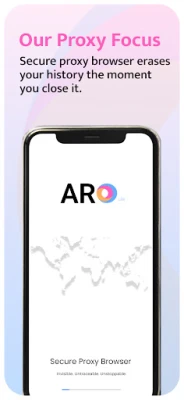
- Private browsing mode – All browsing data, including history, cache, and form entries, is cleared when you close the app.
- Lightweight design – The installation package is small and the app uses minimal RAM, making it suitable for devices with limited storage or processing power.
- Speed‑focused rendering – Optimized page loading and hardware‑accelerated rendering help pages appear quickly, even on slower connections.
- Data compression option – Users can enable compression to reduce the amount of data transferred, which can be helpful on metered connections.
How It Works
When you launch ARO Lite, the browser opens in a clean, incognito‑style window. Because the app does not retain browsing history or cookies, each session starts fresh. If you enable the optional data compression feature, the browser will automatically reduce the size of images and scripts before they are displayed, helping to save bandwidth.
Practical Uses
- Browsing on public Wi‑Fi without leaving traces on the device.
- Saving mobile data on limited plans through optional compression.
- Using an older Android phone that struggles with heavyweight browsers.
Installation Information
ARO Lite can be installed directly from the Google Play Store. The app is listed under the package name com.secureproxybrowserlite. As a free application, there are no purchase requirements, and the installation does not request unnecessary permissions beyond what is needed for basic web access.
Things to Know Before Installing
- The app does not include a built‑in proxy or VPN service; it focuses on local privacy features such as incognito mode and data clearing.
- Because the browser is lightweight, it may lack advanced extensions or customizations found in larger browsers.
- Performance may vary depending on the device’s hardware and the speed of the internet connection.
Who May Find ARO Lite Useful?
Anyone who values a minimalistic browsing experience will appreciate ARO Lite. It is especially helpful for:
- Users with older Android smartphones or tablets.
- People who frequently use public or shared networks and want to avoid leaving local traces.
- Individuals looking to reduce mobile data consumption without sacrificing basic browsing functionality.
Frequently Asked Questions
Does ARO Lite store any browsing data?
No. The browser is designed to erase history, cache, and form data automatically when the app is closed.
Can I use extensions or add‑ons?
ARO Lite focuses on core browsing features and does not support third‑party extensions.
Is the app safe to use on public Wi‑Fi?
While the browser clears local data, it does not provide its own encryption tunnel. For additional security on public networks, consider using a separate VPN service.
Will the app work on all Android versions?
The app is available on the Play Store and will run on devices that meet the store’s minimum Android version requirements, which are displayed during installation.
Rate the App
User Reviews















Popular Apps










 Games
Games Entertainment
 Communication
 E-mail
 Security
 Tools
Tools Media
Media Internet
 Finance
 Design
 Education
 IT Tools
 Travel & Local
 Android
 Windows
 Linux
Linux