Latest Version
Latest
September 16, 2026
WangxuTech
Tools
Android
13
Free
com.apowersoft.mirror
Report a Problem
More About ApowerMirror – Screen Mirroring for Android
What is ApowerMirror?
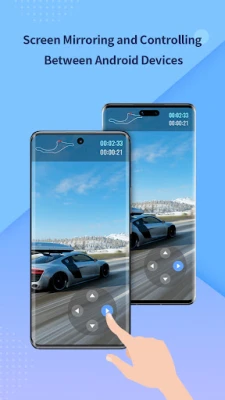
ApowerMirror is a free Android application developed by WangxuTech that enables wireless screen mirroring between Android devices and other screens such as PCs, Macs, or smart TVs. The app focuses on providing a straightforward way to display your phone’s content on a larger display and, when needed, to control the mirrored device from a computer or another phone.
Main Features
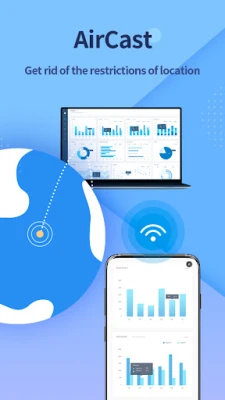
- Wireless screen mirroring – Cast your Android screen to a computer, laptop, or compatible TV without cables.
- Audio transmission – The mirrored video includes sound, allowing you to watch movies or listen to music on the target display.
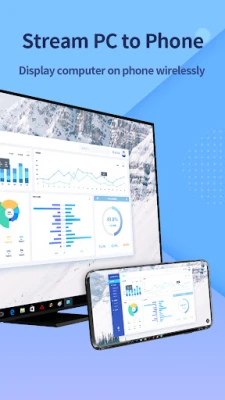
- Two‑way mirroring – Not only can you show your phone on a larger screen, you can also display a PC screen on your Android device.
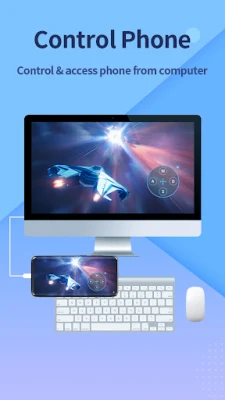
- Remote control – When paired with a desktop client, you can use a mouse and keyboard to interact with the Android device.
- Phone‑to‑phone sharing – Share your screen with another Android device for collaborative viewing or troubleshooting.
How It Works
ApowerMirror uses the local Wi‑Fi network to establish a connection between the Android device and the target screen. After installing the app on your phone, you launch the companion desktop program (available for Windows and macOS) or connect to a compatible smart TV that supports Miracast or similar protocols. The app then streams the screen content in real time, synchronizing video and audio.
Practical Uses
- Presentations and meetings – Display slides, apps, or live demos on a projector or conference room TV directly from your phone.
- Gaming on a big screen – Play mobile games on a larger monitor for a more immersive experience.
- Media playback – Watch videos, listen to music, or view photos on a TV without moving the device.
- Remote assistance – Help friends or family troubleshoot Android issues by viewing and controlling their screen from your computer.
- Content creation – Stream the mirrored screen to recording software (e.g., OBS Studio) for tutorials or live streams.
Installation Information
Download ApowerMirror from the Google Play Store using the package name com.apowersoft.mirror. The app is free to install and does not require a paid license. After installation, follow the on‑screen prompts to grant the necessary permissions for screen capture and, if you plan to use remote control features, the Accessibility permission.
Things to Know Before Installing
- The app works best on a stable Wi‑Fi network; performance may vary on slower connections.
- Some features, such as remote control, rely on a companion desktop application that must be installed separately on the computer.
- Compatibility with smart TVs depends on the TV’s support for standard mirroring protocols (e.g., Miracast, Chromecast).
Who May Find It Useful?
Students presenting projects, professionals conducting remote demos, gamers who want a larger view, and anyone who needs to share mobile content with a group will benefit from ApowerMirror’s simple mirroring capabilities.
Frequently Asked Questions
Do I need a cable to mirror my screen?
No. ApowerMirror operates wirelessly over a local network.
Can I mirror my phone’s audio as well as video?
Yes, the app transmits both video and audio to the target display.
Is the desktop companion required for all mirroring scenarios?
It is required for PC/Mac mirroring and remote control. For TV mirroring, a compatible TV protocol is sufficient.
Is there any cost associated with the app?
The Android app itself is free. Additional desktop software may have its own licensing terms, which are separate from the mobile app.
Rate the App
User Reviews




Popular Apps










 Games
Games Entertainment
 Communication
 E-mail
 Security
 Tools
Tools Media
Media Internet
 Finance
 Design
 Education
 IT Tools
 Travel & Local
 Android
 Windows
 Linux
Linux