




Latest Version
Latest
September 02, 2026
Aloha Mobile
Tools
Android
10
Free
com.alohamobile.vpn
Report a Problem
More About Aloha VPN – Free VPN for Android
What is Aloha VPN?
Aloha VPN is a free Android application developed by Aloha Mobile that creates a virtual private network (VPN) connection on your device. By routing your internet traffic through an encrypted tunnel, it helps keep your online activity private and lets you reach sites or services that might be blocked on your current network.
Main features
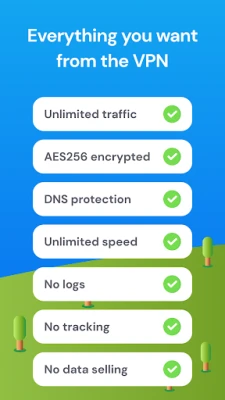
- One‑tap connection: Start the VPN with a single tap, making it easy to enable protection whenever you need it.
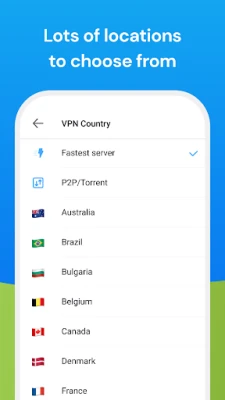
- Multiple server locations: Choose from a selection of global servers to improve performance or to appear as if you are browsing from another country.
- Basic encryption: The app encrypts data between your device and the VPN server, adding a layer of privacy.
- Free to use: No purchase is required to download or use the core VPN functionality.
How it works
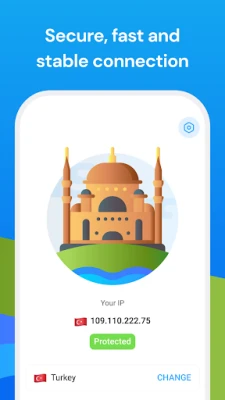
When you activate Aloha VPN, the app establishes a secure tunnel to a VPN server operated by the developer. All network requests from your phone are sent through this tunnel, which masks your original IP address and encrypts the data payload. This process helps protect your information from casual eavesdropping on public Wi‑Fi networks and can bypass simple geographic restrictions.
Practical uses
Typical scenarios where Aloha VPN can be helpful include:
- Connecting to public Wi‑Fi in cafés, airports, or hotels while keeping your browsing data private.
- Accessing websites or streaming services that are unavailable in your current region.
- Testing how a website appears from another country without needing a separate device.
Installation information
To install Aloha VPN, search for the package name com.alohamobile.vpn in the Appitika store and tap the install button. The app requires Android permissions to create a VPN connection; these are granted through the standard Android VPN permission dialog when you first launch the app.
Compatibility
Aloha VPN is built for Android devices. Specific version requirements are not listed, but the app follows the standard Android VPN API, which is available on most devices running Android 5.0 (Lollipop) and later.
Things to know before installing
- The free version may include limitations such as data caps or a reduced number of server locations compared to any premium offering that might exist.
- Performance can vary depending on the distance to the selected server and the current load on that server.
- While the app encrypts traffic, it does not replace a full security suite; consider using additional security tools for comprehensive protection.
Who may find Aloha VPN useful?
Anyone who wants a straightforward, no‑cost solution for basic privacy and occasional geo‑unblocking will benefit from Aloha VPN. It is especially suitable for travelers, students, and casual users who do not need advanced configuration options.
Frequently asked questions
Is Aloha VPN safe to use?
The app uses standard Android VPN encryption, which provides a reasonable level of privacy for typical browsing. As with any free service, review the developer’s privacy policy for details on data handling.
Do I need to create an account?
No account is required. You can start the VPN directly after installation.
Can I use Aloha VPN while streaming?
Streaming may work, but performance depends on server load and network conditions. If you encounter buffering, try switching to a different server location.
Will the VPN drain my battery?
Running a VPN keeps a persistent network connection, which can modestly increase battery usage compared to not using a VPN.
Rate the App
User Reviews















Popular Apps










 Games
Games Entertainment
 Communication
 E-mail
 Security
 Tools
Tools Media
Media Internet
 Finance
 Design
 Education
 IT Tools
 Travel & Local
 Android
 Windows
 Linux
Linux