

Latest Version
Latest
August 28, 2026
Aloha Mobile
Tools
Android
98
Free
com.alohamobile.browser
Report a Problem
More About Aloha Browser (Beta) – Private Mobile Web Browser
What is Aloha Browser (Beta)?
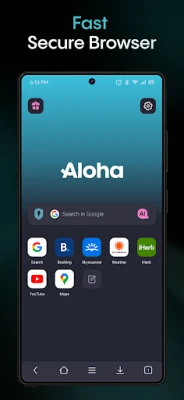
Aloha Browser (Beta) is a free Android web browser developed by Aloha Mobile. It is designed for users who want a faster, more private way to surf the web on their mobile devices. The beta label indicates that the app is still receiving updates and improvements.
Main Features
- Private browsing mode – Open tabs that do not retain history, cookies or cache after they are closed.
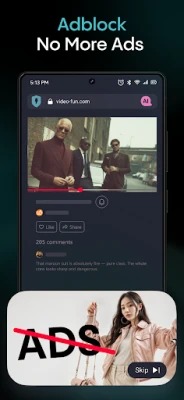
- Built‑in ad blocker – Block intrusive ads and trackers for a cleaner, faster page load.
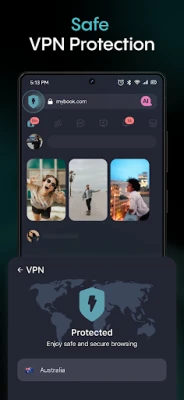
- Integrated VPN option – Route traffic through a VPN tunnel when the feature is enabled, helping to bypass simple geo‑restrictions and add an extra layer of privacy.
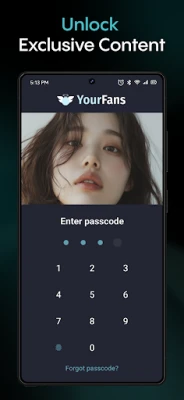
- Secure vault – Store passwords and other sensitive data within the app, protected by a user‑defined PIN or password.
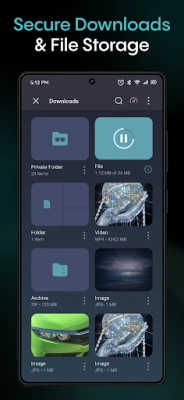
- Download manager – Manage file downloads directly from the browser, with support for video and audio files.
How It Works
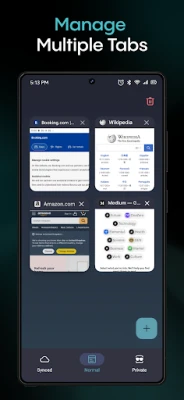
The browser runs like any standard Android app. When you launch it, you can choose a regular tab or a private tab. Private tabs automatically clear browsing data when they are closed. The ad blocker works in the background, filtering requests to known advertising domains. If you enable the VPN feature, the app creates a secure tunnel for your traffic; you can toggle it on or off from the settings menu.
Practical Uses
- Travelers who need to access content that may be restricted in certain regions.
- Users concerned about tracking and want to minimize data collection while browsing.
- Anyone who prefers an all‑in‑one solution for browsing, ad blocking and occasional VPN use without installing separate apps.
Installation Information
Search for "Aloha Browser (Beta)" in the Google Play Store, then tap Install. The app is free to download and use. After installation, you may be prompted to grant permissions such as storage access for downloads and network access for the VPN feature.
Things to Know Before Installing
- The app is in beta, so occasional bugs or performance variations may occur.
- VPN usage may affect battery life and data consumption.
- Because the app handles private data, consider setting a strong PIN for the secure vault.
Who May Find It Useful?
Privacy‑conscious users, frequent travelers, and anyone who wants a streamlined browsing experience without the clutter of ads or trackers will benefit from Aloha Browser (Beta). It is also suitable for users who prefer a single app that combines browsing, ad blocking and optional VPN capabilities.
Frequently Asked Questions
Is the VPN free?
The VPN feature is included in the app, but data usage depends on your network plan. No additional subscription is required to enable it.
Can I import bookmarks from another browser?
Yes, the app provides an import option in its settings to bring in bookmarks from other installed browsers.
Does the app work on all Android versions?
Aloha Browser (Beta) supports recent Android releases. Compatibility with very old versions may be limited.
Rate the App
User Reviews















Popular Apps










 Games
 Entertainment
 Communication
 E-mail
 Security
 Tools
 Media
 Internet
 Finance
 Design
 Education
 Android Firmwares
 Travel & Local
 Android
 Windows
 Linux